
Kevin Brooks | IPTV Troubleshooting Australia
Published: 1 March 2026 · Last updated: 2 August 2026
Quick Answer
IPTV troubleshooting in Australia begins with one question: is the fault on your side or the provider’s? Most problems are either connection-side, fixable in minutes with an Ethernet cable and a restart, or provider-side server load during the 7–10 PM AEST peak. Run three checks first: test your speed during the actual fault window rather than at midday, compare your stream to a YouTube video on the same connection, and then restart the device, app and router in sequence. For background on how the technology works, see the IPTV Australia guide.
This page helps you identify which type of problem you are facing. Once you know the category, follow the dedicated guide for the complete fix.
What This Guide Does Not Cover
Before going further, please check that you are in the right place. This hub does not help with:
- Subscription billing questions or refunds
- Account cancellations
- Password recovery handled by your provider
- Device hardware failures
For those issues, you will need to contact your provider or the device manufacturer. If your issue is technical — playback, connection, or app behaviour — please continue below.
It is written for Australian users on Fire TV, Android TV, smart TVs and mobile, across NBN, Opticomm and fixed wireless connections, including anyone unsure where to begin.
Before You Start
Four things to do before changing any settings:
- Restart your streaming device
- Confirm your internet connection works in another app
- Check whether the issue affects every channel or only some
- Note any error message exactly as it appears on screen
That last step matters more than people expect. An exact error code often identifies the fault immediately — see Australian IPTV error codes explained if one appears.
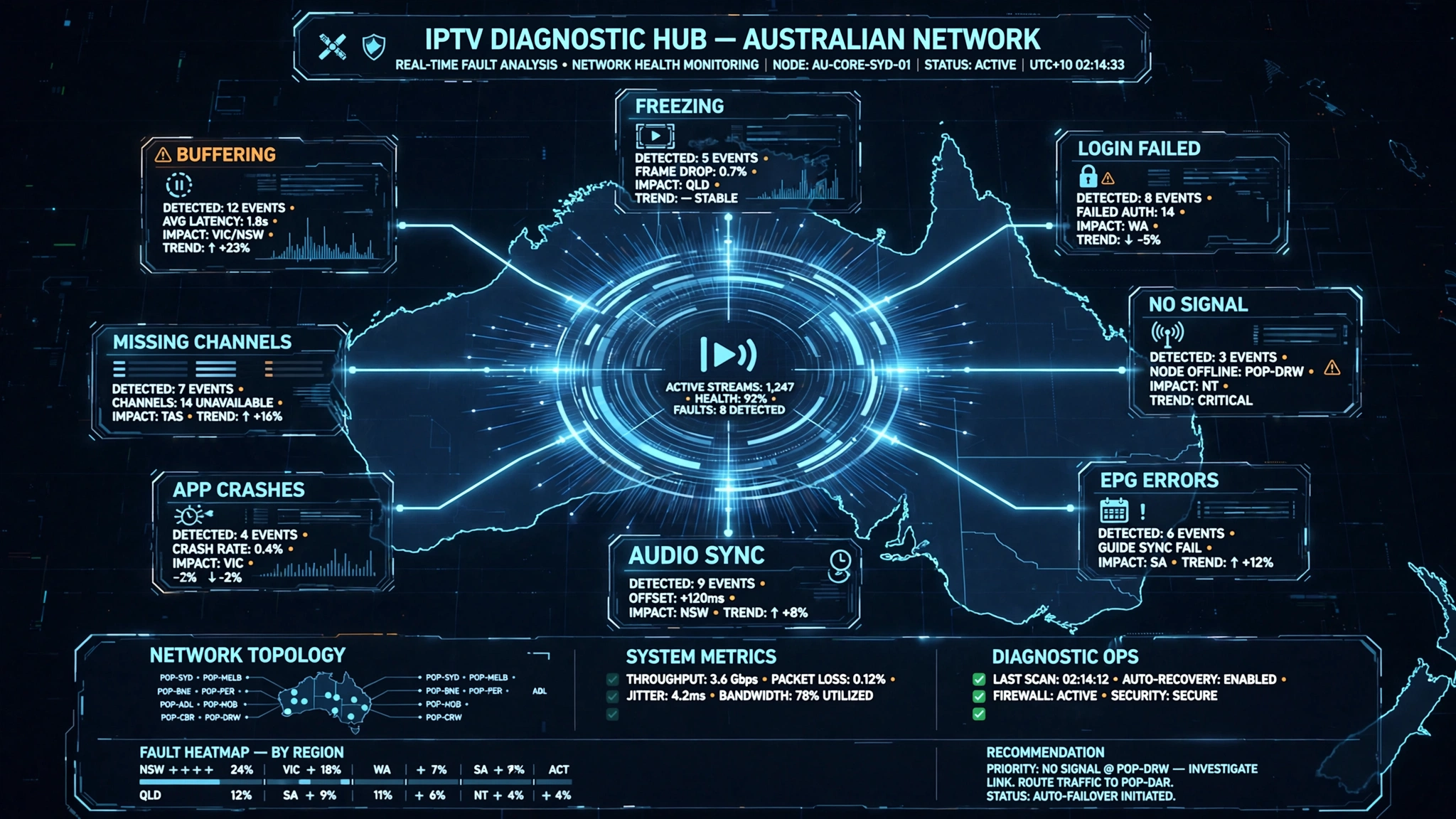
Start Here: What Is Your Symptom?
| Symptom | Most likely cause | Expected next step | Full guide |
|---|---|---|---|
| Spinning loading icon, picture disappears | Bandwidth or provider server load | 5–10 min diagnostics | Buffering fixes for Australian ISPs |
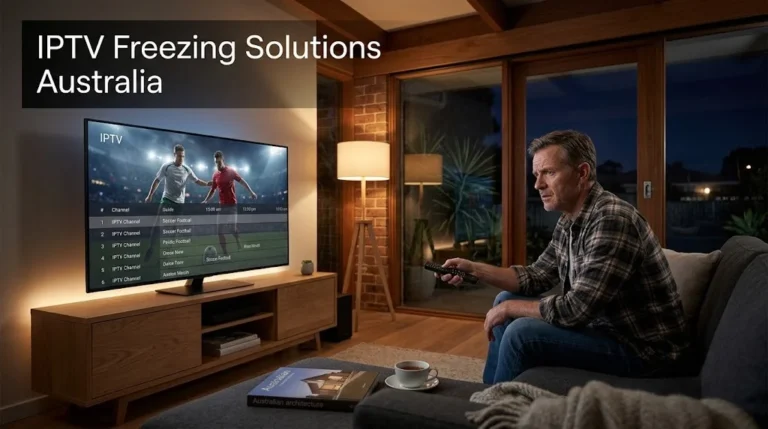
| Picture locked on one frame | Wrong server link, bandwidth, or device | 5-min diagnostics | IPTV freezing solutions |
| Cannot log in at all | Credentials, expired plan, or connection limit | 2–5 min diagnostics | Login failed on IPTV apps |
| Black screen, no picture | Upstream source or device output | 5-min diagnostics | No signal on IPTV |
| Programme times wrong | EPG timezone offset | 3–10 min diagnostics | EPG not working: step-by-step |
| Audio ahead of or behind video | Decoder or provider encoding | 2-min diagnostics | Audio and video out of sync |
| The app closes on its own | Cache, memory, or app version | 5-min diagnostics | IPTV app crashes |
| Some channels missing | Provider upstream feed | Contact provider | Channel not loading |
| Connects, then fails | Server URL or API error | 5-min diagnostics | Xtream Codes errors |
Still not sure? Start with the symptom closest to what you see on screen. Most IPTV problems fall into one category, even when they appear to have several causes at once.
IPTV Troubleshooting Australia: The Master Diagnostic Framework
Before consulting any individual fault guide, run this three-step check.
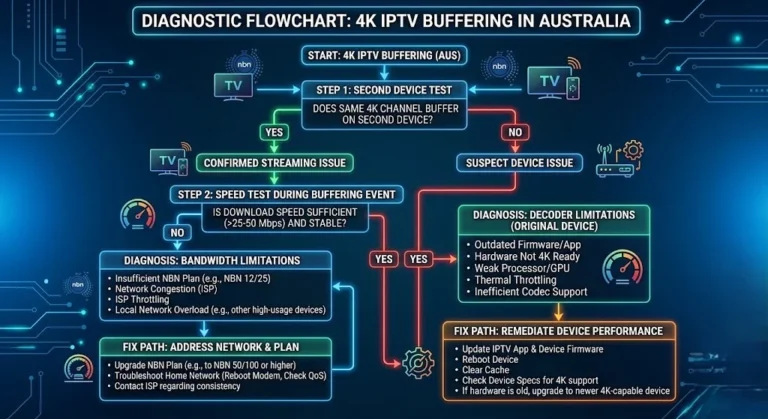
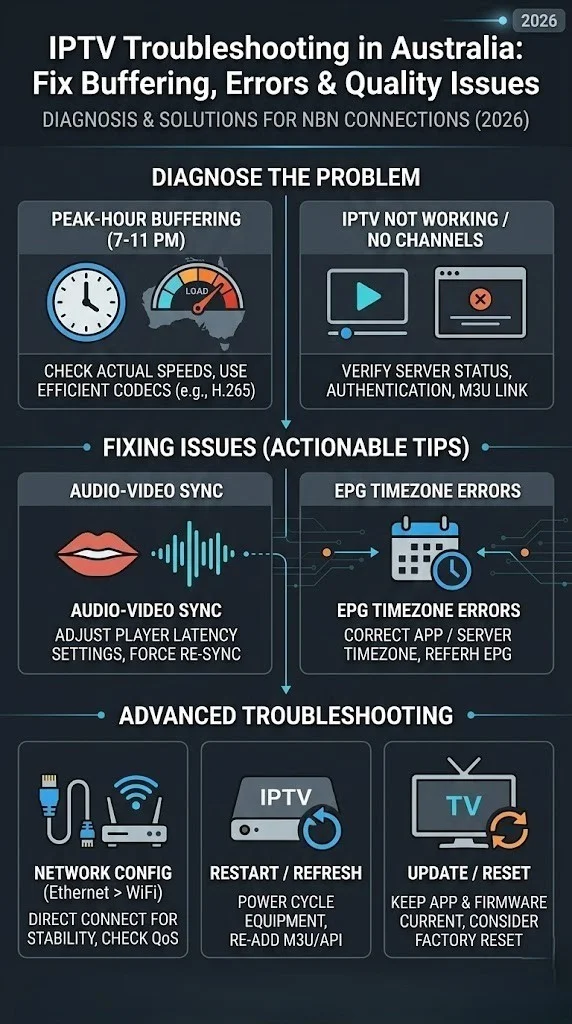
Step 1 — Isolate the connection. Run an Ethernet cable directly from router to streaming device. If Ethernet is not possible, switch to the 5 GHz Wi-Fi band. Run a speed test during the problem window, not at midday. If your speed drops well below what your stream needs during the fault window, your connection becomes the primary suspect.
Step 2 — Test a reference stream. Open YouTube and play a 1080p video. If YouTube stalls at the same time as your IPTV service, the fault is your connection or local network. If YouTube runs smoothly while IPTV struggles, the fault sits with the provider’s infrastructure.
Step 3 — Restart everything in sequence. Close the app fully. Restart the device. Unplug the router for 30 seconds. Reopen the app. This step clears transient memory faults, connection timeouts and corrupted session states, which account for a significant share of problems that appear persistent.
If these three steps do not resolve it, use the symptom table above.
Is IPTV Down, or Is the Problem on Your Side?
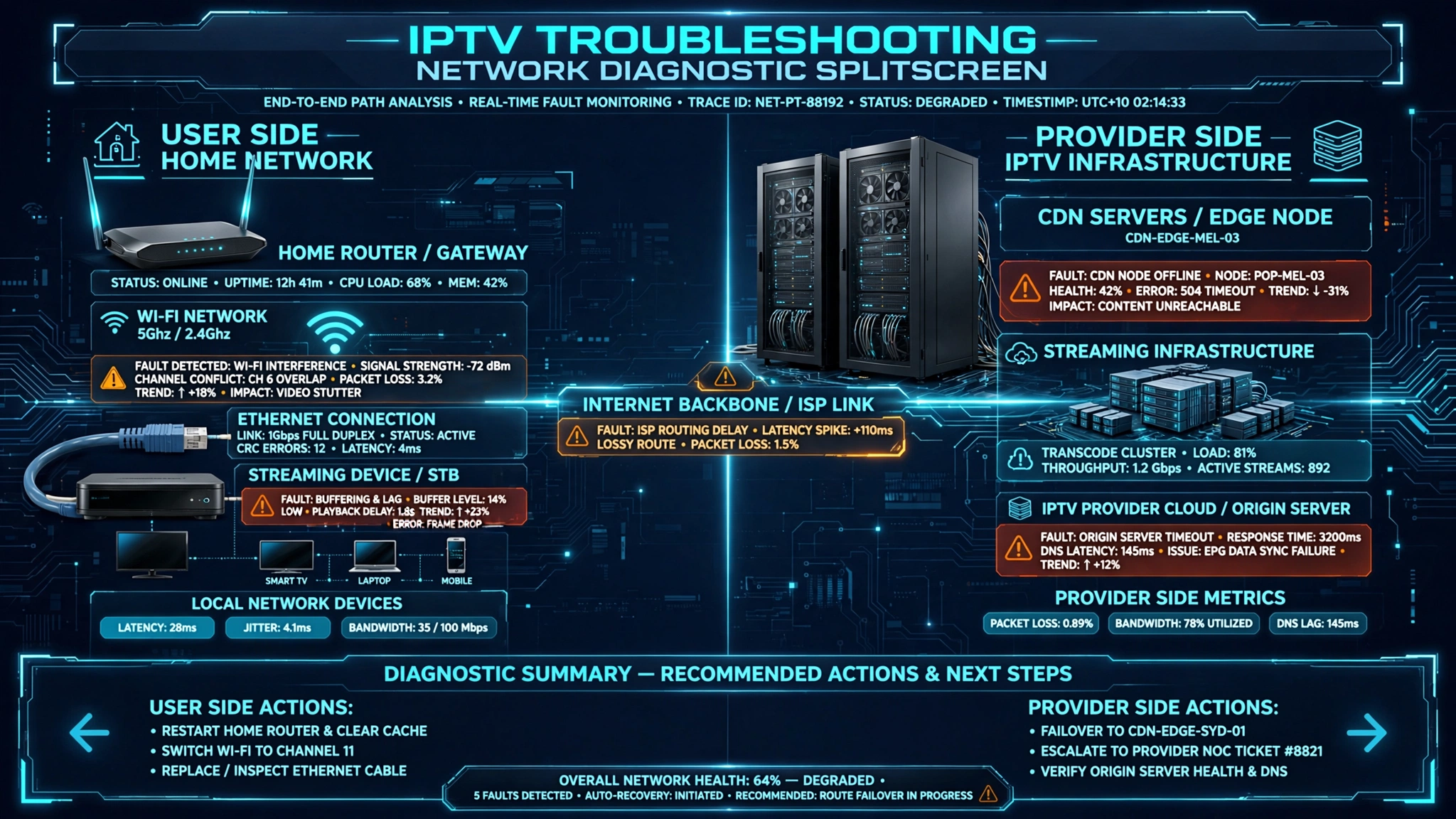
Before changing any settings, please determine where the problem originates. This single distinction saves more time than any other troubleshooting step.
| If… | The likely cause |
|---|---|
| YouTube and Netflix also fail | Your internet connection |
| Only your IPTV service fails | Provider issue or app configuration |
| Only a few channels fail | Upstream source issue at the provider |
| The problem appears on every device on your network | Not a device or app fault |
| The problem disappears on a different service | Your original provider’s infrastructure |
There is no single IPTV status page. Unlike Netflix or Stan, IPTV is not one central service that goes down — thousands of independent providers operate separately, so an outage affecting one has nothing to do with any other. This is why searching for an IPTV outage rarely returns anything useful.
If you suspect your provider is down, the only reliable check is their communication channel: their support contact, their website notice, or wherever they normally post updates.
Three questions answer the issue faster than any tool:
- Do other internet services work on the same connection?
- Does the problem affect all channels, or only some?
- Does it happen on more than one device?
Answer those three and you will know whether to keep troubleshooting or contact your provider.
Why Australian IPTV Problems Are Different
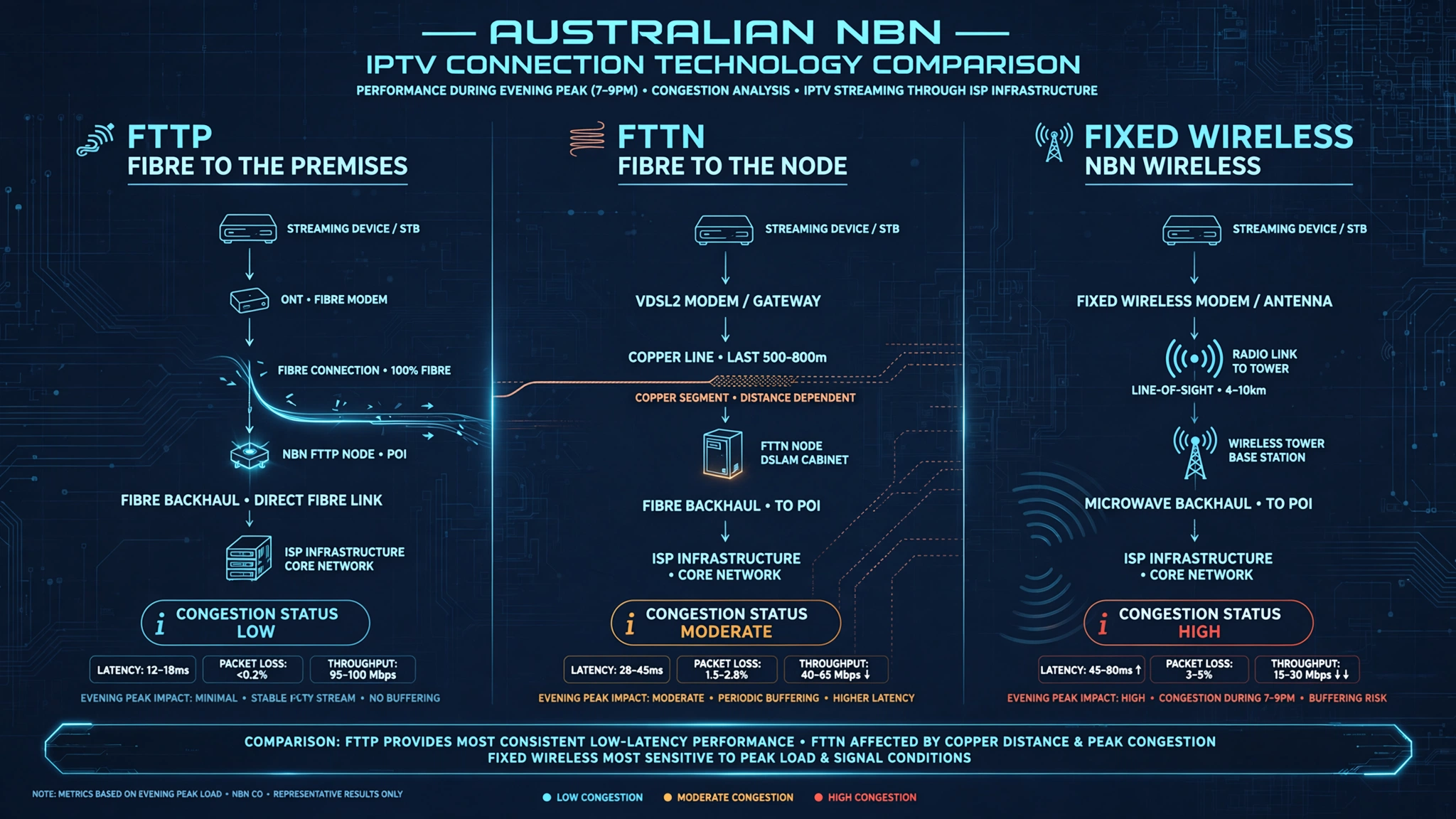
NBN connection type affects troubleshooting outcomes more than most guides acknowledge.
Fixed wireless and FTTN users are more likely to experience performance variation during peak usage periods because those technologies rely on shared infrastructure. FTTP connections generally hold a stable stream through the evening peak.
This difference matters because the standard advice — run a speed test, and if you get 25 Mbps, you are fine — does not hold for fixed wireless and FTTN subscribers. A speed test at 6 PM does not reflect the bandwidth actually available at 8 PM when the node is congested. NBN Co’s guidance on network congestion explains why speeds drop as more households share the same local infrastructure during peak hours.
| Variable | Impact on IPTV | Diagnostic approach |
|---|---|---|
| NBN connection type | Fixed wireless and FTTN vary at peak | Test speed between 7 and 10 PM AEST specifically |
| ISP traffic shaping | Some ISPs manage streaming traffic | Test with a VPN to isolate ISP interference |
| Server location | No Australian CDN adds noticeable latency | Check the provider’s infrastructure documentation |
| Peak-hour congestion | 7–10 PM AEST is the highest-risk window | Use off-peak testing to separate your side from theirs |
| Device processing power | Low-end devices struggle at 1080p even on fast connections | Test the same stream on a second, more capable device |
Switching providers is rarely the first-line solution. Moving from Wi-Fi to Ethernet resolves a great many complaints before any provider-side diagnosis becomes necessary — see Wi-Fi versus Ethernet for IPTV for the full comparison.
The Five Most Common Australian IPTV Faults
Each fault is summarised at a diagnostic level. The linked guides carry the complete resolution sequence.
1. Buffering During Peak Hours
The most commonly reported issue in Australia. The diagnostic split is straightforward. If your connection tests well below its normal speed during the buffering event, the fault is on your side. If it performs normally and YouTube runs cleanly while IPTV struggles, the fault is the provider’s server infrastructure—CDN nodes handling simultaneous demand during the 7–10 PM AEST peak.
Two related symptoms are worth separating. If the picture locks on a single frame rather than showing a loading icon, that is freezing, a distinct fault with its own causes. If the image looks blocky or smeared rather than frozen, that is pixelation — usually available bandwidth dropping below the stream’s bit rate at that moment.
Learn more: buffering fixes for Australian ISPs
2. Login and Authentication Failures
Authentication failures appear suddenly and usually trace to one of four causes: incorrect credentials, an expired subscription, a provider server outage, or exceeding your plan’s simultaneous connection limit.
First, check your subscription status. If active, re-enter credentials manually rather than pasting them. Clipboard content sometimes carries invisible characters, and autocorrect on Android can silently change it http to https two characters that stop the server connecting, with no useful error message to explain why.
Read the dedicated guide: resolving IPTV login failures
3. EPG Showing Wrong Times
EPG timezone errors are close to uniquely Australian because most providers serve guide data in UTC, and the offset for AEST is +10, or +11 during daylight saving. A guide showing times ten or eleven hours out is displaying UTC without adjustment.
Check your app’s EPG timezone setting – both Tivimate and IPTV Smarters allow manual offset correction. If your app offers no offset option, the provider must correct the feed at source.
See the complete walkthrough: restoring a broken EPG
4. Channels Not Loading or Going Offline
When individual channels fail while others work, the cause is almost always the provider’s upstream source for that channel rather than your connection. Groups of channels in the same category or region failing together strongly indicates a common upstream failure.
This is provider-side and cannot be resolved locally.
Continue to the detailed article: diagnosing channels that will not load
5. Audio and Video Sync Problems
Audio drift comes either from the device’s decoder struggling with the stream format or from an encoding fault in the provider’s source. The quick diagnostic: affecting all channels means local; affecting specific channels consistently means the encoding is faulty at the provider’s end.
For decoder issues, switching the player in app settings or changing the stream type often resolves it immediately.
Follow the full guide: fixing audio and video drift
Full Article Directory
This page is the main diagnostic hub for Australian IPTV faults. Every guide below focuses on one specific problem. If you already know your symptom, please go directly to the matching guide. Otherwise, complete the diagnostic steps above first.
Buffering and Performance
| Guide | What it covers |
|---|---|
| IPTV Buffering Fixes for Australian ISPs | Causes specific to Telstra, Optus and Vodafone networks |
| Slow IPTV Streams: Optimisation Tips | Network adjustments to reduce latency on NBN |
| IPTV Crashes During Peak Hours | Bandwidth and server problems in the 7–10 PM window |
| Multicast vs Unicast Issues | Protocol problems causing unexpected drops |
| ISP Blocking IPTV: What to Do | Identifying ISP interference and legal options |
Authentication and Login
| Guide | What it covers |
|---|---|
| Login Failed on IPTV Apps | Authentication failures across all major apps |
| Xtream Codes Errors | Errors specific to the Xtream Codes API |
| VPN Issues with IPTV | VPN-related drops and authentication conflicts |
Channels and Playback
| Guide | What it covers |
|---|---|
| Channel Not Loading on IPTV | Missing channels and partial playlists |
| Playback Failed: How to Recover | Live and VOD playback errors |
| No Signal on IPTV | Upstream versus local causes |
| Audio/Video Out of Sync | Synchronisation on live and VOD streams |
| IPTV Freezing Solutions Australia | Why the picture locks on a single frame |
EPG and Error Codes
| Guide | What it covers |
|---|---|
| EPG Not Working: Step-by-Step Fix | AEST offset fixes on TiviMate and Smarters |
| Australian IPTV Error Codes Explained | Decoding common app and server codes |
Device-Specific
| Guide | What it covers |
|---|---|
| IPTV App Crashes: Solutions | Crashes on Fire TV, Smart TVs and Android boxes |
| Smart TV IPTV Troubleshooting | Samsung, LG and Sony fixes |
| Fire TV Stick IPTV Troubleshooting | Firestick errors in Australian setups |
| Android IPTV Box Errors | NVIDIA Shield, Mi Box and other Android TV devices |
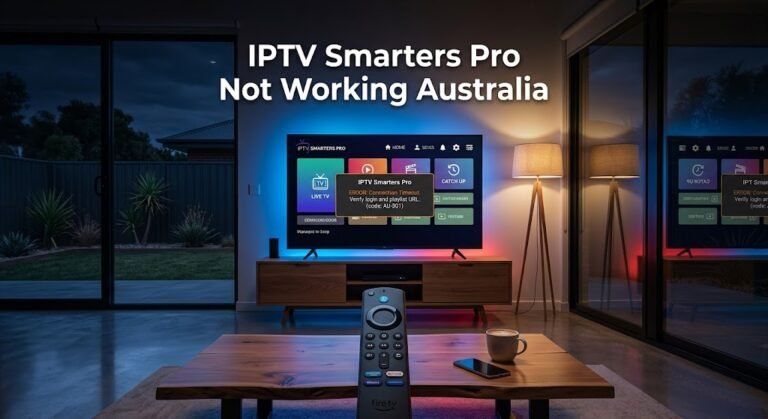
| IPTV Smarters Pro Not Working | Lookalike apps, cache and data fixes |
Reference
| Guide | What it covers |
|---|---|
| IPTV Setup Errors and Fixes | Common configuration errors during first-time setup |
| Comprehensive IPTV Troubleshooting Checklist | A printable checklist to work through before contacting support |
When Your Provider Is the Problem
No troubleshooting guide can fix a fundamentally poor provider. When your connection performs normally, YouTube streams cleanly, the problem occurs across multiple devices on the same connection, and it persists off-peak, then the provider’s infrastructure is the root cause.
| Signal | Indicates |
|---|---|
| Connection tests normal but IPTV still struggles | Provider server overload or distant CDN |
| YouTube smooth while IPTV is not | Provider infrastructure, confirmed |
| Problem only during 7–10 PM AEST | Provider capacity at peak demand |
| Groups of channels offline together | Provider upstream source failure |
| Issue on multiple devices, one connection | Not a device or app fault |
The definitive test is running an alternative service on the same connection during the fault window. If the alternative performs well, your original provider’s infrastructure is the limiting factor.
For a structured way to assess whether a provider meets acceptable reliability standards, see how to evaluate an IPTV provider and Best IPTV Australia.
Legal Considerations
IPTV technology itself is legal in Australia. The legality depends on whether the provider holds the necessary rights to distribute the content it carries.
If you are unsure, read the complete guide: Is IPTV legal in Australia?
This article is for educational purposes only. Verify the licensing status of any service before subscribing.
Frequently Asked Questions
Why does my IPTV only buffer in the evenings?
Evening buffering between 7 PM and 10 PM AEST is the most reliable indicator of provider-side congestion rather than a local fault. Provider CDN nodes handle maximum simultaneous demand in that window. If daytime performance is smooth and your evening connection tests normal, the bottleneck is not your NBN service. See peak-hour performance diagnostics.
Is my ISP blocking my IPTV service?
Some Australian ISPs manage certain streaming traffic. The diagnostic is a VPN test: if your service performs noticeably better with a VPN active on the same connection, ISP-level traffic shaping is likely. Using a VPN may carry terms-of-service implications depending on the service. See what to do about ISP blocking.
How do I clear my IPTV app’s cache?
Clearing the cache removes temporary files without affecting your saved login, making it the safest first step for a stuck or crashing app. Always try it before clearing data or reinstalling. Steps vary by app — see the IPTV Smarters Pro walkthrough for the difference between clearing cache and clearing data.
Why does my IPTV app keep crashing?
Crashes usually trace to corrupted cache data, an outdated app version, or a device running low on memory while decoding a high-bitrate stream. They are rarely a subscription fault. Clear the cache first, then confirm you are on the latest version. See app crash solutions.
Where to Go Next
If you have identified your symptom in the table above, please continue with the dedicated guide for that fault.
If you are still unsure which category applies, work through the troubleshooting checklist before contacting your provider — it covers the diagnostic sequence step by step.
Accurate diagnosis saves more time than any individual fix. Unusual ISP configurations, legacy device decoder limitations and genuinely degraded provider infrastructure may need investigation beyond what these guides cover.