
Quick Verdict
Finding the right IPTV freezing solutions for Australia starts with identifying which of four causes applies to your setup — it’s almost never random. In the large majority of cases I diagnose, it traces back to one of four specific causes: a mismatched server link (DNS/portal URL) for your device type, insufficient internet bandwidth, an underpowered streaming device, or temporary server-side overload during a major live event. Three of these four are fixable in under five minutes. The fourth – peak-demand congestion during something like a World Cup final – typically resolves on its own once the event ends.
What Is IPTV Freezing?
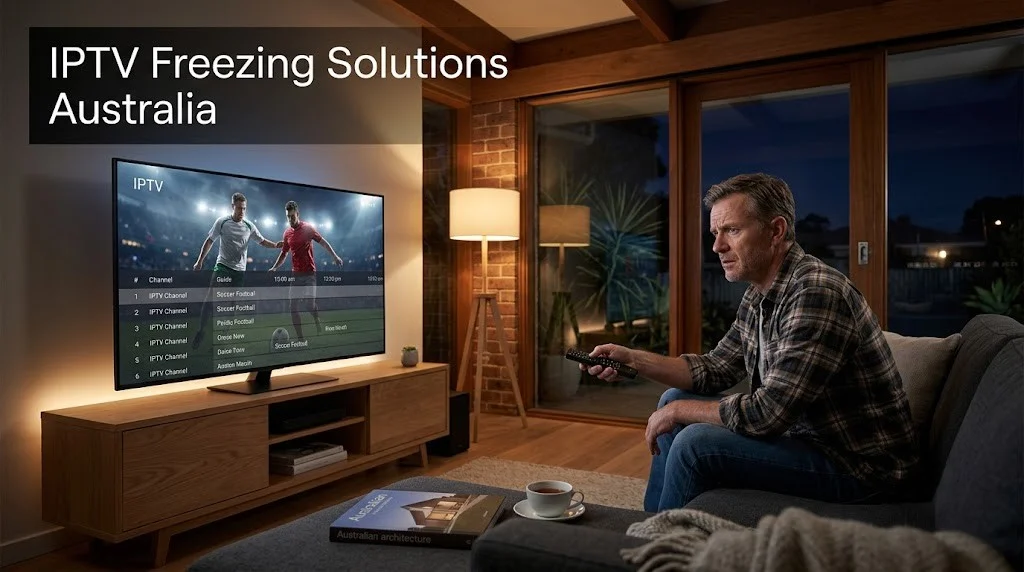
IPTV freezing is when the video image locks on a single frame while playback continues running in the background—unlike buffering, where the picture disappears behind a loading icon while the app reloads data. Freezing on IPTV is typically caused by one of four factors: a server link (DNS/portal URL) mismatched to the device, insufficient bandwidth for the stream’s bitrate, a device that can’t decode the stream fast enough, or temporary server-side congestion during a high-demand event.
At a Glance: Symptom → Likely Cause → Quick Fix
| Symptom | Likely Cause | Quick Fix |
|---|---|---|
| Picture frozen, audio still playing | Wrong server link (DNS/URL) for your device type | Switch to the device-specific link (see Cause #1) |
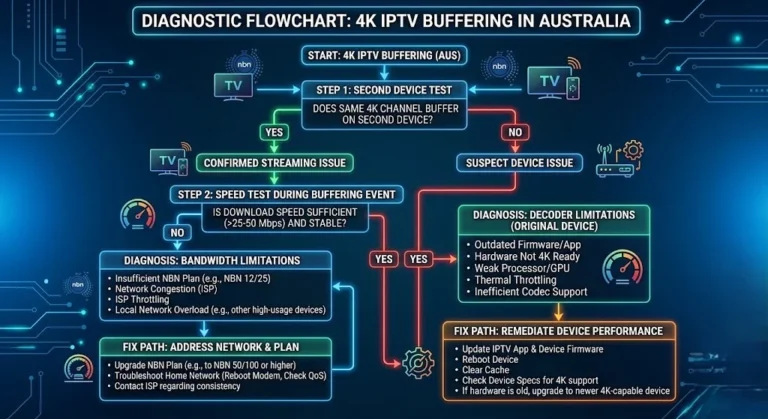
| The picture and audio both stop together | Insufficient bandwidth (check first) or weak device | Run a speed test during the fault window; try a second device |
| The picture freezes, then replays the last few seconds repeatedly | Bandwidth below what the stream needs | Speed test during the fault; try a lower stream quality |
| Freezing only on Samsung/LG TV, fine on phone | Generic link used instead of Samsung/LG-specific link | Request the correct platform link from your provider |
| Freezing only during a major live event, clears after | Server-side congestion from global demand | No action needed — usually resolves once the event ends |
Summary Box
- What “freezing” actually means: the picture locks on a single frame (sometimes with audio still playing, sometimes with everything stopped), as opposed to buffering, which is a repeated loading/spinning icon.
- One cause we frequently encounter: using the wrong server link (DNS/portal URL) for your specific device — for example, entering a generic URL on a Samsung or LG Smart TV instead of the URL formatted for that platform.
- Also common: insufficient internet bandwidth for the stream’s bitrate.
- Also common: an older or low-powered streaming device (box, stick, or smart TV) that can’t decode the stream fast enough.
- Less obvious but real: server-side congestion during major live events — this one isn’t a fault on your end, and it usually fixes itself once the event ends.
Who Is This Guide For
This guide is for Australian IPTV users whose stream freezes on a single frame — whether the audio keeps playing, stutters, or stops entirely — on IPTV Smarters Pro, Firestick, Android TV boxes, and Samsung/LG Smart TVs. If your issue is a constantly spinning loading icon rather than a frozen frame, that’s buffering, not freezing — see our IPTV Buffering Fixes for Australian ISPs guide instead. For every other fault type, browse the full IPTV Troubleshooting Australia category.
Common Misconceptions
Freezing and buffering are not the same thing. Buffering is the app pausing to reload data — you’ll see a spinning wheel or progress circle. Freezing is when the picture locks on one frame while the timer keeps running (and often the audio keeps going). The causes — and fixes — are different for each type.
“If my internet speed test looks fine, the problem can’t be my connection.” A speed test taken at midday tells you nothing about your connection at 8 PM. Bandwidth that works well for your household’s general browsing can still be too thin for a 4K IPTV stream once everyone’s devices are active in the evening.
“It must be the IPTV service that’s broken.” In my experience, this is the most common – and most often incorrect – assumption. Most of the freezing cases I’ve worked through with Australian customers are due to a setup detail (the wrong server link for the device), not a fault with the service itself.
IPTV Freezing Solutions Australia: The 4 Real Causes
1. Using the Wrong Server Link (DNS/URL) for Your Device
Why It Happens
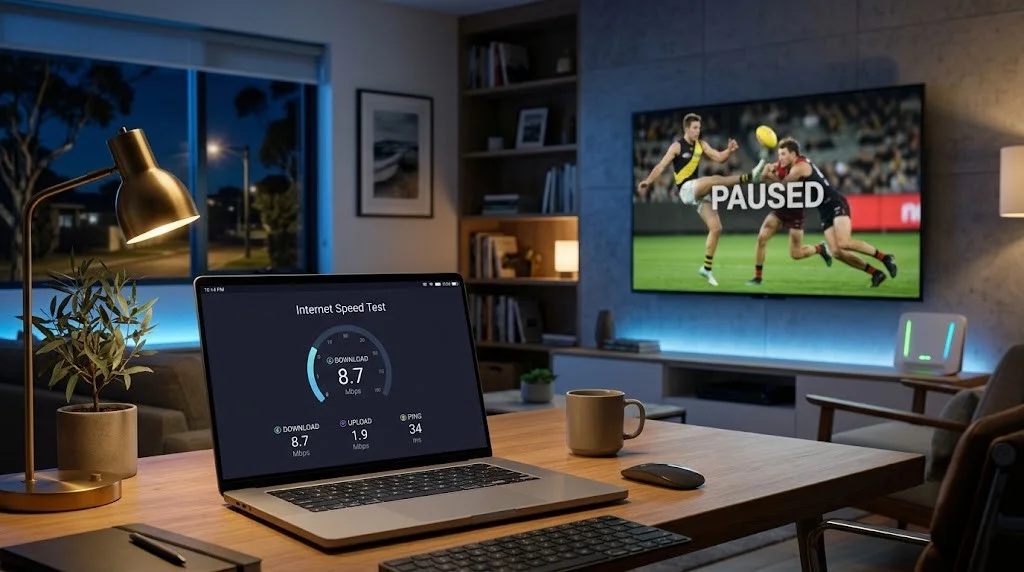
Most IPTV accounts come with more than one server link (DNS/URL) tied to the same username and password — not because anything is wrong, but because different device platforms expect the stream data in different formats.
A standard link is built for apps like IPTV Smarters Pro running on Android, Firestick, or iOS. Samsung and LG smart TVs run on their own operating systems (Tizen and webOS), which support a specific, more limited set of media and streaming formats than a general Android app — so providers issue a separate, platform-specific link for those TVs.
Samsung’s own developer documentation confirms that supported video and streaming formats vary by device platform and model.
This helps explain why IPTV providers often supply different server links for different device platforms and why using the incorrect one may contribute to playback issues.
Symptoms
The app connects and appears to load normally, but the picture repeatedly locks on a single frame — often while the audio continues to play. This is one of the causes we frequently encounter, and it’s almost never mentioned in generic troubleshooting guides because it’s specific to how IPTV providers structure their server links.
In my experience setting up Australian households, a recurring pattern behind this exact symptom is that the customer used the generic link on a Samsung or LG TV instead of the TV-specific one, or vice versa. The app still connects and plays content, but the decoder repeatedly struggles to interpret mismatched stream data, and you see that as the picture locking up.
How to Verify
Look at the documentation your provider gave you. If you see two different URLs — one labelled generally and one labelled for Samsung/LG (or “Smart TV”) — confirm you used the correct one for your specific device. If you’re not sure which one your TV needs, contact your provider and ask them to confirm which link matches your TV’s operating system before changing anything else.
Example of the format difference (illustrative, not a real account):
| Field | General Use | Samsung/LG Smart TV |
|---|---|---|
| Server URL | http://provider-example.com:8080 | http://smarters.provider-example.com:8080 |
| Username | Same for both | Same for both |
| Password | Same for both | Same for both |
Solution
If your TV is freezing and you’re currently using the general link, switching to the TV-specific link is the first thing to try — it resolves this category of freezing immediately in most cases, because there’s no real “fix” needed beyond using the correct endpoint.
2. Insufficient Internet Bandwidth for the Stream
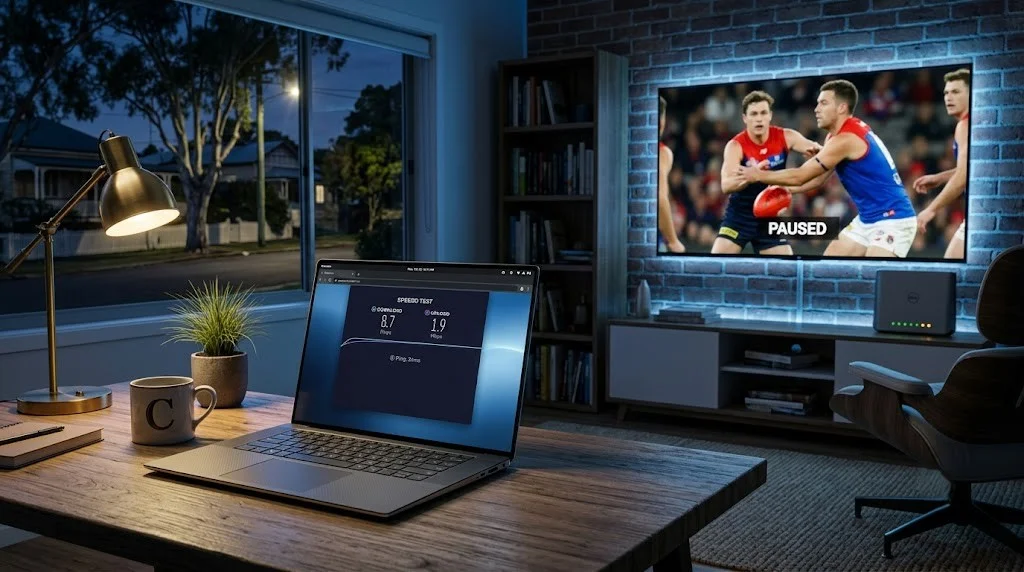
If your connection doesn’t have enough sustained bandwidth for the bitrate of the stream you’re watching, the device can’t keep frames arriving fast enough, and rather than constantly reloading (buffering), some apps and decoders will simply hold the last complete frame on screen—which looks like freezing.
This problem is more likely to affect Australian households on NBN Fixed Wireless or FTTN connections, where evening speeds can drop well below daytime test results. For background on how this congestion actually works at the network level, NBN Co has published an illustrative guide showing how limited provider capacity during peak hours causes slower speeds and buffering as more households come online in the same area.
What 20 Mbps Actually Looks Like on a 4K Stream
Published speed guidance for 4K IPTV generally lands in the 25–50 Mbps range, but that figure describes the bitrate of the stream itself, not what a household connection needs to sustain it reliably.
I tested a 4K stream on a 20 Mbps connection directly. It did not work acceptably. The failure pattern was specific and repeatable rather than a simple loss of picture:
- The image froze, then broke into visible stutter
- Playback then replayed roughly the last five seconds of picture before catching up
- The cycle repeated rather than settling after the first occurrence
That replay behaviour is worth recognising, as it points to bandwidth rather than the device. The player has received partial data, holds what it has, and then re-renders the buffered segment once more data arrives. A decoder that is genuinely too weak for the stream tends to stall or drop out instead of rewinding.
I have not run controlled testing to establish the exact point at which 4K becomes stable, so I am not going to name a threshold I have not measured. What I can say from direct testing is that 20 Mbps is below the practical floor for 4K IPTV, and treating a 20 Mbps plan as adequate for 4K viewing is likely to produce this pattern.
If you are seeing a frozen picture followed by a short replay loop, test your connection during the fault window before changing devices or contacting your provider.
How to check: Run a speed test during the exact time when the freezing occurs (not earlier in the day). If your result is noticeably lower than your plan’s advertised speed, bandwidth is a likely contributor.
Fix: Switch from Wi-Fi to a wired Ethernet connection where possible, move other heavy-bandwidth devices off the network during viewing, or ask your provider whether your stream quality setting can be lowered slightly without a major drop in picture quality. For a deeper walkthrough, see Slow IPTV Streams: Optimisation Tips.
3. An Underpowered Streaming Device
Older Firestick models, budget Android boxes, and the built-in apps on older Smart TVs often don’t have enough processing power to decode higher-bitrate 4K or even sustained 1080p streams smoothly.
The connection and the server link can both be entirely correct, and the stream will still freeze because the device itself cannot keep up. In practice, though, this accounts for fewer of the cases I work through than bandwidth does — when a household reports freezing, the connection is the more productive place to start, and the device is worth testing only once bandwidth has been ruled out at the time the fault occurs. For device-specific diagnostics, see our Fire TV Stick IPTV Troubleshooting, Smart TV IPTV Troubleshooting, and Android Box IPTV Troubleshooting guides.
How to check: Try the same IPTV app and stream on a second, more capable device (a newer phone, a current-generation Firestick, or a laptop) on the same connection at the same time. If the second device plays smoothly while the original device freezes, then the original device is the bottleneck.
Fix: Lower the stream quality setting in the app if available, close other apps running in the background, or consider that an older device may simply have reached the end of its useful life for higher-bitrate streaming.
4. Server-Side Congestion During Major Live Events

This is the one cause that isn’t really a “problem” to address — it’s a temporary side effect of demand. When a major global event is airing (a World Cup final is the clearest example), millions of people worldwide are streaming the same event simultaneously, and server and CDN capacity comes under far heavier load than on a normal night.
Cloudflare’s own network traffic data has repeatedly shown large surges around major sporting events like the Olympics and the World Cup — and IPTV providers’ infrastructure is not exempt from that same pressure.
Based on what I’ve seen across major events, freezing that appears only during these high-demand windows and clears up shortly after the event ends is consistent with this kind of temporary congestion — not a fault with your setup, your provider, or your device.
How to check: If the freezing started right around kickoff or a major broadcast moment and other streaming apps (YouTube and Netflix) are also slightly less smooth than usual at the same time, the congestion is very likely the cause.
What to do: In most cases, nothing — the issue resolves once the event ends and global demand drops back to normal. If it’s a service you depend on for ongoing critical viewing, lowering stream quality during the event window can help reduce the chance of freezing.
Frequently Asked Questions
What’s the difference between IPTV freezing and buffering? Buffering shows a spinning or loading icon while the app reloads data — the picture isn’t visible at all during that pause. Freezing locks the picture on a single visible frame, sometimes while the audio keeps playing normally. They have different common causes, so the fix that solves buffering won’t necessarily solve freezing.
Why does my IPTV stream keep freezing even though my internet connection is fast?
A fast general internet connection doesn’t rule out one of the most common causes we see: using the wrong server link (DNS/URL) for your specific device, particularly on Samsung and LG smart TVs. Confirm you’re using the correct platform-specific link before assuming the problem is your bandwidth.
Will the freezing fix itself during a big event like a World Cup final?
If freezing occurs only during the event and resolves afterwards, it’s likely temporary server-side congestion due to increased demand, not an issue on your end. It usually resolves on its own within a short time after the broadcast finishes.
My Samsung/LG TV keeps freezing but works fine on my phone — why?
This points strongly towards using the wrong server link for the TV’s operating system (Tizen for Samsung, webOS for LG). These platforms often need a different, platform-specific link from the same provider account. Check your provider’s setup documentation for a separate Samsung/LG-labelled link.
Is freezing a sign I should switch IPTV providers?
Not on its own. Since the causes covered in this guide — a mismatched server link, a bandwidth limitation, or an underpowered device — are all fixable or explainable without changing providers, work through the four causes above first. Switching providers without diagnosing the actual cause often doesn’t solve the problem and can leave you in the same situation with a new service.
Related Troubleshooting Guides
- IPTV Troubleshooting Australia — the full diagnostic hub for every fault category
- Comprehensive IPTV Troubleshooting Checklist — a printable checklist for every common error
- IPTV Connect Failed: Complete Troubleshooting Guide — if the app won’t connect at all, rather than freeze mid-stream
- IPTV No Signal: How to Fix — for a black screen rather than a frozen frame
- Australian IPTV Error Codes Explained — if freezing is accompanied by an on-screen error code
Bottom Line
IPTV freezing in Australia almost always traces back to one of four causes: the wrong server link for your device, insufficient bandwidth, an underpowered device, or temporary server congestion during a major event.
Work through them in that order — starting with the server link check, since it’s the cause most often missed and the quickest to confirm. For every other IPTV fault category, return to the IPTV Troubleshooting Australia hub.