
Summary: There are four types of IPTV in Australia covered in this guide — live streaming, video on demand (VOD), catch-up TV, and time-shifted TV. In Australia, licensed services like Kayo, Binge, and FetchTV, as well as third-party subscription apps, deliver these. Knowing which type fits your viewing habits can save you money and keep you compliant with Australian copyright law.
If you’ve been researching IPTV in Australia, you’ve probably noticed that not all services are the same. The technology comes in several distinct formats, each built for a different kind of viewing. Whether you’re after live AFL on a Saturday afternoon, a late-night movie marathon, or catching up on last night’s news, there’s an IPTV type designed for exactly that. This guide breaks down every type of IPTV available in Australia, explains how each works, and helps you figure out which suits your household best. For a more comprehensive overview of how the technology works, see our complete IPTV Australia guide.
What Are the Different Types of IPTV?
IPTV — Internet Protocol Television — is any TV service delivered over an internet connection rather than through a satellite dish or antenna cable. Unlike Freeview or Foxtel satellite signals, IPTV sends video data in packets across your home broadband, typically your NBN service.
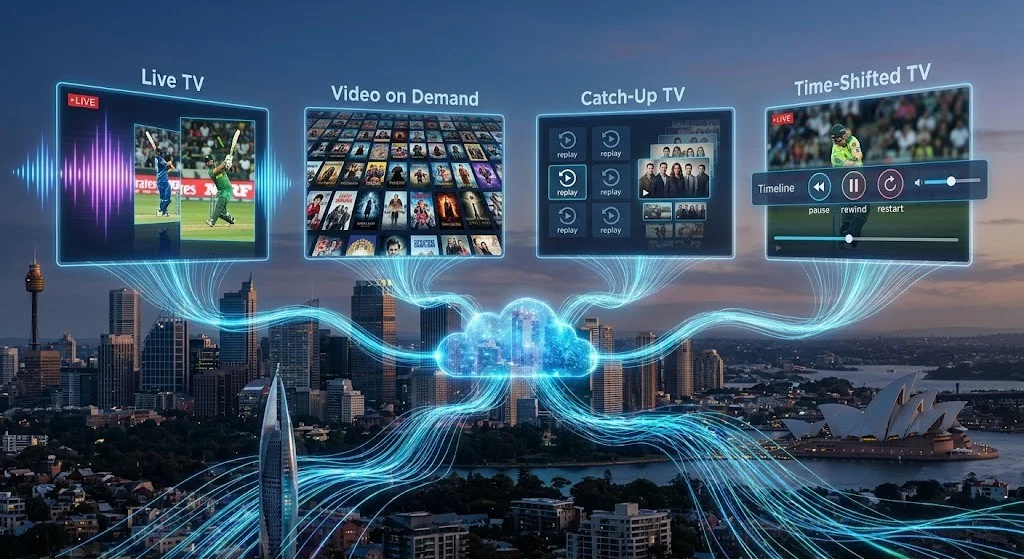
There are four types of IPTV this guide covers:
- Live IPTV Streaming — a real-time broadcast of channels, similar to traditional broadcast television but delivered over the internet.
- Video on Demand (VOD) — a content library you browse and play whenever you choose.
- Catch-Up TV — previously broadcast content made available for replay within a limited window after it has aired.
- Time-Shifted TV — the ability to pause, rewind, or restart a live broadcast as it airs.
Although many guides group catch-up TV and time-shifted TV together, this guide treats them as separate IPTV service types because they serve different viewing purposes. Catch-up is about accessing content after a broadcast window has closed; time-shifting is about controlling a live stream in real time. Most modern IPTV services combine all four into a single app or platform, although some platforms may not include time-shifting features.
Understanding the differences matters, because it affects pricing, NBN speed requirements, and which service you should choose.
The 4 Types of IPTV Australia
1. Live IPTV Streaming
Live IPTV replicates what a traditional cable or satellite service does — it broadcasts channels in real time. You tune in to a channel and watch whatever is airing at that moment, just like turning on a television set.
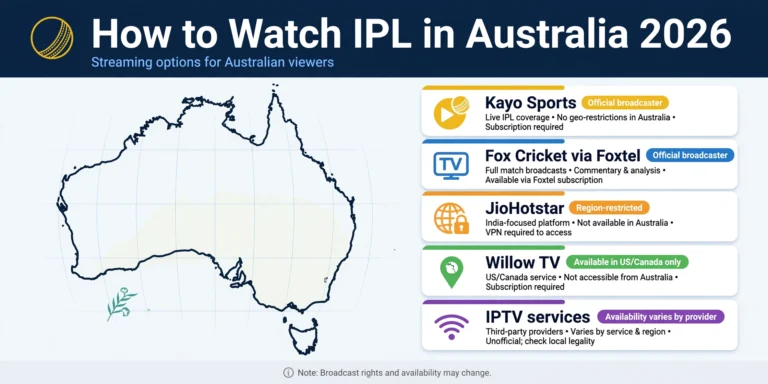
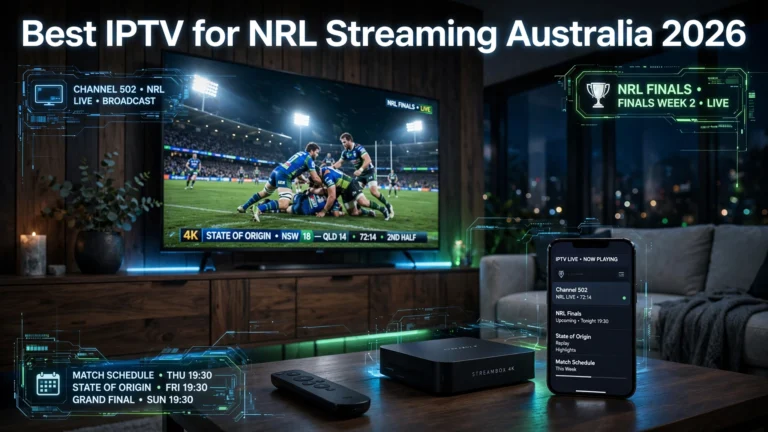
Why Australians use it: Live IPTV is the most popular type for sports fans. The demand for AFL, NRL, cricket, and A-League content outside a Foxtel subscription is enormous. Kayo Sports is the dominant licensed live IPTV product in Australia, offering more than 50 sports channels streamed live over the internet. Many third-party IPTV services advertise extensive live channel line-ups, although viewers should verify that any provider is entitled to distribute the content offered.
What you need for live IPTV:
- A stable NBN connection — minimum 10–15 Mbps for HD, 15–25 Mbps for Full HD, and approximately 50 Mbps for 4K. See our full breakdown of IPTV speed requirements for Australian NBN connections.
- A compatible device: Smart TV, Android TV box, Amazon Firestick, or smartphone
- An IPTV app such as TiviMate (Android only), IPTV Smarters Pro, or a provider’s own app
Potential drawback: Live IPTV is the most bandwidth-intensive type and the most susceptible to buffering during peak hours — particularly during high-demand events like the AFL Grand Final or State of Origin. A reliable NBN connection is non-negotiable.
2. Video on Demand (VOD)
VOD gives you a library of movies, TV series, documentaries, and other content stored on the provider’s servers, ready to browse and play at any time. There is no broadcast schedule — you choose what to watch and when.
Why Australians use it: VOD suits households that have already cut the cord on traditional TV and prefer streaming on their own timeline. It’s also the model used by Australia’s major streaming platforms: Stan, Disney+, and Binge, among others.
The distinction between a VOD streaming service and a VOD IPTV package can blur significantly. When a third-party IPTV subscription includes a VOD library alongside live channels, that combined offering is typically referred to by providers as an “IPTV subscription.” This area is also where IPTV and OTT (Over-the-Top) services overlap — a distinction worth understanding before you subscribe. Our IPTV vs OTT Australia comparison explains the technical differences in plain English.
Typical VOD content on IPTV packages:
- International movies and series across multiple languages
- Archived sports matches and replays
- International news programmes
- Children’s and family content
NBN speed for VOD: VOD is generally less demanding than live TV because the file buffers before playback begins. An NBN 25 connection handles HD VOD comfortably; 4K VOD benefits from NBN 50 or higher.
3. Catch-Up TV
Catch-up TV is content that has already broadcast and is then made available for replay within a defined window — typically 7 to 30 days after the original air date. You cannot access it before it airs, and it disappears from the platform once the catch-up window expires.
Here are some Australian examples you already know:
- ABC iview — free catch-up for all ABC programmes
- SBS On Demand — free catch-up for SBS content
- 7plus, 9Now, 10 Play — free catch-up apps from Australia’s commercial networks
- Kayo — stores replays of live sports events for on-demand access after they air
The key difference from VOD is that catch-up content is tied to a broadcast schedule. A programme must air first; only then is it available for replay. Pure VOD content, by contrast, is added to a library independently of any broadcast.
Who benefits most: Shift workers, parents with unpredictable schedules, and anyone who misses an episode of a programme they follow. It eliminates the need to record content manually and is the most underrated type of IPTV for everyday Australian viewers.
4. Time-Shifted TV
Time-shifted TV is often confused with catch-up, but the distinction is important. Where catch-up lets you watch something after the broadcast window has closed, time-shifting lets you control a live stream as it airs—pausing, rewinding, or restarting the current broadcast without waiting for it to be archived.
How it works in practice: You’re watching a live AFL match and need to answer the door. With time-shifted IPTV, you pause the stream and resume from where you left off, still within the same live broadcast. You’re not accessing a recording — you’re buffering a live feed in real time.
Where you’ll find it: Time-shifting is typically a feature of licensed platform subscriptions rather than a standalone service type. Kayo Sports offers a time-shifting function on live streams. Some third-party IPTV player apps such as TiviMate also support time-shift buffers when the provider’s stream infrastructure allows it.
NBN consideration: Time-shifted TV requires a consistently stable connection since it buffers live data continuously. An NBN 50 connection or above is recommended for a reliable experience.
How IPTV is Delivered — Formats Australians Should Know

Beyond the four IPTV service types, IPTV also differs in how it is technically delivered to your device. This distinction is particularly relevant when evaluating third-party IPTV services. For a deeper comparison of the two most common delivery formats, see our dedicated Xtream Codes vs M3U guide.
| Delivery Format | How It Works | Common Apps |
|---|---|---|
| M3U Playlist | A text file containing stream URLs loaded into a compatible player app | TiviMate, IPTV Smarters Pro, VLC |
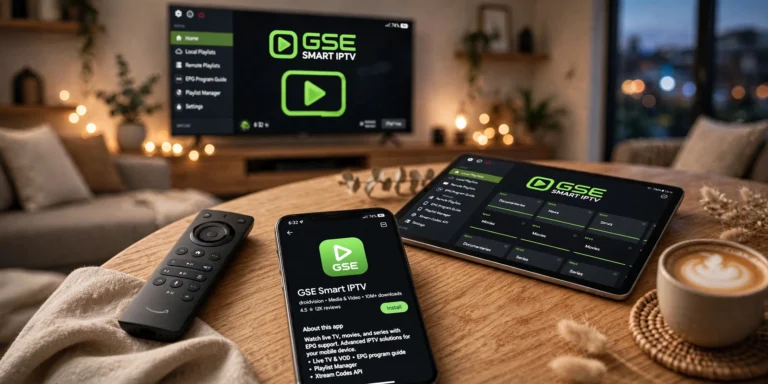
| XTREAM Codes / API | A login-based system (username, password, server URL) connecting your app to the provider’s panel | IPTV Smarters Pro, GSE Smart IPTV |
| App-Based (Proprietary) | The provider’s own dedicated app handles everything — no separate player needed | Kayo, Binge, FetchTV, Stan |
| MAG / Set-Top Box | A dedicated hardware portal loaded with channels, similar to a traditional cable box | MAG devices, select Android boxes |
For licensed Australian services, the app-based model is standard. For third-party IPTV subscriptions, M3U or Xtream Codes is most common, requiring a separate player app alongside your subscription.
Legal IPTV vs Unlicensed IPTV in Australia

This is the distinction that matters most for Australian viewers and one that too many guides gloss over. For a complete breakdown of the legal framework, read our dedicated article on whether IPTV is legal in Australia.
Licensed IPTV services hold agreements with content owners – broadcasters, sports leagues, and studios – and operate legally under Australian law. They pay licensing fees, which reflect in their pricing and explain why their content libraries are sometimes narrower than unlicensed alternatives.
Unlicensed IPTV services stream content without holding the relevant rights. Under the Copyright Act 1968 (Cth), accessing copyright-protected content without authorisation carries potential liability for Australian consumers, and distributing such content is a criminal offence. The Australian Communications and Media Authority (ACMA) administers Australia’s site-blocking regime, which has already led local ISPs to block hundreds of piracy-linked domains.
| Licensed IPTV | Unlicensed IPTV | |
|---|---|---|
| Examples | Kayo, Binge, FetchTV, Stan, ABC iview, SBS On Demand | Third-party subscription providers |
| Legal status | Legal | Potentially in breach of the Copyright Act 1968 (Cth) |
| Content reliability | Consistent — service level agreements apply | Variable — streams can disappear without notice |
| Customer support | Formal support channels | Typically none |
| Monthly cost | $0–$45/month approximately | Typically $10–$25/month |
If you are researching third-party IPTV providers, independently verify whether the service holds appropriate licences for the content it offers before subscribing.
Which Type of IPTV Suits You?
Different viewing habits call for different IPTV types. Here is a practical guide for common Australian viewer profiles:
The Sports Fan: Live IPTV is essential. Kayo Sports is the obvious licensed choice, covering AFL, NRL, cricket, tennis, and more. If your priority is international sports not covered by Kayo, research your options carefully and verify the legal status of any service before subscribing.
The Live Event Viewer: If you frequently pause live matches, rewind key moments, or restart broadcasts after they’ve begun, Time-Shifted TV is the most useful feature. Many licensed streaming platforms include this functionality for selected live events, so check whether your preferred service supports it before committing to a subscription.
The Series Binge-Watcher: VOD is your format. Stan, Binge, and Disney+ all operate on a VOD model and are fully licensed. A combined subscription to two or three services typically costs considerably less than a comparable Foxtel package.
The Casual Viewer: Time-shifted catch-up is likely all you need. ABC iview, SBS On Demand, 7plus, 9Now, and 10 Play are all free and fully legal. You can access them on a Smart TV, smartphone, or streaming stick at no cost.
The International or Expat Viewer: If you want content from your home country — Arabic, South Asian, European, or other international channels — IPTV services that carry multilingual content are often the primary option. Some licensed Australian services also offer international content depending on subscription tier, so it’s worth comparing what’s available through legal channels first.
The Budget Viewer: Start with Australia’s free catch-up apps and Freeview on a compatible TV or set-top box, which delivers over 20 channels at no subscription cost whatsoever.
What You Need to Run IPTV in Australia
Internet Connection
- HD streaming (720p): minimum 10–15 Mbps
- Full HD streaming (1080p): 15–25 Mbps
- 4K streaming: approximately 50 Mbps or above recommended
- NBN 50 (Standard) handles most household IPTV use cases comfortably; NBN 100 suits heavy multi-device users
Compatible Devices
- Smart TVs (Samsung, LG, Sony — most run apps natively)
- Amazon Firestick or Fire TV Cube
- Android TV boxes (Nvidia Shield, Xiaomi Mi Box)
- Apple TV (4th generation or later)
- Smartphones and tablets (iOS and Android)
Note: TiviMate is only available on Android-based devices. It is not available on Samsung Smart TVs or Apple iOS devices natively.
An IPTV-licensed service provides its own dedicated app. For third-party services using M3U or XTREAM Codes, IPTV Smarters Pro works across most platforms, while TiviMate (Android only) is widely regarded as the more polished player experience.
Pros and Cons of IPTV in Australia
Advantages
- Cost savings: Kayo Sports at around $25/month compares favourably to a Foxtel package at approximately $50–$99/month
- Flexibility: Watch on any device, anywhere with an internet connection — no dish, no cable, no technician visit
- International content: Access to channels from dozens of countries not available through traditional Australian pay TV
- No lock-in contracts: Most licensed IPTV services operate month-to-month with no fixed-term commitment
Disadvantages
- NBN dependency: Poor or congested internet degrades the experience significantly, especially during live events
- Reliability varies: Licensed services are consistent; third-party services can be unpredictable, with channels dropping or services disappearing
- Device compatibility gaps: Not every app works on every device – check compatibility before purchasing hardware
- Legal complexity: The line between legal and unlicensed IPTV is not always obvious to consumers; due diligence is the viewer’s responsibility
Frequently Asked Questions
What are the different types of IPTV?
There are four types: live IPTV (real-time channel streaming), video on demand (an on-demand content library), catch-up TV (content available for replay after its broadcast window), and time-shifted TV (the ability to pause, rewind, or restart a live stream as it airs). Most modern IPTV platforms combine all four in a single service.
Is IPTV legal in Australia?
IPTV technology itself is entirely legal. Licensed services – Kayo, Binge, Stan, FetchTV, ABC iView, and SBS On Demand – are legal. Third-party IPTV services that stream content without the relevant rights may breach the Copyright Act 1968 (Cth). Viewers should verify the legal standing of any service before subscribing.
What is the difference between digital TV and IPTV?
Digital TV (such as Freeview) uses a broadcast signal received through an antenna, independent of your internet connection. IPTV delivers content over your broadband connection. IPTV is more flexible and device-agnostic; digital TV remains more reliable in areas with poor internet coverage.
How much does IPTV cost monthly in Australia?
Licensed services range from free (ABC iView, SBS On Demand, and 7plus) to approximately $10–$45 per month (Kayo, Binge, and Stan). Third-party IPTV subscriptions are typically priced between $10 and $25 per month, though pricing and service quality vary considerably by provider.
Can I watch Netflix on IPTV?
Netflix is an OTT (Over-the-Top) streaming service rather than a traditional IPTV service, although both deliver video over the internet. You cannot access your Netflix account through a third-party IPTV app or M3U playlist — Netflix must be accessed through its official app or at Netflix.com. For a full breakdown of how IPTV and OTT differ technically, see our IPTV vs OTT Australia guide.
What is the best IPTV app for Firestick in Australia?
For licensed services, each provider’s official app is available on the Amazon Appstore. For third-party services that use M3U or Xtream Codes, IPTV Smarters Pro is the most widely used option on Fire Stick devices in Australia. See our guide to the best IPTV for Firestick Australia for a full comparison.
Conclusion
Understanding the types of IPTV available in Australia is the first step toward building a streaming setup that matches how you actually watch TV. Live IPTV for sports and news, VOD for movies and series, Catch-Up TV for recently aired programmes, and Time-Shifted TV for pausing and rewinding live broadcasts all serve different viewing needs. Together, these four IPTV formats can replace many traditional pay-TV viewing habits at a fraction of the cost.
If you’re new to IPTV, starting with Australia’s free catch-up apps costs nothing and gives you an immediate feel for internet-based TV. From there, Kayo or Binge covers most premium content needs through fully licensed, reliable services. For those exploring third-party IPTV options, take the time to understand the legal landscape — the ACMA site-blocking regime is actively enforced — and the delivery formats involved before committing to a subscription.
Ready to compare specific providers? Visit our best IPTV Australia guide for a full breakdown of what’s available in 2026, or return to the IPTV Australia hub to explore every topic in the series.
CONTENT FRESHNESS SYSTEM (Internal — Do Not Publish)
Suggested Review Date: January 2027
Information Likely to Change:
- Kayo Sports and Binge pricing and plan names
- FetchTV availability and hardware offerings
- NBN speed tier names (subject to ISP rebranding)
- TiviMate and IPTV Smarters Pro app compatibility updates
- ACMA site-blocking orders (check quarterly)
- AI Overview presence on IPTV queries (active and evolving)
Links to Check Periodically:
- https://kayo.com.au/plans
- https://binge.com.au
- https://www.acma.gov.au (site-blocking register)
- https://www.legislation.gov.au (Copyright Act updates)