
Quick Answer
The best IPTV for FireStick in Australia is not a single service — it depends on the channels you actually want, your Fire Stick model, your connection, and how the provider handles payment and support.
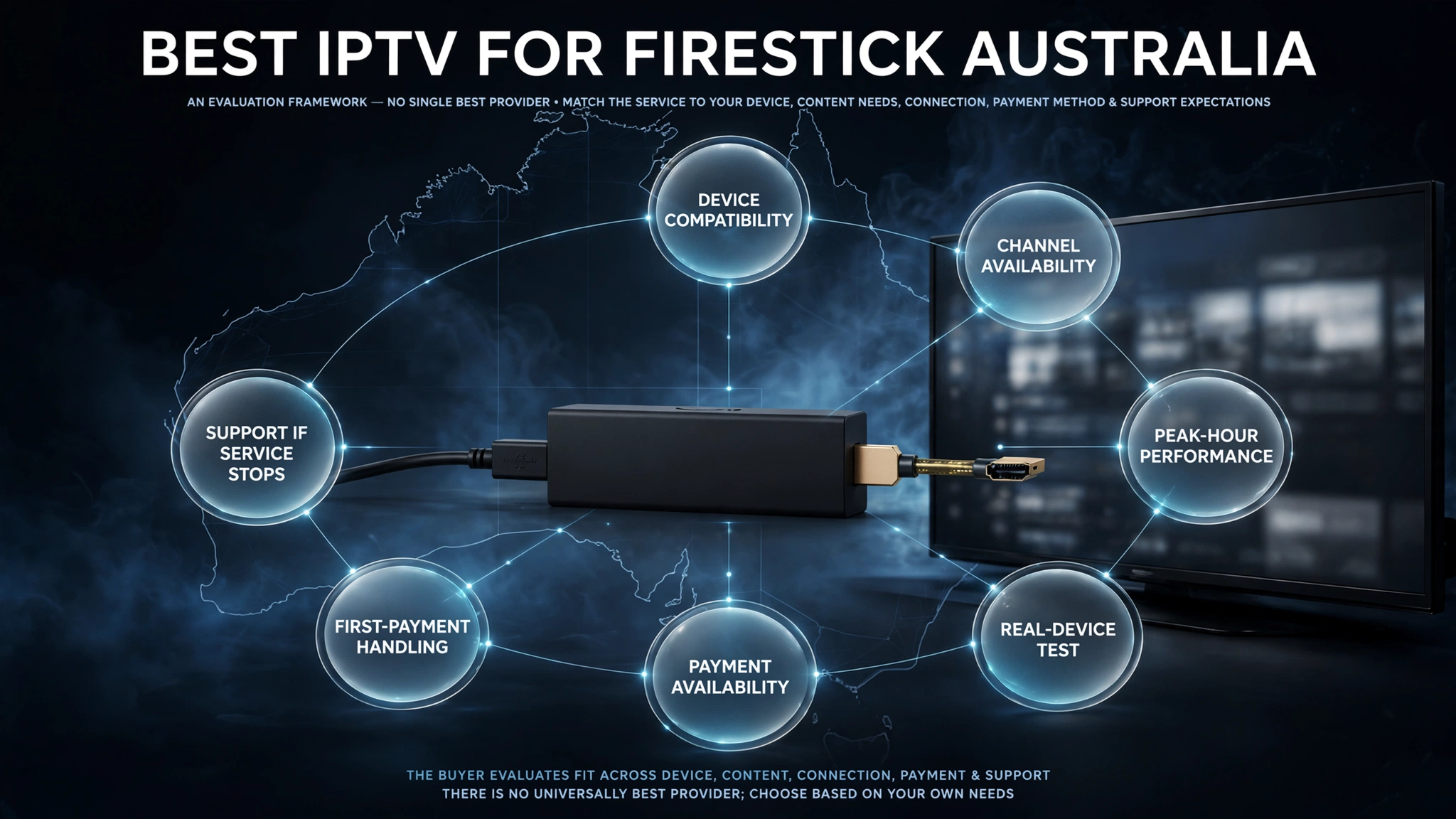
Seven checks matter most: device compatibility, channel availability, peak-hour performance, real-device testing, payment availability, first-payment handling, and support if the service stops working.
Which IPTV Works Best on a Firestick?
There is no service that is best for every Australian household, and any article claiming otherwise is describing a preference rather than a finding.
The service that works best for you is the one carrying the channels you want, performing acceptably on your connection, and accepting a payment method you can actually use.
Those three variables differ per household, which is why a ranked list is the wrong shape for this question.
Why There Is No Single Answer
Two households on the same street can have different experiences with the same service. One is on a congested connection at 8pm, and the other isn’t. One watches a sport the provider carries well, and the other doesn’t. One can pay by card, and the other finds the only accepted method unavailable in their country.
None of these variables are visible from a review. They only surface when you try the service yourself, which is why the framework below is built around testing rather than reading.
What Actually Determines Performance
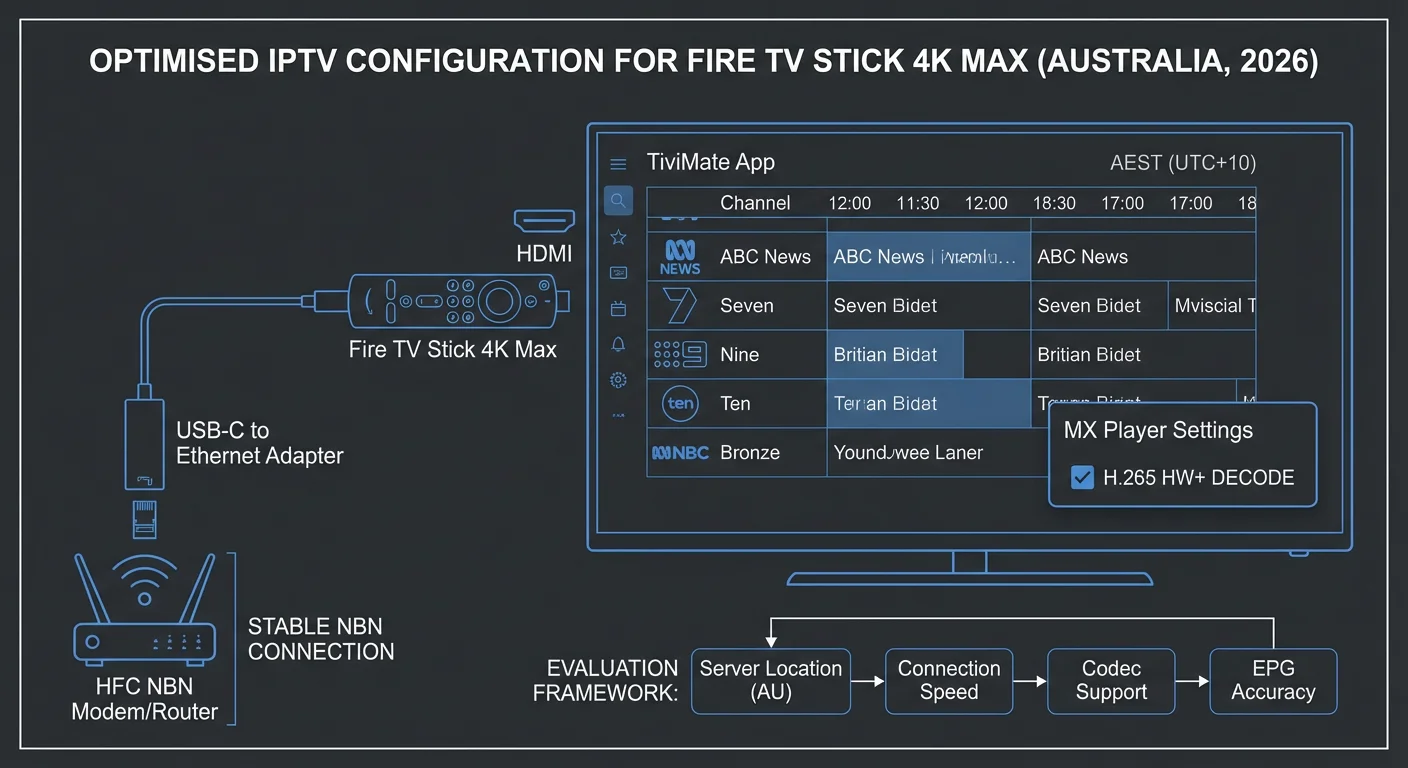
Performance on a Fire Stick is a chain, and any weak link produces the same symptom — buffering — regardless of where the fault lies.
| Link in the chain | What it affects |
|---|---|
| Your Fire Stick model | Whether IPTV apps can be installed at all |
| Your connection | Available headroom, especially at peak hours |
| The player app | Buffering behaviour and stream switching |
| The provider’s servers | Stream stability, particularly under load |
Changing the service only addresses the last of these. If the problem is one of the other three, a different subscription changes nothing — which is worth knowing before you conclude a service is bad.
Key takeaway: The best service is the one that carries your channels and performs on your connection – neither of which a ranked list can tell you.
Check Your Firestick Model First
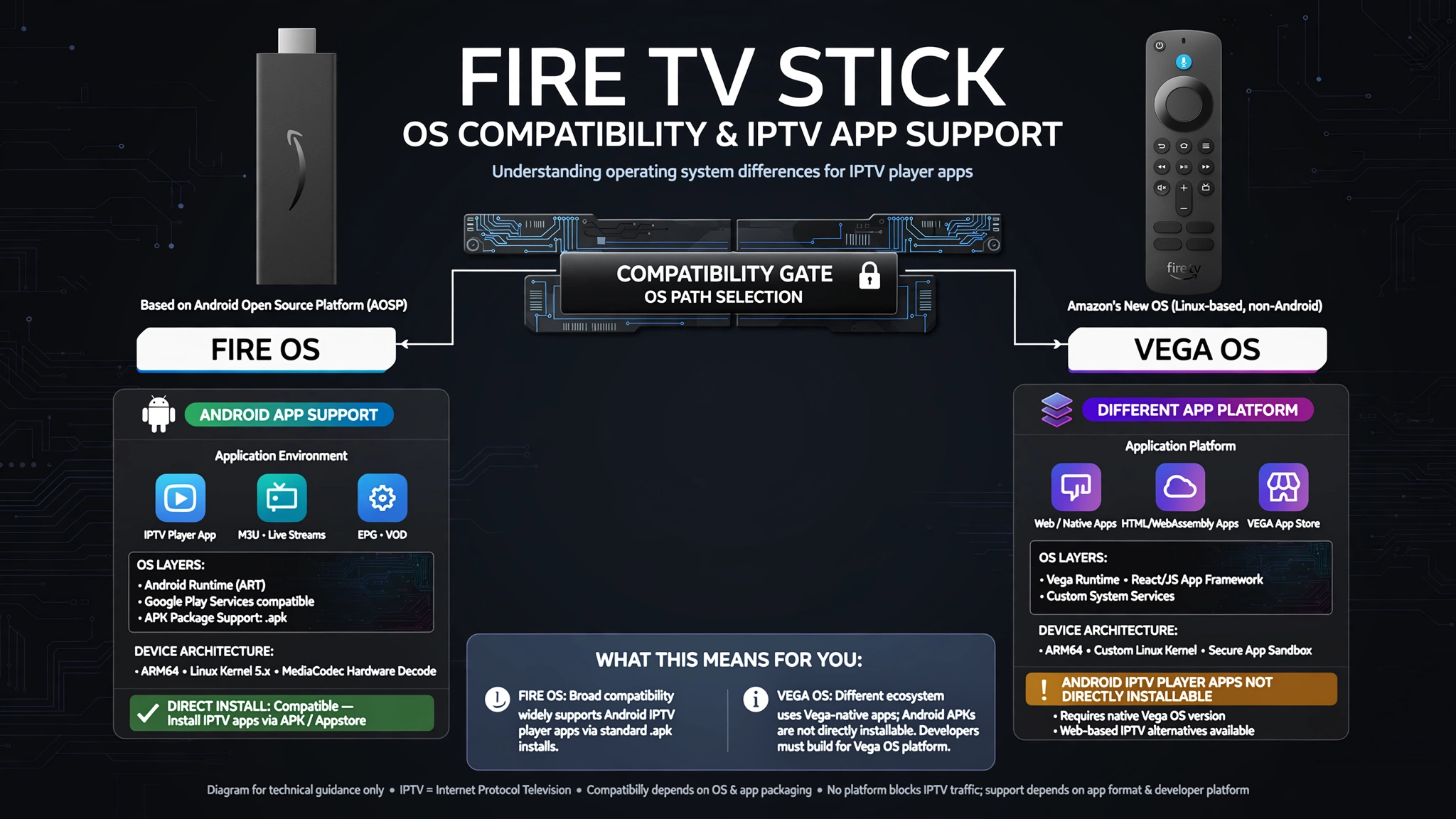
Before evaluating any service, confirm your device can run IPTV apps at all. With Amazon now shipping Fire TV devices across both Fire OS and Vega OS, this step is the first compatibility check to make.
Fire OS models are Android-based and support Android app packages. Vega OS is a separate platform with its own app format, so Android IPTV player apps designed for Fire OS cannot be installed directly on it. Some Fire OS apps can reach Vega devices through Amazon’s cloud app program, but this is a different delivery model and does not make the Android app directly installable on the device.
Open Settings → My Fire TV → About, then check the software information. Our guide to Fire TV Stick IPTV compatibility has the full model table and what to do if yours is a Vega OS device.
Establish this information before paying for anything. A subscription bought for an incompatible device is money spent on a problem no provider can solve.
What to Test During a Free Trial
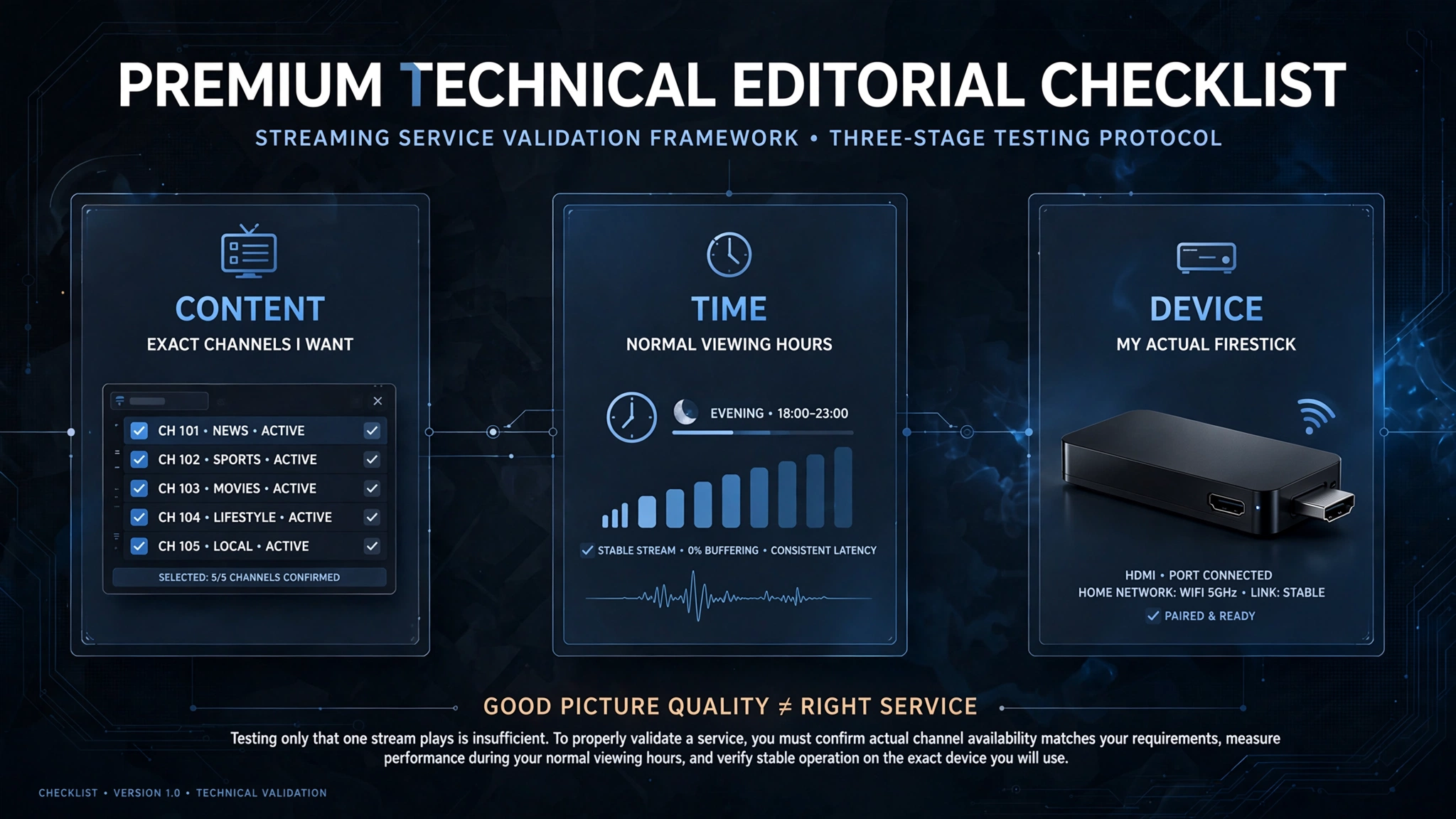
A trial is the most useful way to test how a service performs in your setup. But most people use that trial to test only whether a stream plays — they confirm the picture looks good and subscribe, which tests the one thing least likely to be the problem.
Three tests are worth running deliberately.
Test the Channels You Actually Want
This scenario is where the most common regret starts. A trial goes well, the picture is sharp, nothing buffers – and after paying, the subscriber discovers the specific channel they wanted is not carried.
It happens because people test performance during a trial and assume content. The two are unrelated. A technically excellent service can still be the wrong service if it does not carry the channels you actually want.
Before anything else, open the channel list and find the specific channels you are paying to watch. Look for the actual channels, not just the category or something similar. If they aren’t there during the trial, they won’t appear after payment.
Exclusive content deserves particular attention. Rights for premium sport and specific networks are held tightly, and a service carrying a broad general lineup may not carry the one thing you care about.
Test at Peak Viewing Hours
A trial run at 2pm tells you little about how the service will perform during your normal viewing hours.
Testing at the time you actually watch gives you a more relevant picture of the combined load on your connection, your home network, the player and the provider’s infrastructure. A service that holds up at midday but struggles at 8pm is one you will be frustrated with.
Test on the Device You’ll Actually Use
Trialling on a phone is convenient and misleading. The Fire Stick has different hardware, sits on a different part of your network, and runs a different player.
Test it on the Firestick, connected the way it will normally be connected. If you plan to use a wired connection, test it wired — see Wi-Fi versus Ethernet for IPTV for why this choice often matters more than the service itself.
Key takeaway: Trials test performance by default. Content and peak-hour behaviour are the parts that need to be tested deliberately.
What to Check Before You Pay
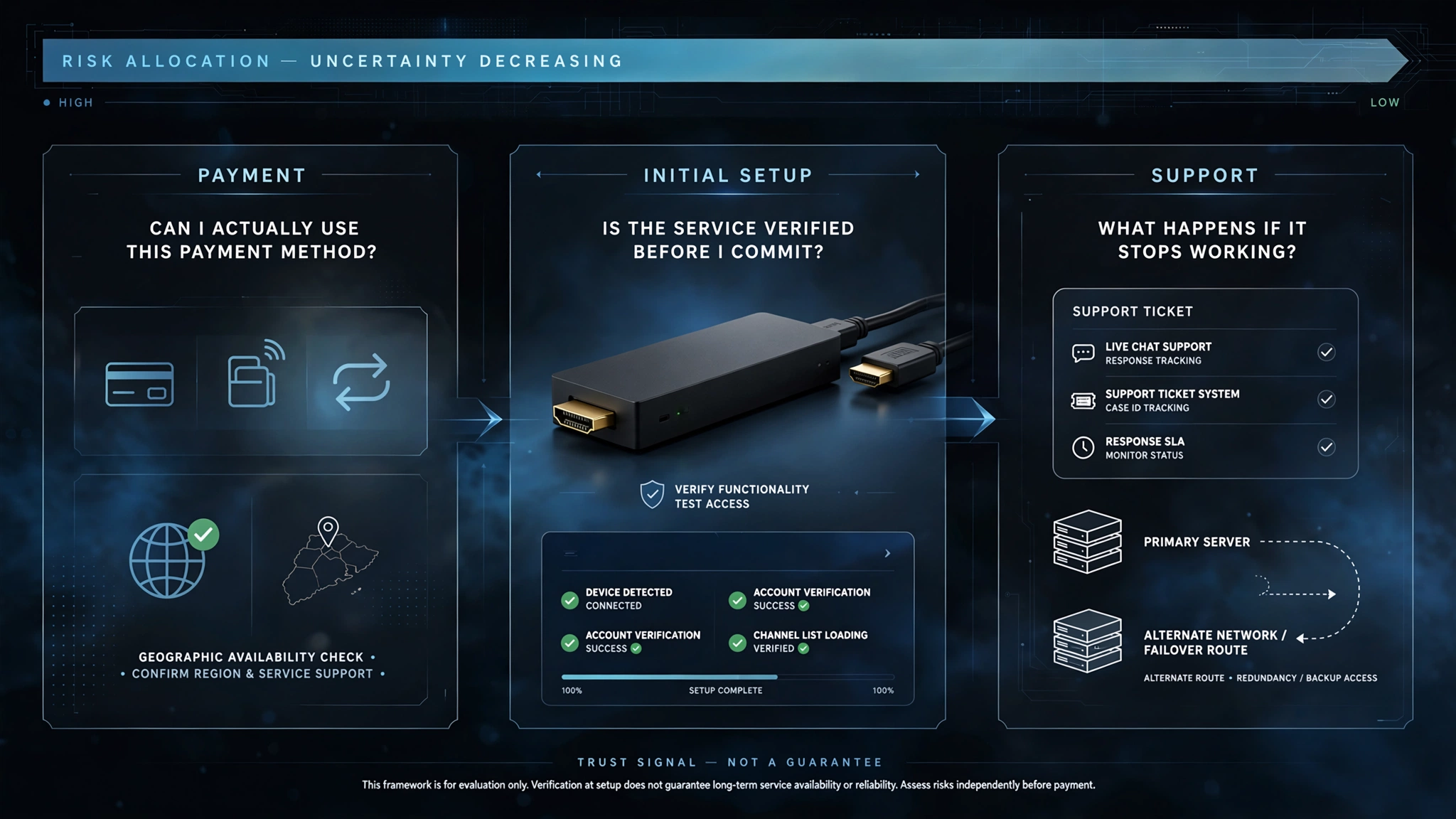
Assuming the trial went well, three checks remain — and these are the ones that separate a provider worth dealing with from one that isn’t.
Check Payment Before You Commit
Payment method availability can be a surprise after you’ve already made your decision. The trial works, the channels are there, the quality is good — and then the only accepted payment method isn’t available in their country.
Confirm what the provider accepts and whether you can actually use it before investing time in setup. This is a two-minute question that saves an evening.
Do this before entering a long-term plan, not after the trial has already convinced you to buy.
The payment method also provides information about the provider. A card or PayPal payment can provide a more familiar dispute or transaction-support route, depending on the provider and the payment terms. If cryptocurrency is the only option, the usual card-based chargeback route is generally unavailable.
How the Provider Handles the First Payment
This information is a signal most buyers never think to look for, and it is one of the more revealing ones available.
Some providers set up your service, confirm it works on your device, and take payment afterwards. Others require full payment before anything is configured or verified.
The difference is how much of the initial risk sits with you. A provider willing to verify the setup before payment is providing you more information before you commit. A provider requiring payment before setup leaves you making the decision with less information.
Ask directly: Will you set up and confirm the service on my device before I pay? The answer is informative, no matter which way it goes. This is a trust signal rather than a guarantee of future service quality.
What Happens If It Stops Working
Ask before subscribing, not after something breaks.
Two questions cover most of it. Can you get an alternative server address if your connection can’t reach the current one? And what is the process if the service stops working mid-subscription?
A provider with clear answers has dealt with these situations before. A provider who is vague about them is telling you how support will go.
Warning Signs Worth Taking Seriously
None of these is conclusive alone. Together they form a pattern worth acting on.
No identifiable business. No registered entity, no address, and no company name anywhere. Nothing to pursue if things go wrong.
Contact only through messaging apps. Support that exists only in an encrypted chat can disappear entirely, taking your subscription with it.
Cryptocurrency as the only payment option. This approach generally removes the usual card-based chargeback route, leaving you with fewer familiar payment-dispute options.
Pricing that couldn’t cover content rights. A business model that offers thousands of premium channels for a few dollars a month does not include licensing.
Evasive answers about content sourcing. A provider who won’t explain where content comes from is telling you why.
Our guide to IPTV provider red flags covers these in more detail.
Is Amazon Blocking IPTV on Firestick?
No. Amazon is not simply blocking IPTV traffic at the Fire TV level. The confusion arises from a genuine platform change: newer Fire TV Stick models run Vega OS, which can’t install Android IPTV player apps, despite appearing similar from the sofa.
Newer Fire TV Stick models run Vega OS, which is not Android and cannot install Android IPTV player apps. To someone who doesn’t know that, “the app won’t install” looks exactly like the device blocking the service.
If a service was working and then stopped, that is a different situation with different causes, which we cover in our Firestick IPTV troubleshooting guide.
The Legal Question Before You Pay
IPTV technology itself is legal in Australia. What matters is whether a particular service is entitled to distribute the content it offers. Owning a Fire TV Stick and installing compatible apps does not, by itself, determine whether the content service you use is authorised.
That distinction matters when choosing, because it determines what you are actually buying. A legitimate licensed service gives you a clearer business relationship and a more identifiable provider. With an unlicensed service, the operator may be difficult to identify or reach if the service disappears.
For the legal framework, see Is IPTV legal in Australia? For where viewers sit specifically, see IPTV user penalties in Australia. For lawful options, check out legal IPTV alternatives.
Why the App Matters as Much as the Service
Two people on the same subscription can have noticeably different experiences depending on which player they use. The app handles buffering, stream switching and guide data, and players differ in how well they do it.
Paid players generally offer better playback controls and buffering behaviour than some free alternatives, and switching can visibly change playback on the same subscription. It cannot fix a network or provider problem, though — if a stream fails across every player you try, the app was never the cause.
This information is worth knowing before you judge a service. A trial run on a poor player may tell you more about the player than about the provider. Our IPTV app comparison covers the options.
Why This Guide Doesn’t Name the Best IPTV for Firestick in Australia
We don’t publish a ranked list of providers, and the reason is worth stating plainly rather than leaving you to wonder.
Service quality changes month to month. Content lineups shift as rights move. A provider that performs well in one part of Australia may perform poorly in another. A recommendation published today may be wrong within weeks, and there is no honest way to keep a ranked list current.
Naming providers also creates an incentive problem. Sites that rank IPTV services often receive compensation for placement, which is why the same names appear at the top of unrelated lists.
This article gives you practical checks to evaluate a service yourself, and they stay accurate as services change. You are better served by a method that keeps working than by a list that ages badly.
Bottom Line
Before you pay for anything: confirm that your Fire Stick runs Fire OS and can run the player you intend to use.
During the trial: verify the exact channels you want, test during your normal viewing hours, and test on the Fire Stick itself.
Before you commit: confirm the payment method works for you, ask how the first payment is handled, and find out what support looks like if the service stops working.
That is a better definition of “best” than a provider ranking: a service that fits your device, carries what you actually watch, works in your setup, and does not leave you guessing about payment or support.
Sources
- Amazon Appstore Developer Portal — Fire TV: Fire OS and Vega OS platforms
- ACCC — Consumer rights and guarantees
Explore More
Before you choose
Setting up
If something goes wrong
Legal