
Daniel Carter — IPTV Systems Analyst, Melbourne | IPTV Australia Guide
Last updated: August 2026
Quick Answer: Xtream Codes vs M3U comes down to one thing: how much maintenance you want. Xtream Codes uses a username and password, re-checks with the provider’s server every time you open the app, and keeps your channel list current on its own. M3U is a static file — a snapshot from the moment you downloaded it, which stays out of date until you refresh it manually. Choose Xtream whenever your provider offers it. Use M3U for VLC, for free public playlists, or when Xtream is not available.
At a Glance
| Question | Answer |
|---|---|
| Which is easier to set up? | Xtream Codes — three short fields instead of one long URL |
| Which needs manual maintenance? | M3U — requires periodic refreshing |
| Which handles provider changes? | Xtream — new and removed channels update on their own |
| Most common setup failure | A copy-paste error turning http into https |
| Which works in VLC? | M3U only |
| Which do most setups use? | Xtream, where the provider supports it |
What Is the Difference Between Xtream Codes and M3U?
| Feature | Xtream Codes | M3U Playlist |
|---|---|---|
| Login method | Username + password | One long URL |
| Channel updates | Automatic, server-side | Manual refresh needed |
| EPG integration | Built in | Separate URL required |
| VOD access | Same login | Separate playlist |
| Catch-up TV | Supported where provider enables it | Not supported natively |
| Works in VLC | No | Yes |
| Credential exposure | Kept in app fields | Embedded in the URL |
The core difference in one sentence: Xtream Codes checks in with a live server each time you use it, while M3U hands your app a text file and walks away.
Xtream Codes vs M3U: How Each System Works
Xtream Codes
You enter three fields into your player app — Tivimate, IPTV Smarters Pro, or a similar one:
- Server URL — for example,
http://server.example.com:8080 - Username
- Password
The app sends those credentials to the provider’s server, which verifies them and returns your current channel list, VOD library and programme data. Each time you reopen the app, it repeats that check and pulls whatever is current.
M3U
You paste a single long URL into your app. It downloads a plain text file listing every channel and its stream address. There is no live check — your credentials sit inside the URL itself, and the file contains whatever the provider had when you downloaded it.
That distinction is not academic. It determines almost every practical difference that follows.
Why Setups Actually Fail
This step is the part most comparison guides skip entirely, because it comes from setting people up rather than from reading documentation.
The copy-paste error that breaks most logins

The single most common failure in practice has nothing to do with which system you chose. It is autocorrect.
When someone copies a server URL and pastes it on an Android device, the keyboard’s autocorrect can silently change http to https. Two extra characters are added, which are easy to miss, and the server will not connect. The credentials are correct, the subscription is active, and the login still fails.
If a connection is refused immediately after setup, please verify that character before checking anything else. Read the URL letter by letter rather than glancing at it — at a glance, ‘http’ and ‘https’ look nearly identical on a phone screen.
The long-URL problem
There is a human reason Xtream tends to work better, separate from the technical one.
An M3U URL is long. It contains the server address, a username, a password and format parameters all in one string. Watching someone lose patience partway through typing it into a TV remote’s on-screen keyboard is a familiar sight, and every character typed is another chance to introduce an error that produces a failure with no useful message attached.
Three short fields are simply harder to get wrong than one long line. That is most of why Xtream is the default choice in the setups I work with.
When a provider changes the server address
M3U has a failure mode that catches people out weeks after everything seemed fine.
Providers sometimes change the DNS or server address behind a service. With Xtream, the app re-authenticates and receives the new details without you noticing anything has happened. With M3U, your file still points at the old address, and the service simply stops.
The fix is not something you can do yourself. You have to contact the provider and ask for either the updated URL or a refresh of your existing link. Until that happens, the playlist is dead — and there is no error message explaining why.
Key takeaway: most setup failures trace to a mistyped or autocorrected URL, not to a fault with either system. Please check the address character by character before assuming the service is down.
What Happens to an M3U Over Time

Because an M3U file is a snapshot, it becomes out of sync with the service in three predictable ways.
Channels the provider adds never appear. Your file has no way of knowing about them.
Channels the provider removes stay listed. They are still in your file, so they show in the guide and then fail when selected.
The programme guide data goes stale. The EPG points at whatever was current when you downloaded the file.
None of this happens with Xtream, because the list is rebuilt from the server every time you open the app. If you use M3U regularly, treat refreshing the playlist as routine maintenance rather than something you do only when something breaks.
App Compatibility
| App | Xtream Codes | M3U |
|---|---|---|
| TiviMate | Yes | Yes |
| IPTV Smarters Pro | Yes | Yes |
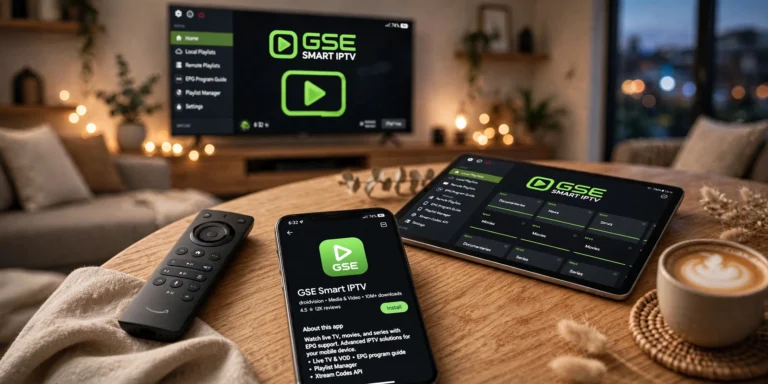
| GSE Smart IPTV | Yes | Yes, primary method |
| VLC Media Player | No | Yes |
| Kodi | Requires an add-on | Yes, primary method |
| Samsung / LG Smart TV | Via Smart IPTV | Via Smart IPTV |
The practical takeaway: TiviMate and IPTV Smarters Pro handle both, so on those apps, the choice is yours. VLC and Kodi are M3U territory. For device-specific configuration, see our IPTV devices guide.
Does M3U or Xtream Codes Provide a Better Connection?
Neither improves stream quality. Both point your player at the same streams on the same servers; the difference is how your app gets the channel list, not how the video is delivered. If one feels more stable, the cause is usually the playlist being current rather than the format itself.
In TiviMate, both appear as options when you add a playlist. Where your provider supports Xtream Codes, that is the simpler entry method — three short fields instead of one long URL. The playback itself is identical either way.
Which Should You Choose?
Choose Xtream Codes when:
- Your provider offers it — this is the default recommendation
- You want the channel list to maintain itself
- You are setting up on a TV, where typing a long URL is painful
- You are using TiviMate or IPTV Smarters Pro
- VOD or catch-up matters to you
Choose M3U when:
- Your provider only offers M3U
- You are testing a stream in VLC
- You are using a free public playlist — these are always M3U
- You are working with an older device or app that supports nothing else
Why Some Providers Only Offer M3U
It is not always a shortcoming, and understanding why helps set expectations.
M3U needs nothing more than a web server capable of returning a text file. Xtream requires authentication infrastructure, a database and an API layer — a meaningfully larger setup to build and maintain. Smaller providers and resellers often have no reason to run one.
M3U also has genuine advantages worth acknowledging: it works on almost anything, including older devices and simple players, and it is trivial to test. That universality is precisely why free public playlists are distributed in M3U format and never as Xtream credentials.
A Note on Security
Your M3U URL contains your username and password in plain text. Anyone who has the URL has your account.
This matters most when you are troubleshooting. Posting a full M3U URL in a forum or sending it to someone for help gives them your credentials. If you need to share it for support, please remove or mask the username and password portions first. Xtream avoids such issues by keeping credentials in separate fields rather than in a shareable link.
Legal Considerations
IPTV technology is legal in Australia, and both Xtream Codes and M3U are technical formats rather than services in themselves — a playlist file and an authentication method carry no legal status on their own.
What matters legally is the service behind them and whether it holds appropriate content licences. ACMA, the Australian Communications and Media Authority, can direct internet providers to block sites that facilitate copyright infringement under the Copyright Act 1968 (Cth). Our Is IPTV Legal in Australia guide covers the framework in full.
This article is for educational purposes only. Verify the licensing status of any service before subscribing, and ensure that you comply with Australian copyright law.
Explore More
- IPTV Setup Australia — step-by-step configuration for both methods
- How to Use an IPTV M3U Playlist — M3U in detail
- IPTV Login Failed Solutions — when credentials will not connect
- IPTV Troubleshooting Australia — the full diagnostic hub
- IPTV Playlist Setup Australia — playlist configuration guide
Bottom Line
If your provider offers both, use Xtream Codes. Fewer characters to type, fewer ways to get it wrong, and a channel list that maintains itself.
If your provider offers only M3U: it works, but treat refreshing the playlist as routine maintenance. When channels stop without explanation, contact your provider — a changed server address is a common cause and not something you can fix at your end.
If you are testing or using free playlists: M3U is the only option, and VLC is the fastest way to check whether a stream works at all.
Whichever you use, the most common reason a setup fails on the first attempt is a mistyped or autocorrected address. Check that before anything else.
Sources
- Australian Communications and Media Authority — website blocking powers
- Copyright Act 1968 (Cth) — legal framework