INTRODUCTION
Three factors determine the best IPTV devices Australia has to offer: app compatibility, processing power, and your willingness to dedicate five minutes to setup.
I’ve tested IPTV across every major device category available to Australian households—from a AU$59 Fire TV Stick on an Optus NBN 50 connection in Melbourne to a AU$219 Apple TV 4K on Telstra FTTP in Brisbane—and the differences are more nuanced than most buying guides suggest.
IPTV devices in Australia are hardware platforms capable of running IPTV applications to deliver live television, catch-up content, and video-on-demand over an internet connection.
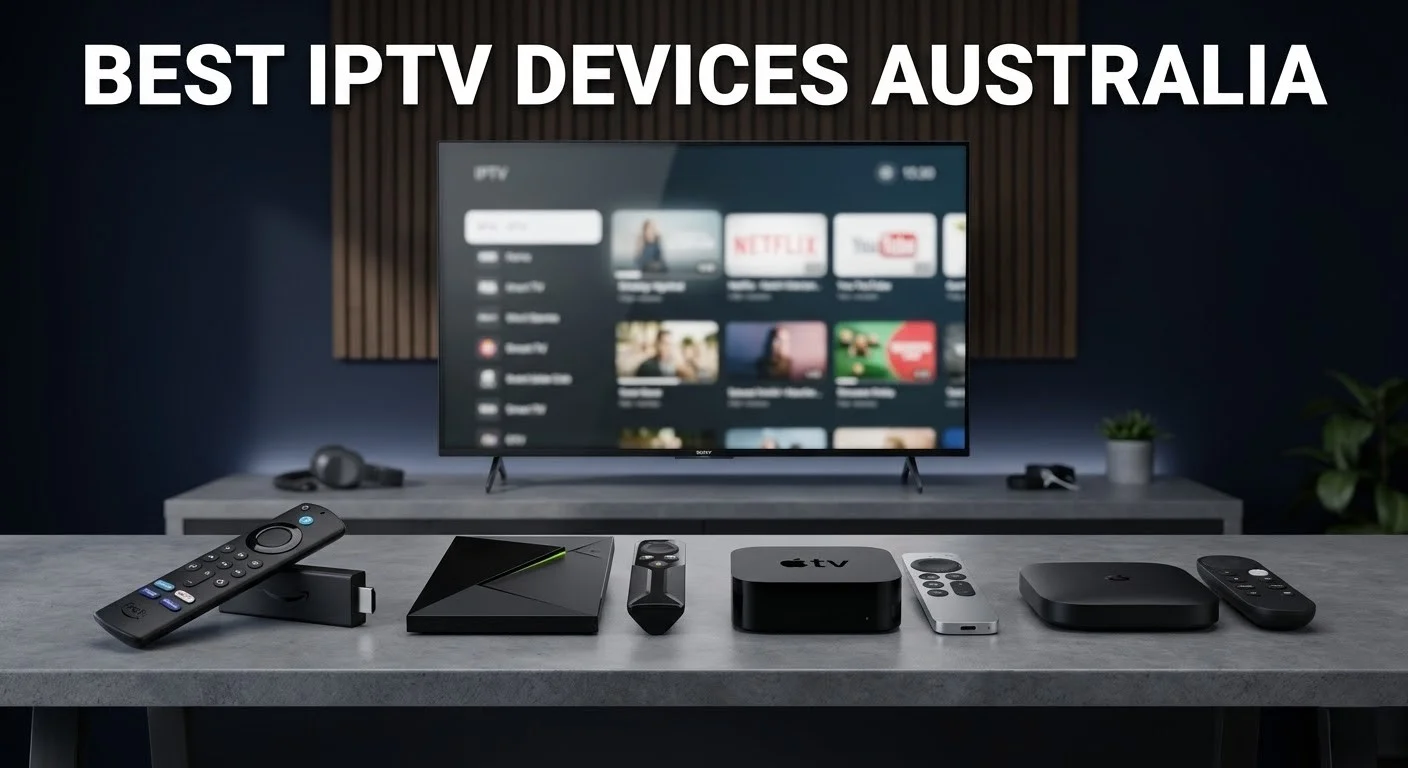
The main categories are dedicated streaming sticks (Amazon Fire TV Stick, Google Chromecast with Google TV), Android TV boxes (Nvidia Shield, Mecool), built-in smart TV platforms (Samsung Tizen, LG webOS, Sony Google TV), Apple TV, and mobile devices (iPhone, iPad, and Android smartphones).
Device selection determines which IPTV apps are available, the quality ceiling for streaming (HD vs 4K), and the stability of long-term performance. In Australia in 2026, the Fire TV Stick 4K and Android TV boxes running TiviMate represent the best value-to-performance ratio for most households.
The most common question I get is, “Does it matter which device I use?” My honest response is that it matters more than most people anticipate.
The same IPTV subscription can deliver a flawless experience on one device and a frustrating one on another, purely because of app availability and processing headroom, which can significantly affect streaming quality, loading times, and overall user satisfaction.
What You Need Before Choosing a Device
| Factor | Questions to Ask | Why It Matters |
|---|---|---|
| Budget | How much are you willing to spend on hardware? | The range is AU$59 (Fire TV Stick) to AU$219 (Apple TV 4K) |
| Content quality | Do you need 4K, or is HD sufficient? | Not all devices handle 4K IPTV smoothly |
| App preference | Do you want TiviMate, IPTV Smarters, or Smart IPTV? | TiviMate is Android-only; some apps are unavailable on Apple TV |
| Existing hardware | Do you already own a smart TV or streaming device? | May not need to buy anything new |
| Connection type | Ethernet or Wi-Fi? | Ethernet-capable devices outperform Wi-Fi-only options for live sport |
| Household size | Does your household have one viewer or multiple simultaneous streams? | Affects whether you need multi-connection support from your provider |
The Device Landscape: What’s Available in Australia
Streaming Sticks and Boxes
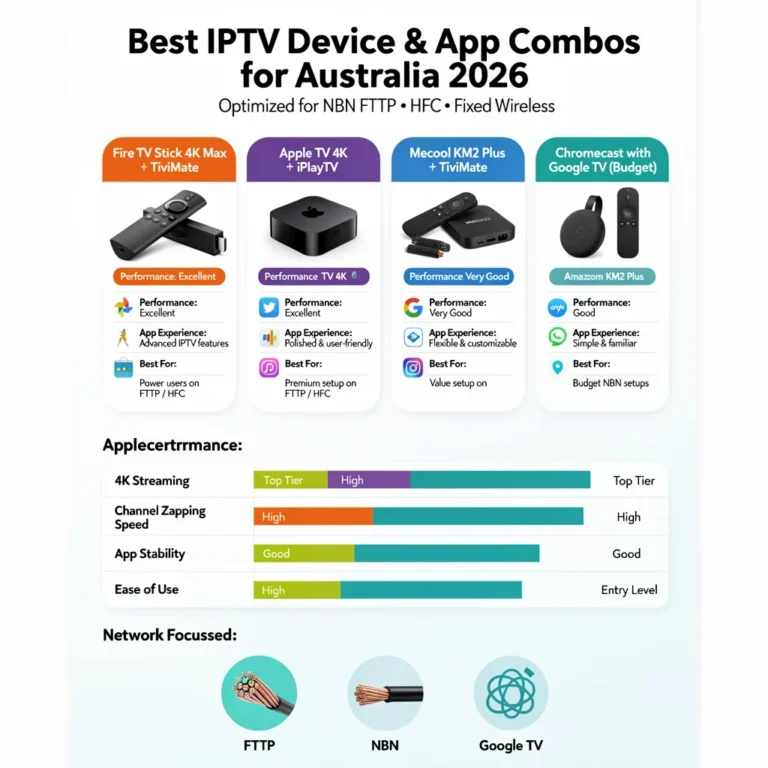
Amazon Fire TV Stick is Australia’s most popular IPTV device, and for good reason. The standard model (AU$59) handles 1080p IPTV without issue.
For most households, the 4K model (AU$89) offers sufficient processing power for 4K streams, a stable app environment, and direct access to IPTV Smarters Pro through the Amazon App Store. TiviMate requires sideloading but works excellently once installed.
The Fire TV Stick 4K Max (AU$119) adds Wi-Fi 6 support, which matters if your router supports it and you cannot run Ethernet.
On NBN FTTP connections in Sydney and Melbourne, the 4K Max running TiviMate over Wi-Fi 6 delivers near-Ethernet stability during peak hours.
Android TV boxes (Nvidia Shield Pro at AU$299, Mecool KM2 Plus at AU$120) offer the most flexibility of any device category.
Full Google Play Store access means every IPTV app—including TiviMate, IPTV Smarters, GSE Smart IPTV, and others—installs without sideloading.
The Nvidia Shield Pro in particular handles 4K IPTV, Dolby Vision, and simultaneous multi-room streaming without any processing strain. It is overkill for most users but the right choice for technically demanding households.
Google Chromecast with Google TV (AU$99) runs Android TV under the hood, giving it the same app flexibility as Android boxes at a lower price point. It is a strong mid-range option that many Australian households overlook.
Smart TVs
Samsung (Tizen), LG (webOS), and Sony (Google TV) smart TVs offer built-in IPTV (Internet Protocol Television) app support, but with meaningful limitations. Samsung Tizen supports Smart IPTV and a handful of compatible apps — TiviMate is not available and never will be on this platform.
LG webOS has a similar situation. Sony TVs running Google TV are the exception: they are functionally Android TV devices and support the full Play Store app library, including TiviMate.
The honest reality about Smart TV IPTV: the built-in app experience is convenient, but the dedicated streaming stick or box experience is consistently better. If you own a Samsung or LG Smart TV, I still recommend adding an AU$59–89 Fire TV Stick rather than relying on the built-in platform.
Apple TV
Apple TV 4K (AU$219) is the premium option and a legitimate choice for households already in the Apple ecosystem. IPTV Smarters and GSE Smart IPTV are available on the App Store. TiviMate is not available because Apple’s platform restrictions exclude it, which limits users’ options for IPTV applications compared to Android-based devices.
The hardware is excellent; however, the app ecosystem for IPTV is more limited than Android-based devices, which restricts users from accessing a wider variety of IPTV applications and features that are available on those platforms. See Apple TV IPTV Apps for a full breakdown.
Mobile Devices
iPhones and Android smartphones work for IPTV but with limitations around background play, screen timeout, and sustained performance on long viewing sessions. Mobile is best treated as a secondary or travel option, not a primary viewing device, due to these limitations that can affect the overall viewing experience, such as reduced battery life and potential interruptions during playback.
See Limitations of IPTV on Mobile Devices for the full picture.
Device Comparison Table
| Device | Price (AUD) | Best App | 4K Support | TiviMate | Ethernet | Best For |
|---|---|---|---|---|---|---|
| Fire TV Stick (standard) | $59 | IPTV Smarters | No | Sideload | Via adapter | Budget HD viewing |
| Fire TV Stick 4K | $89 | TiviMate / Smarters | Yes | Sideload | Via adapter | Best value overall |
| Fire TV Stick 4K Max | $119 | TiviMate | Yes | Sideload | Via adapter | Wi-Fi 6 households |
| Chromecast with Google TV | $99 | TiviMate / Smarters | Yes | Play Store | Via adapter | Mid-range flexibility |
| Mecool KM2 Plus | $120 | TiviMate | Yes | Play Store | Built-in | Android purists |
| Nvidia Shield Pro | $299 | TiviMate | Yes (Dolby) | Play Store | Built-in | Power users |
| Samsung Smart TV | Built-in | Smart IPTV | Depends on TV | ❌ | Built-in (TV) | Existing Samsung owners |
| LG Smart TV | Built-in | Smart IPTV | Depends on TV | ❌ | Built-in (TV) | Existing LG owners |
| Sony Smart TV (Google TV) | Built-in | TiviMate | Depends on TV | Play Store | Built-in (TV) | Google TV ecosystem |
| Apple TV 4K | $219 | IPTV Smarters / GSE | Yes | ❌ | Built-in | Apple ecosystem users |
| iPhone / iPad | Existing | IPTV Smarters | N/A | ❌ | ❌ | Travel / secondary |
My Recommendations by Household Type
| Household Type | Recommended Device | Why |
|---|---|---|
| Budget-conscious, HD only | Fire TV Stick standard ($59) | Handles 1080p IPTV without issue; IPTV Smarters available directly |
| Most Australian households | Fire TV Stick 4K ($89) | Best value-to-performance ratio: TiviMate via sideload |
| Live sport focus | Fire TV Stick 4K + Ethernet adapter ($89 + $25) | Wired connection eliminates peak-hour buffering |
| Already own Samsung/LG TV | Add Fire TV Stick 4K ($89) | Better app ecosystem than built-in Tizen/webOS |
| Apple household | Apple TV 4K ($219) | Ecosystem consistency; IPTV Smarters works well |
| Technical / 4K power user | Nvidia Shield Pro ($299) | No compromise on any dimension |
| Multi-room household | Android box per room + Ethernet | Full app flexibility and wired stability at every TV |
The Connection Question: Wi-Fi vs Ethernet
One change improves every device recommendation above: switching from Wi-Fi to Ethernet.
I always recommend Ethernet over Wi-Fi—the difference is immediate and measurable, particularly during peak NBN (National Broadband Network) hours (7–10 PM AEST) when 2.4 GHz band congestion in Australian suburban environments regularly causes frame drops and buffering that have nothing to do with your IPTV (Internet Protocol Television) service.
Fire TV Sticks and Chromecast devices require a USB Ethernet adapter (AU$20–25). Android boxes and Apple TV 4K have built-in Ethernet ports. Smart TVs have built-in Ethernet ports.
If running a physical cable is impractical, a powerline Ethernet adapter (AU$60–100) is the next best option. For a full analysis of the performance difference, see Wi-Fi vs Ethernet for IPTV Devices.
Explore Our IPTV Device Guides
Every article in this pillar addresses a specific device, app, or performance question. Use this as your navigation guide:
| Article | What It Covers |
|---|---|
| Fire TV Stick IPTV Compatibility | Which apps and services work best on Fire TV Stick |
| TiviMate App Guide for Australian Users | App features, setup tips, and Australian-specific configuration |
| IPTV Smarters App on Multiple Devices | Installation and usage across Fire TV, Android, and iOS |
| Smart TV IPTV Apps for Samsung, LG, Sony | Supported apps and performance by Smart TV platform |
| Apple TV IPTV Apps | Supported applications and platform limitations |
| Android TV IPTV Devices | Best Android boxes for Australian IPTV |
| Chromecast IPTV Options | Streaming IPTV via Chromecast and Chromecast with Google TV |
| IPTV App Comparison: Smarters vs TiviMate vs Smart IPTV | Feature comparison and usage scenarios |
| 4K IPTV Streaming Devices | Devices capable of smooth 4K IPTV in Australia |
| Wi-Fi vs Ethernet for IPTV Devices | Performance data and connection recommendations |
| Firestick 4K Max: IPTV Testing Results | Real-world performance testing on the 4K Max |
| Best Budget Devices for IPTV in Australia | Affordable hardware options under AU$100 |
| IPTV App Updates & Compatibility | How updates affect performance and device support |
| Testing IPTV Performance Across Devices | Benchmarks and practical performance results |
| Installing IPTV Apps on Older Smart TVs | Step-by-step guide for legacy TV models |
| Limitations of IPTV on Mobile Devices | iOS and Android restrictions explained |
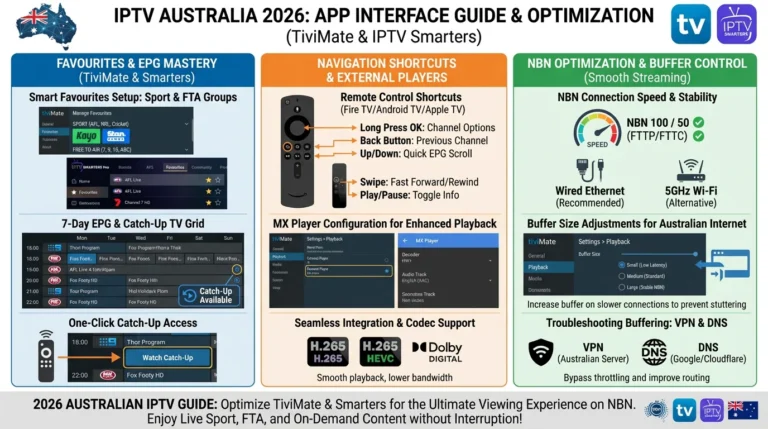
| IPTV App Interface Tips | Optimising navigation and usability across devices |
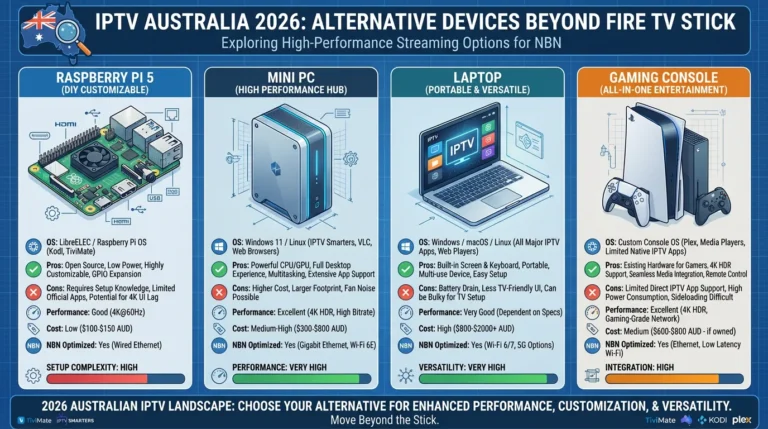
| Alternative Devices for IPTV Streaming | Non-traditional hardware options |
| Choosing the Best IPTV Device & App Combo | Decision framework for your optimal setup |
Final Check: Are You Choosing the Right Device?
| Question | If Yes | If No |
|---|---|---|
| Do you want TiviMate specifically? | Android-based device required (Fire TV Stick via sideload, Android box, Sony Google TV) | Any device works |
| Do you need 4K streaming? | Fire TV Stick 4K, Android box, Apple TV 4K, or 4K-capable Smart TV | The standard Fire TV Stick is fine |
| Is Ethernet available at your TV location? | Any device — prioritise Ethernet-capable models | Fire TV Stick 4K Max (Wi-Fi 6) or powerline adapter |
| Do you already own a smart TV? | Add a Fire TV Stick 4K rather than relying on built-in apps (Samsung/LG) | Start with Fire TV Stick 4K as your primary device |
| Are you in the Apple ecosystem? | Apple TV 4K for consistency; accept TiviMate is unavailable | Android-based device for better app flexibility |
You Are Set Up
Once you have chosen your device and installed your preferred IPTV app, your daily experience is straightforward: open the app, browse the EPG, and watch.
The device you have chosen determines the quality of that experience — processing headroom affects channel switching speed, memory affects how smoothly the EPG loads, and connectivity determines whether peak-hour streams remain stable.
The right device for most Australian households in 2026 is the Fire TV Stick 4K at AU$89, paired with TiviMate (sideloaded) and an Ethernet adapter.
That combination produces an experience that equals or exceeds traditional pay TV for everyday viewing on any NBN connection, delivering 25 Mbps or better during peak hours.
For full setup guidance once your device is chosen, see IPTV Setup Australia. For provider selection before committing to a subscription, see IPTV Providers Australia.
FAQ
Which IPTV device is best for live sport in Australia?
For live sport—NRL, AFL, cricket, and international football—the Fire TV Stick 4K with an Ethernet adapter is the best value option. The wired connection eliminates the peak-hour Wi-Fi congestion that causes buffering during high-traffic match moments.
If budget is not a constraint, the Nvidia Shield Pro with Ethernet provides the most processing headroom for simultaneous 4K streams. See Firestick 4K Max: IPTV Testing Results for performance data.
Can I use my existing smart TV for IPTV without buying a new device?
Yes, this is possible if your Smart TV is running Google TV (Sony models from 2021+) or if you are willing to use Smart IPTV on a Samsung or LG device.
However, the built-in platform experience is consistently inferior to a dedicated streaming stick, which often provides better performance, a better user interface, and access to a wider range of apps and features.
My recommendation for Samsung and LG owners is to add a Fire TV Stick 4K—the AU$89 investment produces a meaningfully better IPTV (Internet Protocol Television) experience than the built-in app. See Smart TV IPTV Apps for platform-specific guidance.
Is TiviMate available on all IPTV devices?
No. TiviMate is only available on Android-based devices — this includes Fire TV Stick (via sideload), Android TV boxes, Chromecast with Google TV, and Sony Smart TVs running Google TV. TiviMate is not available on Apple TV, Samsung Tizen, or LG webOS, and there are no plans to change this.
See the TiviMate App Guide for Australian Users for full compatibility details.
What is the minimum device specification for smooth HD IPTV in Australia?
Any current Fire TV Stick, Chromecast with Google TV, or Android TV box released after 2020 handles 1080p IPTV without issue.
The limiting factor is almost never the device processor — it is the internet connection. A device with a 25 Mbps sustained NBN (National Broadband Network) connection at 8 PM AEST will outperform a more expensive device on a congested Wi-Fi network.
Wrap-Up
The best IPTV device for most Australian households in 2026 is the one that matches your budget, your app preference, and your connection setup.
For the majority of viewers, that means a Fire TV Stick 4K at AU$89 with TiviMate and an Ethernet adapter — a complete, high-quality IPTV hardware setup for under AU$120.
For everything else—specific device guides, app comparisons, and performance testing—use the article table above to find exactly what you need.
And when you are ready to configure your chosen device, the full step-by-step guidance is in IPTV Setup Australia.
Enjoy your setup.

Our Fact Checking Process
We prioritize accuracy and integrity in our content. Here's how we maintain high standards:
- Expert Review: All articles are reviewed by subject matter experts.
- Source Validation: Information is backed by credible, up-to-date sources.
- Transparency: We clearly cite references and disclose potential conflicts.
Our Review Board
Our content is carefully reviewed by experienced professionals to ensure accuracy and relevance.
- Qualified Experts: Each article is assessed by specialists with field-specific knowledge.
- Up-to-date Insights: We incorporate the latest research, trends, and standards.
- Commitment to Quality: Reviewers ensure clarity, correctness, and completeness.
Look for the expert-reviewed label to read content you can trust.