
Marcus Reed | IPTV Devices & Apps in Australia
Last updated: August 2026
Android TV IPTV setups give Australian viewers more app choice than any other television platform, which matters more than raw processing power for most households. If you are still deciding whether IPTV suits your home at all, the IPTV Australia guide covers that question first, and the IPTV devices and apps hub compares platforms side by side.
Quick Answer
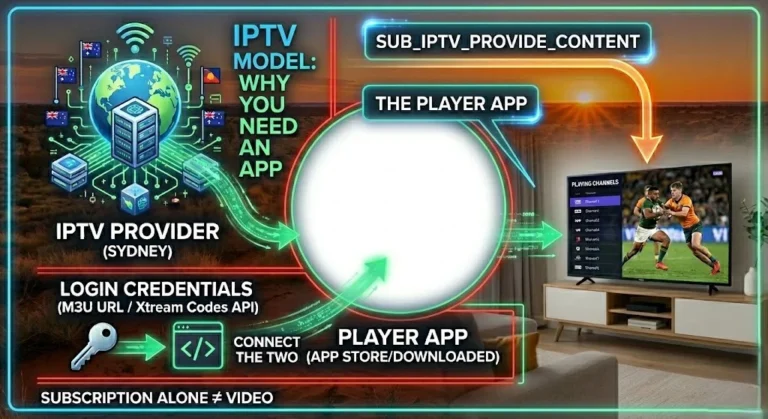
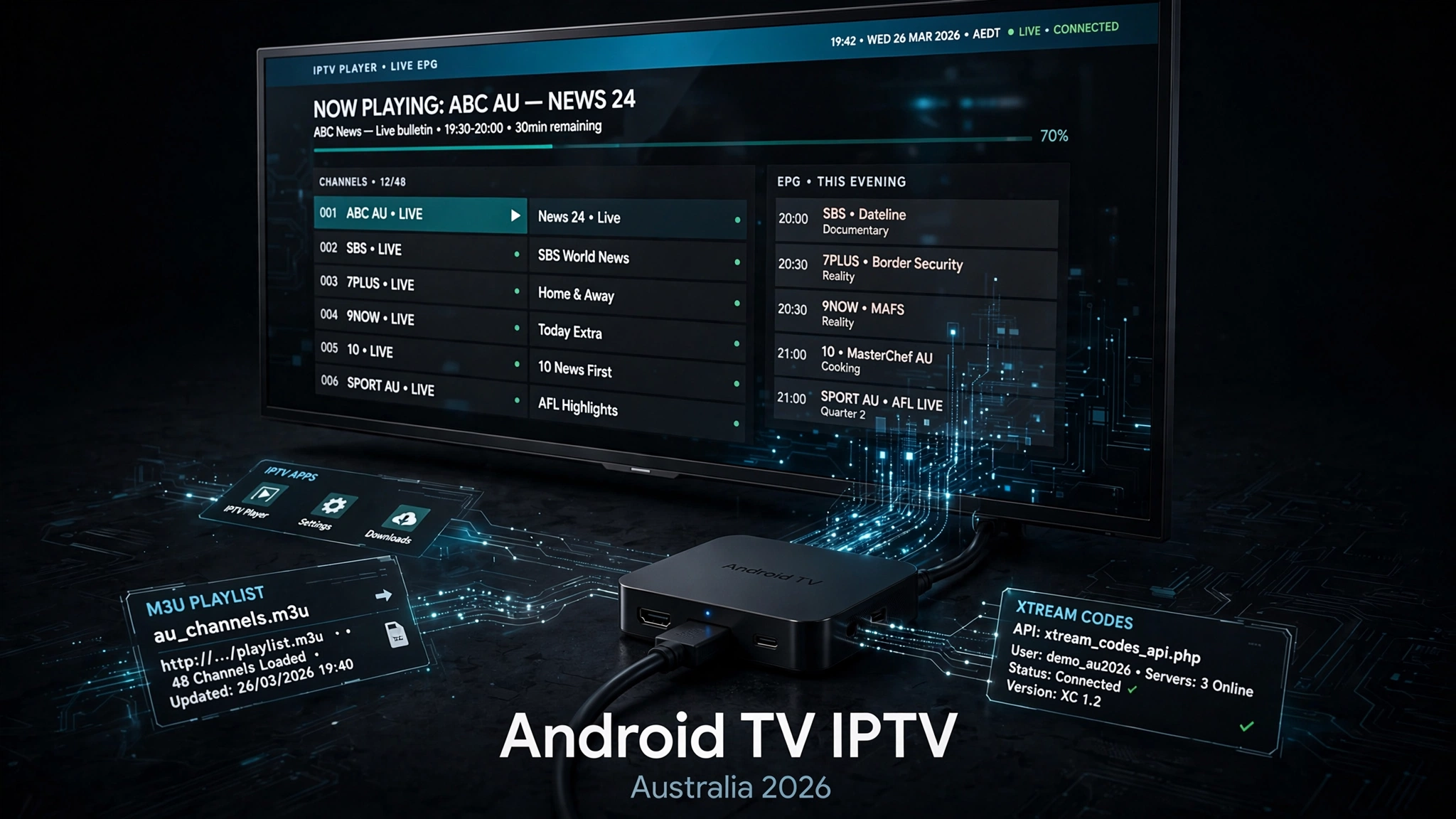
Android TV IPTV works through a player app that loads credentials from your provider — the app supplies the interface; your provider supplies the channels. The Google Play Store carries several IPTV players, and Android-based devices can also install apps from outside the store, which is the platform’s main practical advantage. TiviMate is the most widely recommended player on Android TV. Setup follows the same pattern everywhere: install a player, enter your M3U link or Xtream Codes details, and wait for the channel list.
Does Android TV have an IPTV app?
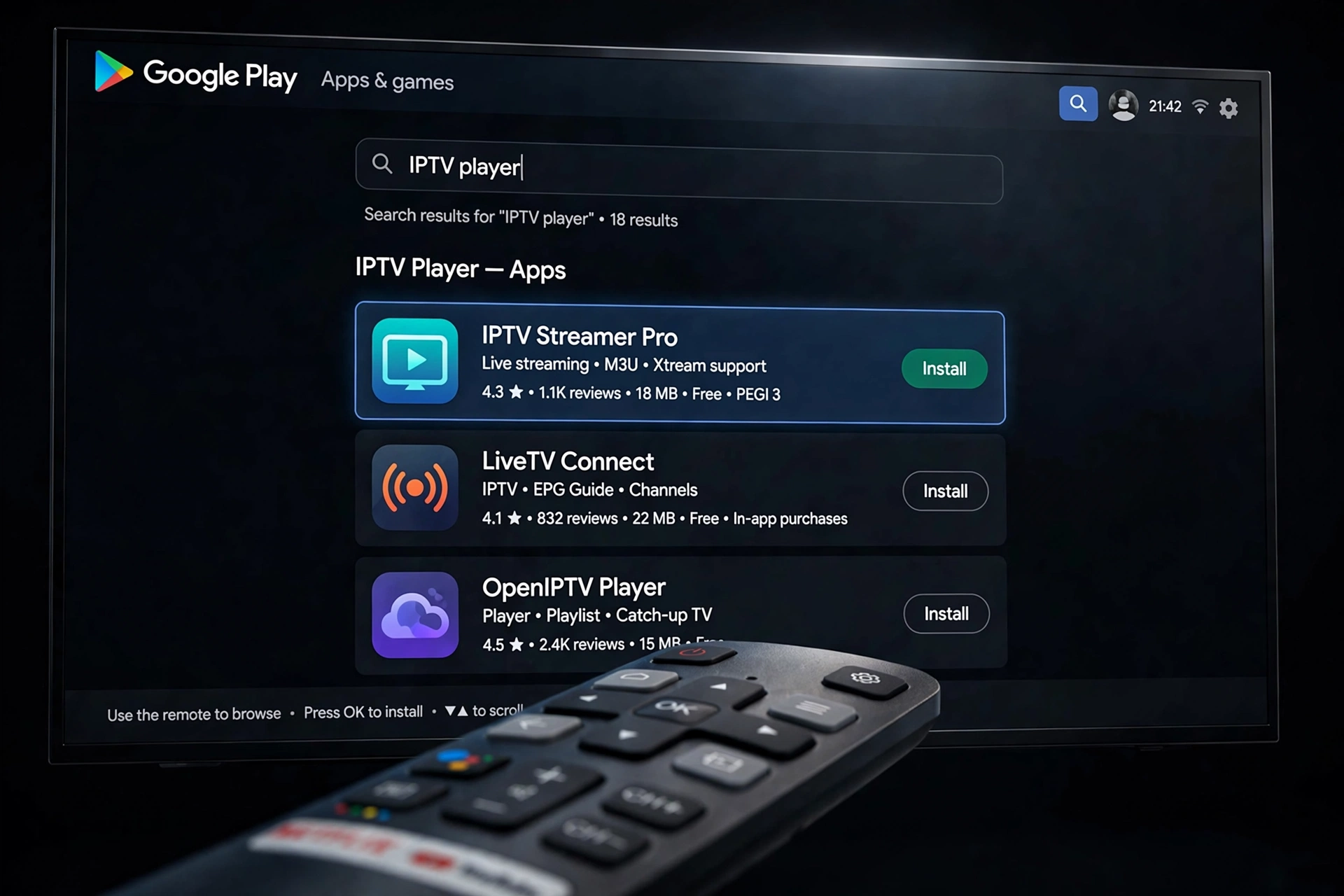
Yes — several. Android TV and Google TV both carry IPTV players in the Google Play Store, and this is where most people should start looking.
Open the Play Store on your television or box and search for IPTV. You will find IPTV Smarters Pro, GSE Smart IPTV, and other players listed. These install like any other app, with no special steps.
Two definitions matter before going further, because confusing them causes most of the frustration around this topic:
| Term | What it is |
|---|---|
| Android TV | Google’s television operating system, with Play Store access. Used by Sony, TCL, Philips and most dedicated streaming boxes. |
| Google TV | A newer interface layered on Android TV. Same app compatibility underneath. |
| M3U | A single long web address containing your credentials and channel list. |
| Xtream Codes | A login method using three separate fields: server URL, username, and password. |
| EPG | Electronic Programme Guide — the on-screen schedule of what is playing now and next. |
What an IPTV app is not: it is not a channel source. Every player listed above is empty until you feed it credentials from a provider. An app that costs nothing to install still gives you nothing to watch on its own — a point worth understanding before searching for free IPTV apps, because the app being free and the content being free are two entirely separate questions.
If you’re unsure whether you need a separate app at all, or if your provider’s trial link isn’t opening as expected, the article “Do I need an app for IPTV?” answers that question directly.
Key takeaway: Android TV carries multiple IPTV players in the Google Play Store, but every one of them is an empty player until you add credentials from a provider.
Which IPTV Player Is Best for Android TV?
For daily viewing on Android TV, TiviMate is the player most Australian users settle on. It offers a television-style guide layout, handles large channel lists without slowing down, and its programme guide handling is more capable than most alternatives.
For a simpler start, IPTV Smarters Pro installs directly from the Play Store and takes credentials through a straightforward login screen. It is available across more platforms than TiviMate, which matters if you also watch on a phone or tablet.
The choice depends less on which app is objectively better and more on how you watch. Someone who watches two or three channels each evening will not notice what separates these players. Someone managing a large list across several groups, using catch-up and a customised guide layout, will notice immediately. If you want a fuller comparison across platforms rather than Android specifically, the smart TV IPTV apps guide covers what runs where.
Why Android TV Gives You More App Choice
This is the genuine difference between Android TV and the alternatives, and it is worth understanding properly because it is the main reason to choose the platform at all.
Android TV gives users more flexibility because compatible apps install through Google Play, while Android-based devices can also support installation from outside the main app store. By comparison, Samsung Tizen, LG webOS and Apple tvOS operate within more tightly controlled platform ecosystems.
The practical result: some IPTV players that never appear in the Samsung or LG stores are available to Android TV users. TiviMate is the clearest example—it exists as an Android application and has no Tizen or webOS version, so Samsung and LG owners cannot install it on the television itself no matter how many guides recommend it.
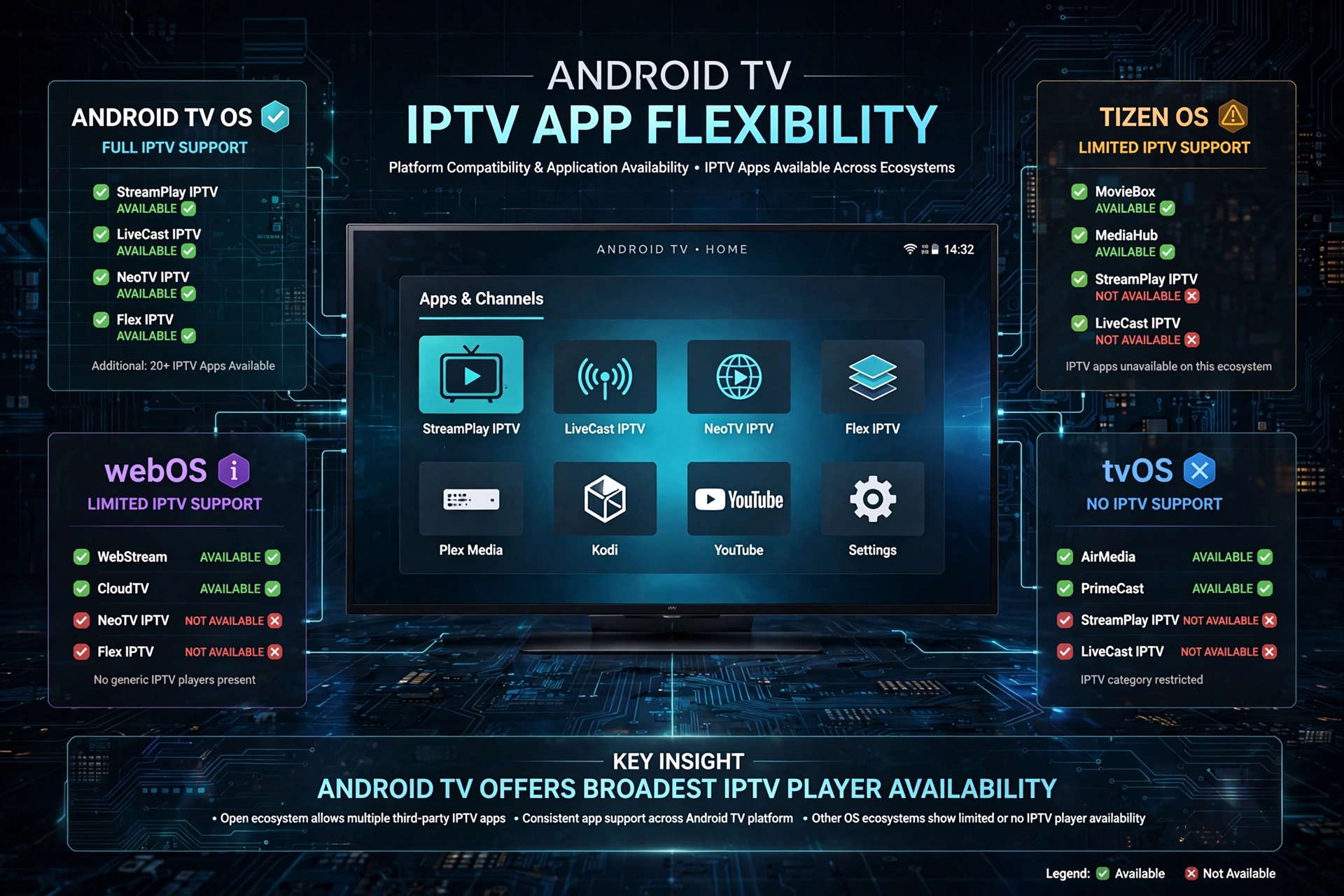
The trade-off is real, and I would not skip past it. Installing an app from outside an official store means the store’s review process is not standing between you and the software. You take on the job of confirming what you are installing and where it came from. That responsibility is the cost of the flexibility – not a reason to avoid the platform, but a reason to be deliberate about it.
This flexibility also matters less than people assume. If the player you want is already in the Play Store, the openness of the platform never comes up. It only becomes relevant when your preferred app is not there.
Key takeaway: Android TV’s app flexibility is its main advantage over Samsung, LG and Apple platforms, but it only matters when the app you want is unavailable through the official store.
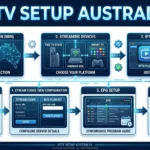
Android TV IPTV Setup: Adding Your Playlist
The pattern is the same across every player:
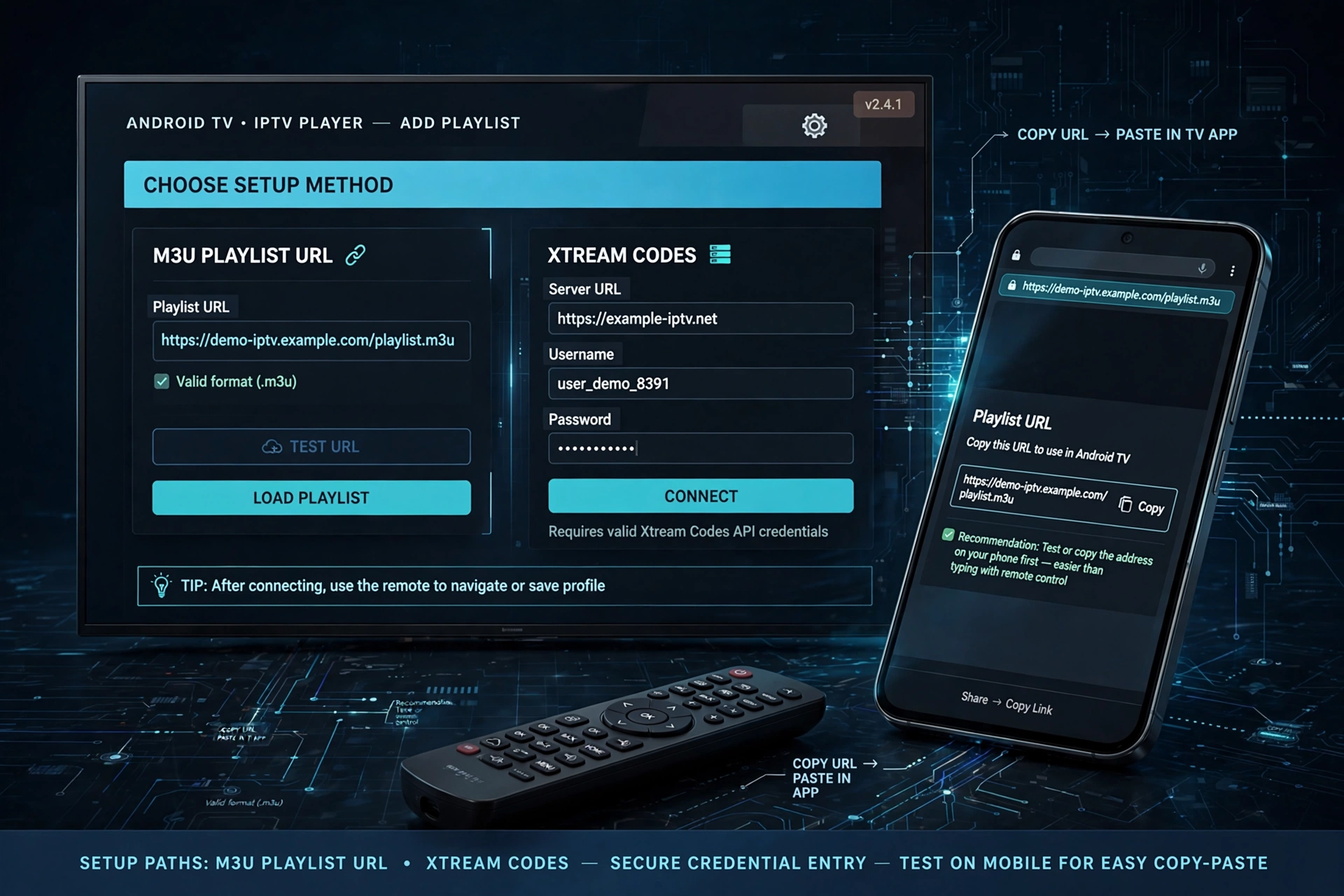
- Have your credentials ready from your provider — either an M3U link or Xtream Codes details
- Open the app and find Add Playlist or Add User
- Choose the screen matching what you were given
- Enter the details carefully
- Wait — loading takes from thirty seconds to a few minutes depending on list size
The most common failure is a typing error, not a subscription problem. A playlist address is long, mixed-case, and full of characters that look alike. Entering it with a remote means selecting one letter at a time from an on-screen keyboard, viewed from across the room. The error message is identical no matter which character is wrong, so the app cannot tell you where the mistake is — it only knows the address did not work.
The prefix causes the most trouble. The prefix causes the most trouble. An address beginning with http is not the same as one beginning with https, and on a television screen the two are nearly indistinguishable, and on a television screen the two are nearly indistinguishable.
To check whether the address itself is valid, paste it into a browser on your phone. If it downloads a file or displays channel text, the address works and the mistake is in what you typed on the television. For the full breakdown of playlist formats and errors, see the IPTV playlist setup guide.
TiviMate on Android TV
TiviMate deserves its own note because of how often it comes up and how often people search for it on the wrong platform.
It is built for Android TV and Android-based television devices. Samsung Tizen and LG webOS run different software entirely, so an Android application has nothing to run on them — this is a difference in what the television is, not a missing feature that an update will add later.
On Android TV it installs and runs natively. Configuration depth is where it separates from simpler players: guide layout, channel grouping, and time zone handling all have more settings than most alternatives. That depth is covered properly in the TiviMate configuration guide rather than repeated here.
Android TV Devices That Work Well with IPTV
Rather than name specific models and prices that change, here is what actually matters when choosing hardware for IPTV:
| What to look for | Why it matters |
|---|---|
| Built-in Ethernet port | A wired connection may reduce buffering, because a speed test measures peak download rate, while live streaming depends on sustained steadiness. Wireless adds a variable that Ethernet removes entirely. |
| Certified Android TV with Play Store | Some boxes advertise Android but run modified software without Play Store access, which limits which players you can install. |
| Recent enough for ongoing updates | Older devices stop receiving updates, and app compatibility drifts over time. |
| Enough memory for your playlist size | Large channel lists with full guide data strain low-specification hardware more than the app itself does. |
A note on Fire TV: Fire TV belongs to the broader Android-based ecosystem, but it runs Amazon’s Fire OS rather than Google TV or standard Android TV, with Amazon’s own app store. It is a common IPTV device in Australian homes and worth considering, though it sits outside the Android TV platform this guide covers — see the Fire TV Stick compatibility guide for that platform specifically.
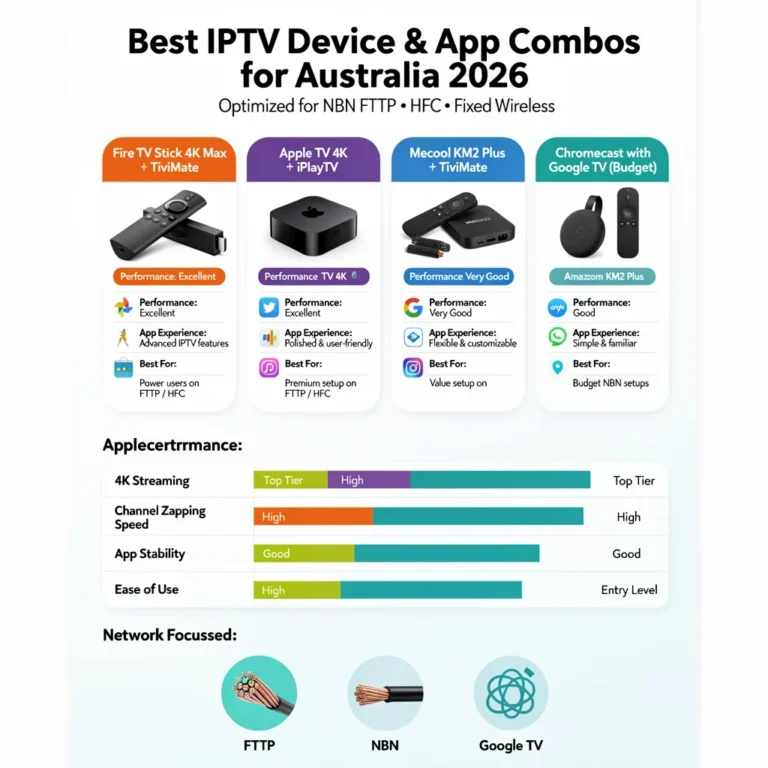
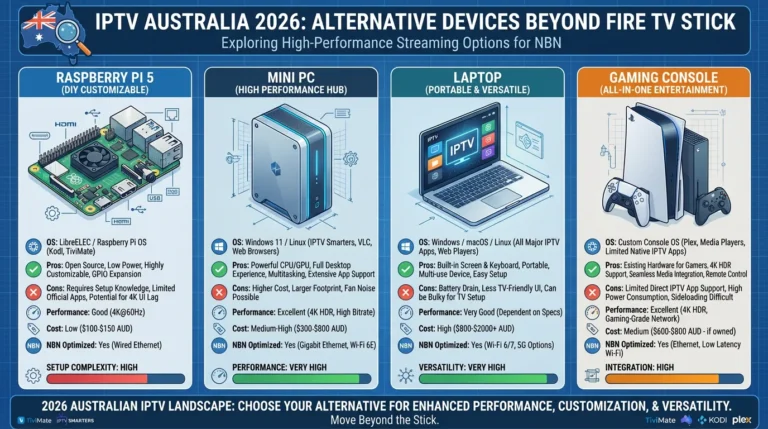
For a direct comparison of device and app combinations with current pricing, the choosing an IPTV device and app guide covers that decision.
When Android TV Is Not the Right Choice
The honest counterpart to everything above. Android TV is not automatically the right answer, and three situations make it the wrong one.
Your television already runs a player that works. If you own a Samsung or LG set with a functioning IPTV app and ordinary viewing needs, adding an Android box buys you flexibility you may never use. It costs money, occupies an HDMI port, and adds a second remote. The smart TV setup guide covers running IPTV without extra hardware.
You are already in the Apple ecosystem. Apple TV handles IPTV well through its own players. Adding an Android device to gain access to apps you would not use is a solution without a problem.
You want simplicity above all. The flexibility of Android TV comes with more decisions: which player, which source, which settings. For a household that wants live channels and nothing more, a platform with fewer options is not a limitation.
The flexibility argument holds only when app availability is a real constraint for you. It is not a general claim that Android TV is the best platform for everyone.
Key takeaway: Android TV is the right choice when app availability genuinely limits you — not by default, and not when your existing television already runs a working player.
Common Android TV IPTV Problems
Three patterns account for most of what goes wrong:
| Symptom | Most likely cause |
|---|---|
| Channels load but buffer in the evening | Network steadiness during peak hours, or wireless interference |
| App installs but no channels appear | Credentials entered on the wrong screen, or a typing error |
| The guide is empty or shows wrong programmes | Missing guide source, or channel IDs not matching |
Evening buffering is the most reported of the three, and it is usually a network issue rather than a device or app fault. Switching to a wired Ethernet connection may reduce it, for the reason given in the device table above. If buffering continues on a wired connection, the cause is upstream of your equipment.
Each of these has more depth than a table allows — the IPTV Troubleshooting Australia hub covers diagnosis properly.
Legal Considerations in Australia
IPTV as a technology is legal in Australia, and player applications such as TiviMate and IPTV Smarters Pro are legitimate software that supply no content of their own.
What determines legality is the service behind your credentials and whether it holds appropriate content distribution licences. The Australian Communications and Media Authority (ACMA) regulates broadcasting and online content federally, and under the Copyright Act 1968 internet providers can be directed to block sites facilitating copyright infringement.
This article is for educational and comparison purposes only. Verify the licensing status of any streaming service and ensure compliance with Australian copyright law before subscribing.
Explore More
Choosing devices and apps
IPTV devices and apps Australia · Choosing a device and app combination · Fire TV Stick compatibility
Apps and configuration
Smart TV IPTV apps compared · TiviMate configuration · IPTV playlist setup
Setup on other platforms
Smart TV IPTV setup · Apple TV IPTV setup
When something goes wrong
IPTV Troubleshooting Australia
Bottom Line
If you already own an Android TV or Google TV device:
Install a player from the Play Store, enter your credentials, and you are finished. TiviMate for daily depth, IPTV Smarters Pro for a simpler start — either works, and the difference only shows with heavy use.
If you own a Samsung or LG television and want an app your store does not carry:
An Android device connected by HDMI solves that specific problem. This is the one situation where the platform’s flexibility genuinely earns the extra cost and the second remote.
If your current television already runs IPTV acceptably:
Stay where you are. The flexibility described in this guide is only valuable when app availability limits you, and adding hardware to solve a problem you do not have is money spent for nothing.
Sources
- ACMA — broadcasting and online content regulation
- Copyright Act 1968 (Cth) — site-blocking provisions
Freshness plan: review February 2027, or sooner if platform app availability changes materially.