
Category: IPTV Troubleshooting Australia | Author: Kevin brooks
Last updated: June 29, 2026
Quick Verdict
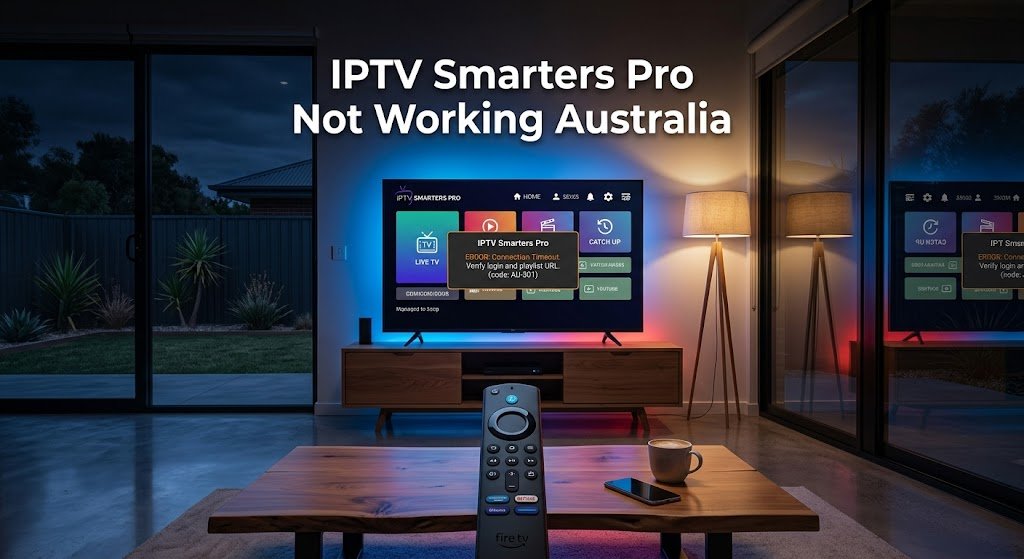
IPTV Smarters Pro not working in Australia: in the cases I work through with Australian customers, the cause is usually something other than the IPTV service itself — IPTV Smarters Pro is just a media player, not a streaming service, so it has no “outage” of its own. It almost always comes down to one of three things: the customer installed a lookalike app instead of the genuine IPTV Smarters Pro, they got lost on the login screen and entered their details in the wrong place, or the app needs its cache cleared or reinstalled after a crash. None of these require contacting your IPTV provider first.
What Is IPTV Smarters Pro?
IPTV Smarters Pro is a third-party media player app used to play IPTV subscriptions on Android, Firestick, iOS, and Smart TV devices. It doesn’t provide channels itself — it connects to whichever IPTV provider’s server details (a username, password, and server URL or M3U link) you enter into it.
This distinction is relevant for troubleshooting: a fault can come from the app itself, from your specific provider’s server, or from your device — and each has a different fix.
At a Glance: Symptom → Likely Cause → Quick Fix
| Symptom | Likely Cause | Quick Fix |
|---|---|---|
| A free trial shows live channels only, no VOD or series | Downloaded a lookalike app instead of genuine IPTV Smarters Pro | Confirm the exact app name and publisher (see Cause #1) |
| Can’t find where to enter username/password | Got lost on the app’s first-time setup screen | Follow the exact tap sequence in Cause #2 |
| “No streams available” after entering correct details | Wrong login type selected (M3U vs Xtream Codes) | Match login type to what your provider gave you |
| The app keeps crashing or stalls on a black screen | Corrupted cache or app data after an update | Clear cache first; reinstall only if that fails (Cause #3) |
Summary Box
- What this guide covers: the three causes we see most often when IPTV Smarters Pro itself misbehaves — separate from buffering, freezing, or EPG issues, which have their own dedicated guides linked throughout.
- One cause we frequently encounter: the customer installed a similar-looking app from the Play Store instead of the genuine IPTV Smarters Pro, and its limited free trial is often mistaken for a broken service.
- Also common: the app’s first-time setup screen isn’t intuitive for new users, and they often miss the username/password fields entirely.
- Also common: a corrupted cache or leftover data after an app update causes crashes or a stuck black screen.
Who Is This Guide For
This guide is for Australian IPTV users specifically running into problems with the IPTV Smarters Pro app — whether you’re setting it up for the first time or it’s stopped behaving correctly after working fine before. If your issue is buffering, freezing, or audio sync rather than the app itself misbehaving, those issues have their own dedicated guides linked in the related troubleshooting guides below. For every other fault type, browse the full IPTV Troubleshooting Australia category.
Common Misconceptions
“IPTV Smarters Pro is down.” IPTV Smarters Pro is a media player, not a streaming service — it has no servers of its own to go down. If it won’t load channels, the fault is either your specific IPTV provider’s server, your connection, or a setup detail in the app itself — never a global “IPTV Smarters Pro outage.”
“If the free trial only shows a few channels, the service must be low quality.” In my experience, this belief is one of the most common — and most often incorrect — assumptions. A limited free trial (live channels only, no VOD or series) frequently indicates the customer downloaded the wrong app entirely, rather than the actual service being weak.
“The app is too complicated, so it’s broken.” A confusing first-time setup screen is a real usability problem, but it isn’t the same as the app being faulty. Most of the “it just doesn’t work” reports I see resolve once I point out the correct screen and fields directly.
IPTV Smarters Pro Not Working Australia: The 3 Real Causes
1. A Lookalike App Instead of the Genuine IPTV Smarters Pro
Why It Happens
The Play Store and App Store both list several apps with very similar names, icons, and descriptions to the genuine IPTV Smarters Pro. In my experience, the large majority of new customers who message me saying the service “doesn’t work properly” have installed one of these lookalikes rather than the real app.
Symptoms
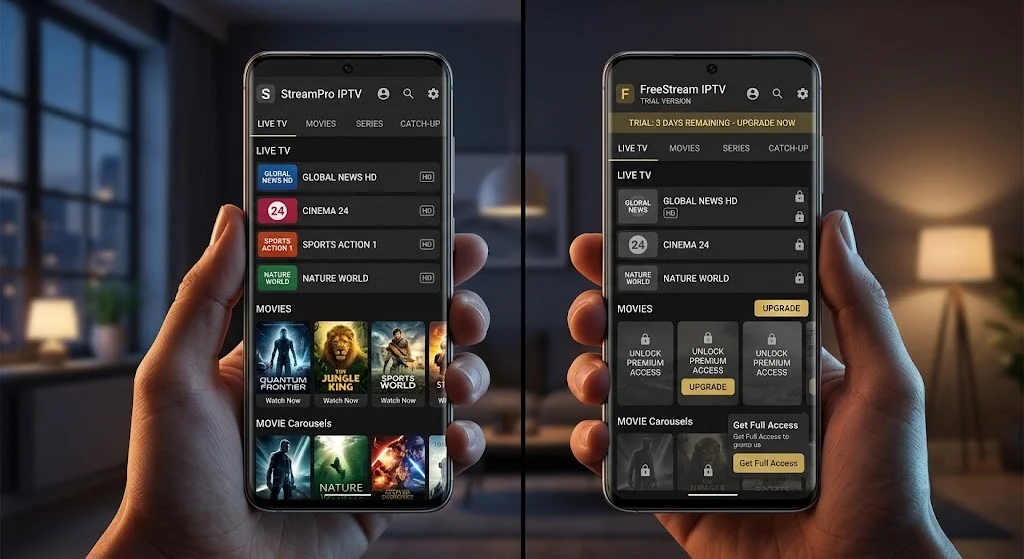
The clearest giveaway: the free trial only plays live channels, with no VOD (movies) or series catalogue available at all — because most of these lookalike apps are built around a 7-day free trial that intentionally restricts playback to live broadcasts only. Customers compare the experience to what they expected and conclude the subscription itself is faulty when the actual cause is the app.
How to Verify
Open the Play Store or App Store listing for the app currently installed on your device and check the exact app name and publisher against the one your provider’s setup instructions specify. If they don’t match exactly, you have the wrong app.
Solution
Uninstall the lookalike app, search for the exact app name your provider specified, and confirm the publisher before installing. Re-enter your provider’s details into the genuine app — this resolves the entire category of “limited trial” complaints immediately, because there’s no real fault to fix beyond using the correct app.
2. Getting Lost on the First-Time Setup Screen
Why It Happens
IPTV Smarters Pro’s first screen presents several login options at once (Xtream Codes API, M3U URL, and Load Your Playlist), and for someone opening the app for the first time, it isn’t always obvious which option to tap or where the username and password fields actually are.
Symptoms
In my experience, even after I send step-by-step screenshots, some customers still can’t locate the right input screen — they tap around the opening page, conclude the layout is too complicated, and report back that “it doesn’t work” or “it’s too hard” when the app itself hasn’t failed at all; the setup step was simply never completed.
How to Verify
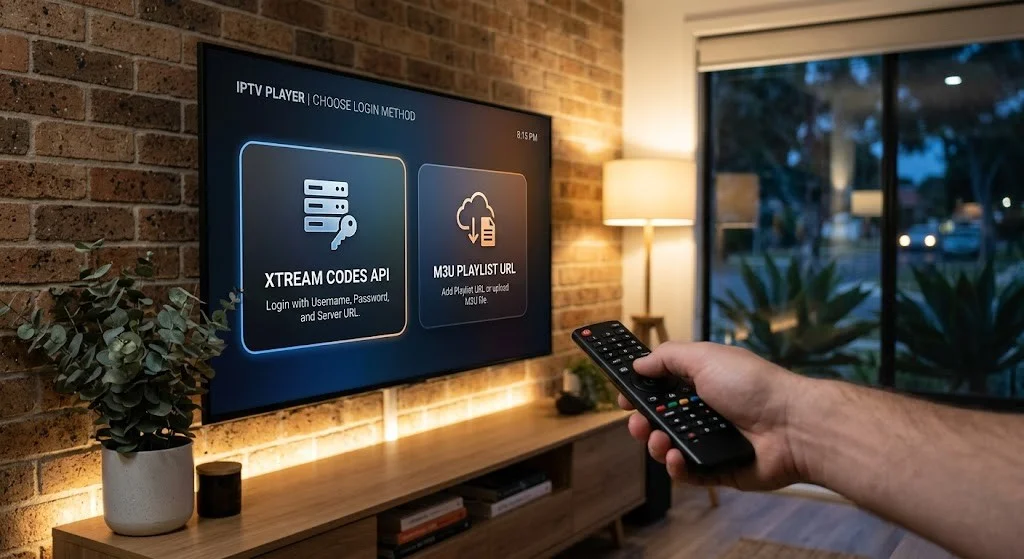
Please confirm that you have reached a screen with Username, Password, and Server URL (or M3U URL) fields. If you’re still on the app’s opening page with login-type buttons and no input fields visible, you haven’t reached the setup screen yet.
Solution
From the opening screen, tap “Login with Xtream Codes API” if your provider gave you a username, password, and server URL — or “Load your playlist or file” if your provider gave you a single M3U link instead. Enter the exact details your provider supplied on the matching screen. Entering Xtream Codes details into the M3U screen (or vice versa) is one of the most common reasons for a “No streams available” error immediately after setup — if you see that message, double-check you used the matching login type for the details you were given.
3. Corrupted Cache or App Data After an Update
Why It Happens
Like any Android or iOS app, IPTV Smarters Pro can accumulate corrupted cache data over time, particularly around app updates. This can cause crashes, a stuck black screen on launch, or the app failing to remember previously loaded channel lists.
Symptoms
The app opens but closes itself within seconds, freezes on a black screen before reaching the channel list, or channels that worked previously have disappeared without any change to your subscription. For ongoing freezing during actual playback rather than at launch, see our dedicated IPTV Freezing Solutions Australia guide instead.
How to Verify
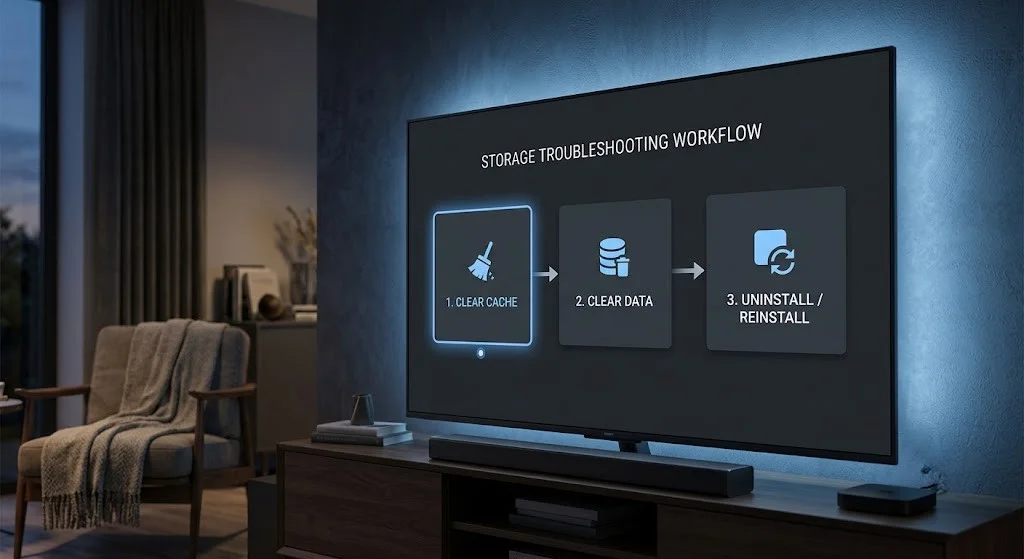
If the app fails before you even reach the channel list – rather than freezing mid-stream – this indicates an app-data issue rather than a connection or server problem.
Solution
Start with the least destructive fix: on Android, go to Settings → Apps → IPTV Smarters Pro → Storage → Clear Cache (this keeps your saved login details). If the problem continues, go a step further and clear data, which removes saved logins and requires re-entering your provider details — Google’s own Android support documentation confirms this same distinction: clearing cache only removes temporary data, while clearing storage/data removes everything and resets the app to its just-installed state. If neither resolves it, fully uninstall and reinstall the app. For broader app-crash diagnostics across IPTV apps, see IPTV App Crashes: Solutions & Tips. If you’re on an older app version, also confirm you’re up-to-date — see IPTV App Updates Australia for the update process on Smarters specifically.
Frequently Asked Questions
Is there a problem with IPTV Smarters Pro right now? IPTV Smarters Pro itself doesn’t have outages, since it’s a media player rather than a streaming service — there’s no central server for the app to go down. If channels won’t load, the cause sits with your specific IPTV provider, your connection, or a setup detail in the app, not with IPTV Smarters Pro as a whole.
Why does my IPTV Smarters Pro free trial only show a few live channels?
This issue is one of the most common signs you’ve installed a lookalike app rather than the genuine IPTV Smarters Pro. Many similar-looking apps restrict their free trial to live channels only, with no VOD or series catalogue, which people mistake for a weak service.
Why do I get “No streams available” right after entering my details?
This usually means the login type doesn’t match what your provider gave you—for example, entering Xtream Codes credentials into the M3U screen, or vice versa. Please confirm which login type your provider specified and re-enter your details on the corresponding screen.
Should I reset, clear cache, or reinstall IPTV Smarters Pro?
Start with Clear Cache, since it’s the least disruptive and keeps your saved logins. If problems continue, you should also Clear Data, which will remove your saved logins. Reinstalling the app entirely is the last step, used only if clearing cache and data doesn’t resolve the issue.
My IPTV Smarters Pro app is freezing or buffering — is that covered here?
Not in this guide. Freezing and buffering during active playback have their own causes and dedicated guides — see IPTV Freezing Solutions Australia and IPTV Buffering Fixes for Australian ISPs.
Does IPTV Smarters Pro work on all Australian devices? IPTV Smarters Pro is available on Android, Fire Stick, iOS, and most Android-based smart TVs. It is not available through the official Roku Channel Store, so Roku users typically need a screen-mirroring workaround instead. For device-specific setup steps, see IPTV Smarters Setup and IPTV Smarters App on Every Device.
Is IPTV Smarters Pro free or paid? The IPTV Smarters Pro app itself is free to download and use as a media player. It doesn’t include any channels, movies, or series on its own — those come entirely from whichever IPTV provider’s subscription details you enter into it. Paying for an IPTV subscription is separate from the app, which is why a free trial limited to live channels only is usually a sign of a lookalike app rather than a paid-tier restriction within the genuine app.
Related Troubleshooting Guides
- IPTV Troubleshooting Australia — the full diagnostic hub for every fault category
- IPTV Login Failed Solutions — for credential, subscription, and server-side login failures
- IPTV App Crashes: Solutions & Tips — broader app-crash diagnostics across IPTV apps
- IPTV App Updates Australia — how to update IPTV Smarters Pro and other IPTV apps
- IPTV Freezing Solutions Australia — for freezing during active playback
- IPTV Buffering Fixes for Australian ISPs — for buffering during active playback
Bottom Line
IPTV Smarters Pro not working Australia-wide almost always traces back to one of three things: a lookalike app installed instead of the genuine one, confusion on the first-time setup screen, or a corrupted cache after an update.
None of these indicate a problem with your subscription. Please work through the three causes above in order before contacting your provider. For every other IPTV fault category, return to the IPTV Troubleshooting Australia hub.
Sources (verified by direct fetch)
This guide is based primarily on first-hand setup and support experience with Australian IPTV customers using IPTV Smarters Pro. For the technical distinction between clearing the cache and clearing data, see the following: