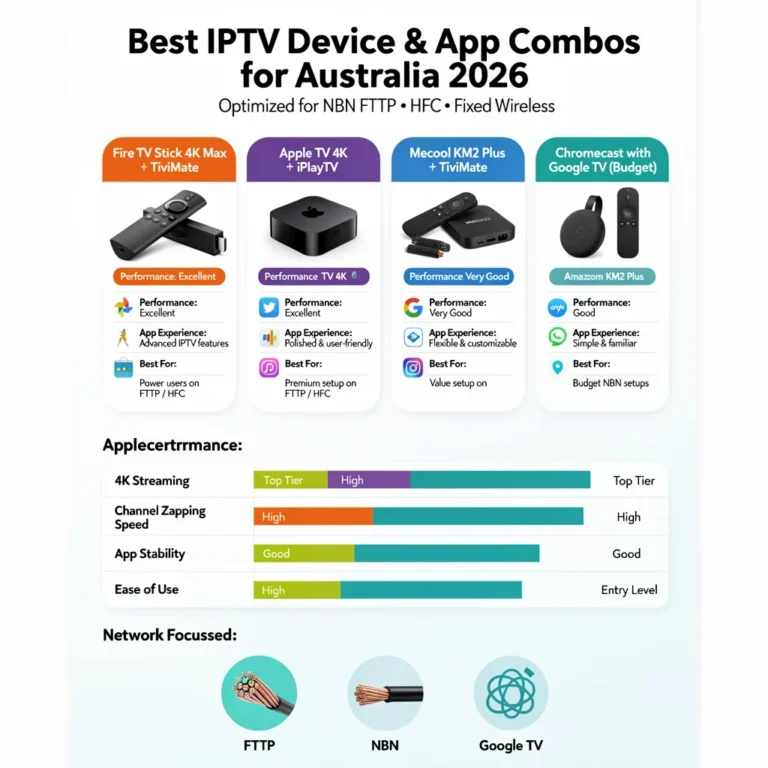
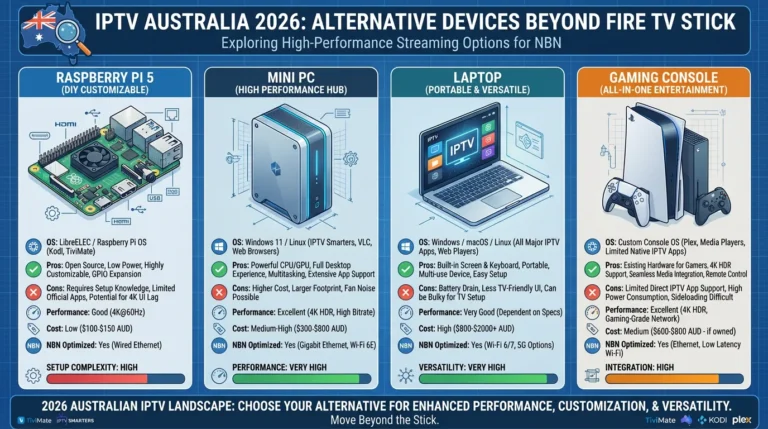
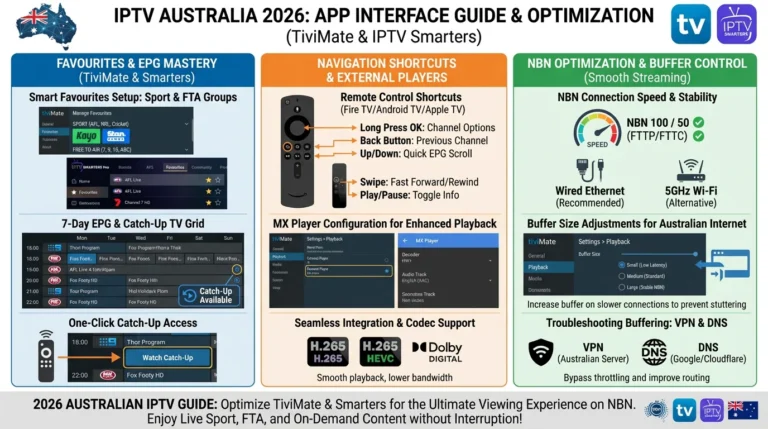
Choosing the wrong IPTV app is the most common reason Australian subscribers end up with a working subscription but a frustrating viewing experience. The three apps covered in this guide—TiviMate, IPTV Smarters Pro, and Smart IPTV—each suit a different household setup, and understanding the differences before installing saves significant time and effort. This guide is part of the complete IPTV Devices & Apps Australia hub and delivers a direct, no-fluff comparison of every factor that matters to Australian viewers in 2026: device compatibility, EPG quality, catch-up TV, ease of setup, and cost.
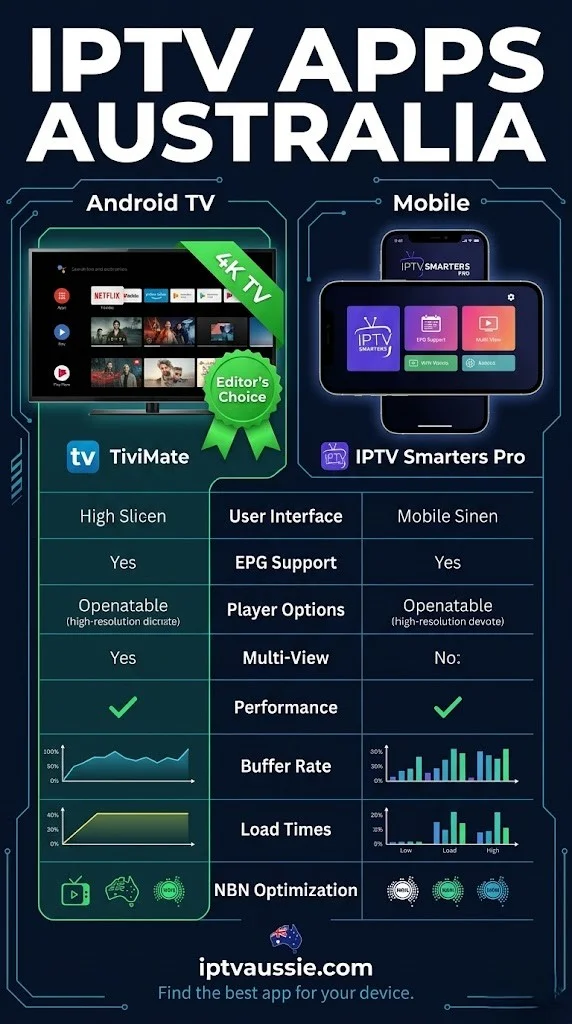
I have installed all three apps across hundreds of Australian IPTV setups — on Fire TV Sticks, Android boxes, Smart TVs, iPhones, and Apple TVs. The right app depends almost entirely on which device you own and how technically comfortable you are with the initial setup. The best app for a Samsung Smart TV owner differs from the best app for a Fire TV Stick 4K Max owner.
TiviMate, IPTV Smarters Pro, and Smart IPTV are the three most widely used IPTV player applications in Australia. They connect to IPTV provider services using either Xtream Codes API credentials (server URL, username, password) or M3U playlist URLs and display live TV channels, EPG programme guides, catch-up TV, and VOD content. TiviMate is Android-only and must be sideloaded — it delivers the best EPG and catch-up TV experience available.
IPTV Smarters Pro is available across all platforms, including iOS and Apple TV, via official app stores. Smart IPTV is a dedicated Smart TV app for Samsung Tizen and LG webOS, using a MAC address (a unique identifier assigned to network interfaces) activation system and website-based playlist management.
At a Glance: The Short Answer
| TiviMate | IPTV Smarters Pro | Smart IPTV | |
|---|---|---|---|
| Best for | Fire TV 4K, Android box | All platforms, iOS | Samsung, LG Smart TV |
| Platforms | Android only | Android, iOS, Apple TV, Smart TV | Samsung Tizen, LG webOS |
| Install method | Sideload (APK) | Official app stores | Samsung/LG app store |
| EPG quality | ⭐⭐⭐⭐⭐ | ⭐⭐⭐ | ⭐⭐⭐ |
| Catch-up TV | ⭐⭐⭐⭐⭐ | ⭐⭐⭐ | ⭐⭐ |
| Ease of setup | Moderate (sideload) | Easy | Moderate (website) |
| iOS/Apple TV | ❌ | ✅ | ❌ |
| Free version | 1 playlist only | Full features | 7-day trial |
| Cost | Free / ~AU$10/yr Premium | Free | ~$8 AUD one-time |
Table of Contents
- TiviMate — The Best IPTV App for Android
- IPTV Smarters Pro — The Universal IPTV App
- Smart IPTV (SIPTV) — The Smart TV Specialist
- EPG Comparison: Which App Has the Best Programme Guide?
- Catch-Up TV Comparison
- Device Compatibility by App
- Setup Difficulty Comparison
- Cost Comparison
- Which App Should You Use? Decision Guide
- Resolution Summary
- FAQ
1. TiviMate — The Best IPTV App for Android
TiviMate stands out as the top IPTV app in Australia for the year 2026. Its EPG (Electronic Program Guide) interface, catch-up TV integration, multi-playlist management, and configuration depth are ahead of every competitor on every metric that matters for daily IPTV use.
What makes TiviMate the best:
- EPG grid view: A full 7-day program guide displayed in a scrollable grid— channels on the left, time slots across the top, exactly like a traditional TV guide. Swipe left/right to navigate time, and up/down to switch channels. No other app comes close for EPG usability on a large screen.
- Catch-up TV: Programmes with catch-up availability are indicated directly in the EPG grid with a recording icon. Tap any previous program to watch it— no separate menu, no searching. This functionality is significantly better than IPTV Smarters’ catch-up implementation.
- Favourites management: Create and reorder unlimited You can create and reorder favourite groups such as Australian sport, news, kids, and international. Switch between groups instantly with the remote.
- Multiple playlists (Premium): Manage multiple provider subscriptions from one interface.
- External player support: Route H.265 streams through MX Player on Fire TV Stick for hardware decode—eliminates black screen issues on older Fire TV models.
The one limitation: Android only, sideload required. TiviMate is not on the Google Play Store or any official app store. It installs via APK sideload on Android TV devices — Fire TV Stick, Android TV boxes, and Chromecast with Google TV. The sideload process takes 5 minutes. For full sideload instructions, see Android TV IPTV Devices.
TiviMate is not available on iOS, Apple TV, Samsung Tizen, or LG webOS — for those platforms, IPTV Smarters Pro or Smart IPTV are the alternatives.
TiviMate on Fire TV Stick 4K Max: This is the combination I recommend to every Australian IPTV user who asks for the best possible experience. TiviMate’s EPG grid on a 4K screen via Fire TV Stick 4K Max is the closest experience to a premium television service available through IPTV.
2. IPTV Smarters Pro — The Universal IPTV App
IPTV Smarters Pro is Australia’s most popular IPTV app, not because it’s the best, but because it’s available on all platforms via official app stores. If you own a mix of devices across your household, IPTV Smarters is the only app that covers all of them natively.
What makes IPTV Smarters Pro the best choice?
- Platform universality: Android, iOS, Apple TV (tvOS), Samsung Smart TV, LG Smart TV, Fire TV Stick, Android TV box, browser — one app covers all.
- No sideloading required on most platforms: installs from Amazon App Store (Fire TV), Google Play Store (Android), and Apple App Store (iOS, Apple TV) — no developer mode, no APK, and no Unknown Sources.
- Xtream Codes and M3U support: Works with both connection methods — no provider compatibility issues.
- Multiple playlists (free): Unlike TiviMate free, IPTV Smarters supports multiple playlists at no cost.
- iOS and Apple TV: The only mainstream IPTV app available on iPhone, iPad, and Apple TV that matches TiviMate’s feature set on Android—TiviMate simply does not exist on those platforms.
Where IPTV Smarters falls short:
- EPG interface is functional but not as clean as TiviMate — list view rather than grid view by default
- Catch-up TV requires navigating to a separate catch-up menu rather than accessing it directly from the EPG
- Can feel sluggish on devices with 1GB RAM under heavy EPG load
App Store availability note: IPTV Smarters Pro has been removed from the Australian App Store periodically due to Apple content policies. If unavailable, GSE Smart IPTV or iPlayTV are the recommended iOS/Apple TV alternatives.
For full iOS and Apple TV IPTV app guidance, see Apple TV IPTV Setup & Apps.
3. Smart IPTV (SIPTV) — The Smart TV Specialist
Smart IPTV (SIPTV) is a dedicated IPTV application for Samsung Tizen and LG webOS Smart TVs—the two platforms where TiviMate is unavailable and IPTV Smarters has limited Smart TV-specific optimisation.
How Smart IPTV Works: A Unique Setup Method Smart IPTV uses a MAC address activation system rather than in-app credential entry. The playlist and EPG source are configured on the siptv.eu website using the TV’s MAC address — the app reads the configuration from the website automatically.
Setup process:
- Install Smart IPTV from Samsung App Store or LG Content Store
- Launch — the app displays the TV’s unique MAC address
- On a computer or phone, go to siptv.eu
- Enter the MAC address → paste your M3U playlist URL → save
- Return to the TV app and refresh — channels load automatically
- Add XMLTV EPG URL on the website for programme guide data
What Smart IPTV does well:
- Optimised specifically for Samsung Tizen and LG webOS remote navigation
- Clean, stable interface on Smart TV hardware
- No account registration required beyond MAC address entry
- One-time purchase — no annual subscription
Limitations:
- M3U only — no native Xtream Codes API support (request M3U URL from your provider)
- EPG requires separate XMLTV URL configuration on the website
- One-time purchase of approximately AU$8 per TV after 7-day free trial
- Not available on Android, iOS, or Apple TV
Smart IPTV vs IPTV Smarters on Samsung/LG: For Samsung and LG Smart TV owners choosing between Smart IPTV and IPTV Smarters, Smart IPTV has a cleaner, dedicated interface, and the website-based playlist management is convenient for updates. IPTV Smarters supports Xtream codes directly in the app—simpler initial setup.
Both Smart IPTV and IPTV Smarters suffer from the Samsung Tizen 45–90 minute crash cycle, which can disrupt viewing experiences and necessitate frequent restarts during long sessions. For long viewing sessions on Samsung or LG TVs, a Fire TV Stick 4K Max via HDMI with TiviMate remains the better solution. For full Smart TV IPTV guidance, see Smart TV IPTV Apps for Samsung, LG, and Sony.
4. EPG Comparison: Which App Has the Best Programme Guide?
The Electronic Programme Guide (EPG) is the most used feature in any IPTV app — Australian viewers check it constantly for match start times, news programmes, and catch-up navigation. EPG quality varies significantly between apps.
| EPG Feature | TiviMate | IPTV Smarters | Smart IPTV |
|---|---|---|---|
| Grid view (channels × time) | ✅ Excellent | ⚠️ Limited | ✅ Good |
| 7-day guide | ✅ | ✅ | ✅ |
| Australian time zone offset | ✅ +10/+11 | ✅ +10/+11 | ✅ (website) |
| Catch-up from EPG | ✅ One tap | ⚠️ Separate menu | ❌ |
| Programme search | ✅ | ✅ | ❌ |
| Channel logos in EPG | ✅ | ✅ | ✅ |
| Mini EPG while watching | ✅ | ✅ | ⚠️ |
EPG timezone configuration for Australia—all three apps: All three apps require a manual timezone offset configuration to display the correct Australian program times. Without this, the guide shows UTC times — 10 hours behind AEST.
- TiviMate: Settings → EPG → EPG Time Offset → +10:00 or +11:00
- IPTV Smarters: Settings → Player Settings → EPG Shift → +10 or +11
- Smart IPTV: siptv.eu website → My List → EPG settings → Time shift → +10 or +11
Verdict: TiviMate’s EPG is in a different category from IPTV Smarters and Smart IPTV. The full grid view with catch-up integration is genuinely better—not marginally, but significantly— for daily TV viewing on a large screen.
5. Catch-Up TV Comparison
Catch-up TV—watching programs that have aired in the past 24–72 hours—is one of the most valued IPTV features for Australian households and one of the areas where the three apps differ the most.
| Catch-Up Feature | TiviMate | IPTV Smarters | Smart IPTV |
|---|---|---|---|
| Catch-up from EPG grid | ✅ One tap on past programme | ❌ | ❌ |
| Dedicated catch-up menu | ✅ | ✅ | ❌ |
| Catch-up thumbnail preview | ✅ (Premium) | ❌ | ❌ |
| Supported providers | Provider-dependent | Provider-dependent | Provider-dependent |
| Playback seek within catch-up | ✅ | ✅ | N/A |
Important note for Australian users: Catch-up TV availability depends entirely on your IPTV provider — not the app. If your provider does not include catch-up TV in your subscription, no app will display it. Confirm catch-up availability with your provider before making an app choice based on this feature.
Verdict: TiviMate’s catch-up implementation is the most intuitive of the three, as you can access it directly from the EPG grid with one tap on any past programme. IPTV Smarters has a dedicated catch-up section that requires navigating away from the live TV view. Smart IPTV has minimal catch-up support.
6. Device Compatibility by App
| Device | TiviMate | IPTV Smarters | Smart IPTV |
|---|---|---|---|
| Fire TV Stick (all models) | ✅ Sideload | ✅ App Store | ❌ |
| Android TV box | ✅ Sideload | ✅ Play Store | ❌ |
| Chromecast with Google TV | ✅ Sideload | ✅ Play Store | ❌ |
| Android phone/tablet | ✅ Play Store | ✅ Play Store | ❌ |
| iPhone / iPad | ❌ | ✅ App Store | ❌ |
| Apple TV | ❌ | ✅ App Store | ❌ |
| Samsung Smart TV (Tizen) | ❌ | ✅ App Store | ✅ App Store |
| LG Smart TV (webOS) | ❌ | ✅ Content Store | ✅ Content Store |
| Sony Google TV | ✅ Sideload | ✅ Play Store | ❌ |
| Browser | ❌ | ✅ | ❌ |
Key takeaway: IPTV Smarters is the only app that covers iOS, Apple TV, Samsung Tizen, and LG webOS. TiviMate covers all Android platforms. Smart IPTV covers only Samsung and LG. For mixed-device Australian households, IPTV Smarters installed across all devices is the simplest unified solution.
7. Setup Difficulty Comparison
| Step | TiviMate | IPTV Smarters | Smart IPTV |
|---|---|---|---|
| Install method | Sideload APK (5 min) | Official app store (2 min) | Samsung/LG app store (2 min) |
| Credential entry | In-app Xtream Codes | In-app Xtream Codes | M3U URL via website |
| EPG configuration | In-app timezone offset | In-app EPG shift | Website EPG URL + timezone |
| Time to first channel | 10–15 min | 3–5 min | 10–15 min |
| Technical skill required | Low–Moderate | Low | Low–Moderate |
Verdict: IPTV Smarters is the easiest first-time setup — install from the app store, paste credentials, and watch. TiviMate and Smart IPTV both have a slightly higher initial setup threshold, but neither is genuinely difficult, as they require users to navigate through additional configuration options and settings before they can start streaming content.
8. Cost Comparison
| App | Free Version | Paid Version | Cost |
|---|---|---|---|
| TiviMate | 1 playlist, basic features | TiviMate Premium | ~AU$10/year |
| IPTV Smarters Pro | Full features | No paid tier | Free |
| Smart IPTV | 7-day trial | Full version | ~AU$8 one-time per TV |
TiviMate Premium unlocks multiple playlists, catch-up TV recording, EPG (Electronic Program Guide) thumbnail previews, and advanced settings for enhanced viewing options. For daily IPTV use with a single provider, the free version covers most needs. Premium is crucial for households with multiple provider subscriptions.
Smart IPTV charges per TV — AU$8 for each Samsung or LG TV. For a household with two smart TVs, that is AU$16 as a total one-time cost.
IPTV Smarters Pro is completely free with no paid tier — all features, including multiple playlists and catch-up TV, are available at no cost.
9. Which App Should You Use? Decision Guide
Use TiviMate if:
- You own a Fire TV Stick 4K, 4K Max, Android TV box, Chromecast with Google TV, or Sony Google TV
- You want the best EPG experience and catch-up TV integration
- You are comfortable with a 5-minute sideload process
- Daily IPTV is your primary TV source
Use IPTV Smarters Pro if:
- You own an iPhone, iPad, or Apple TV (TiviMate is unavailable on these)
- You want to install one app across a mixed household (Fire TV + iPhone + Smart TV)
- You want the simplest possible first-time setup
- You are new to IPTV and want to test it before committing to TiviMate’s sideload process
Use Smart IPTV if:
- You own a Samsung Tizen or LG webOS Smart TV and do not want to add a separate streaming device
- You prefer M3U-based playlist management
- You want a dedicated Smart TV interface rather than an app designed primarily for other platforms
Use both TiviMate and IPTV Smarters if you want to access additional features.
- Android TV box or Fire TV Stick as primary device (TiviMate) plus iPhone for secondary viewing (IPTV Smarters) — the most common combination in Australian households
Resolution Summary
| Household Type | Recommended App |
|---|---|
| Fire TV Stick 4K / 4K Max only | TiviMate |
| Android TV box only | TiviMate |
| iPhone/iPad only | IPTV Smarters Pro |
| Apple TV only | IPTV Smarters Pro (or iPlayTV) |
| Samsung / LG Smart TV only | Smart IPTV or IPTV Smarters Pro |
| Sony Google TV | TiviMate |
| Mixed household (Android + iOS) | TiviMate on Android + IPTV Smarters on iOS |
| First-time IPTV user, any device | IPTV Smarters Pro |
FAQ
What is the best IPTV app in Australia in 2026?
TiviMate is the best IPTV app for Australian viewers who own an Android-based device — Fire TV Stick 4K Max, Android TV box, Chromecast with Google TV, or Sony Google TV.
Its EPG grid, catch-up TV integration, and favourites management are significantly ahead of any competitor. The trade-off is Android-only availability and a 5-minute sideload process. For iOS, Apple TV, Samsung, and LG users where TiviMate is unavailable, IPTV Smarters Pro is the best available alternative.
Is TiviMate better than IPTV Smarters?
Yes—for Android devices, TiviMate is better than IPTV Smarters in every measurable category: EPG (Electronic Program Guide) quality, catch-up TV integration, interface polish, and long-term reliability.
The only reasons to choose IPTV Smarters over TiviMate on Android are to avoid the sideload process, to use a 1GB RAM device where TiviMate’s EPG cache causes memory pressure, or to have one app that also works on your iPhone. On Fire TV Stick 4K Max or any Android TV box with 2GB+ RAM, TiviMate is the clear choice.
Does Smart IPTV work on Fire TV Stick in Australia?
No—Smart IPTV is only available on Samsung Tizen and LG WebOS Smart TVs. It is not available on Fire TV Stick, Android TV, iOS, or Apple TV. For Fire TV Stick users, the two main options are TiviMate (sideload — recommended) and IPTV Smarters Pro (Amazon App Store — no sideload required). For the full Fire TV Stick IPTV setup guide, see Fire TV Stick IPTV Compatibility.
Can I use TiviMate on my iPhone or iPad?
No — TiviMate is Android-only and is not available on iOS or Apple TV. For iPhone and iPad users in Australia, IPTV Smarters Pro is the best mainstream alternative — it is available free on the App Store and supports Xtream Codes API and M3U connections.
iPlayTV is also a strong tvOS-native option for Apple TV users, meaning it is specifically designed to run on the tvOS used by Apple TV. For full iOS and Apple TV IPTV app guidance, see Apple TV IPTV Setup & Apps.
Wrap-Up
The IPTV app comparison for Australia in 2026 comes down to one core decision: which device do you own? TiviMate wins on every Android platform. IPTV Smarters Pro wins on iOS, Apple TV, and any platform where TiviMate is unavailable. Smart IPTV fills the Samsung and LG smart TV gap, where neither of the first two apps delivers an optimised experience.
For most Australian households—with a Fire TV Stick 4K Max or Android TV box as the primary device— TiviMate is the answer. Install it once, configure the EPG timezone to +10 or +11, and it becomes the best TV guide interface you have ever used.
For everything else in this hub, return to IPTV Devices & Apps Australia.
Enjoy your setup.

Our Fact Checking Process
We prioritize accuracy and integrity in our content. Here's how we maintain high standards:
- Expert Review: All articles are reviewed by subject matter experts.
- Source Validation: Information is backed by credible, up-to-date sources.
- Transparency: We clearly cite references and disclose potential conflicts.
Our Review Board
Our content is carefully reviewed by experienced professionals to ensure accuracy and relevance.
- Qualified Experts: Each article is assessed by specialists with field-specific knowledge.
- Up-to-date Insights: We incorporate the latest research, trends, and standards.
- Commitment to Quality: Reviewers ensure clarity, correctness, and completeness.
Look for the expert-reviewed label to read content you can trust.