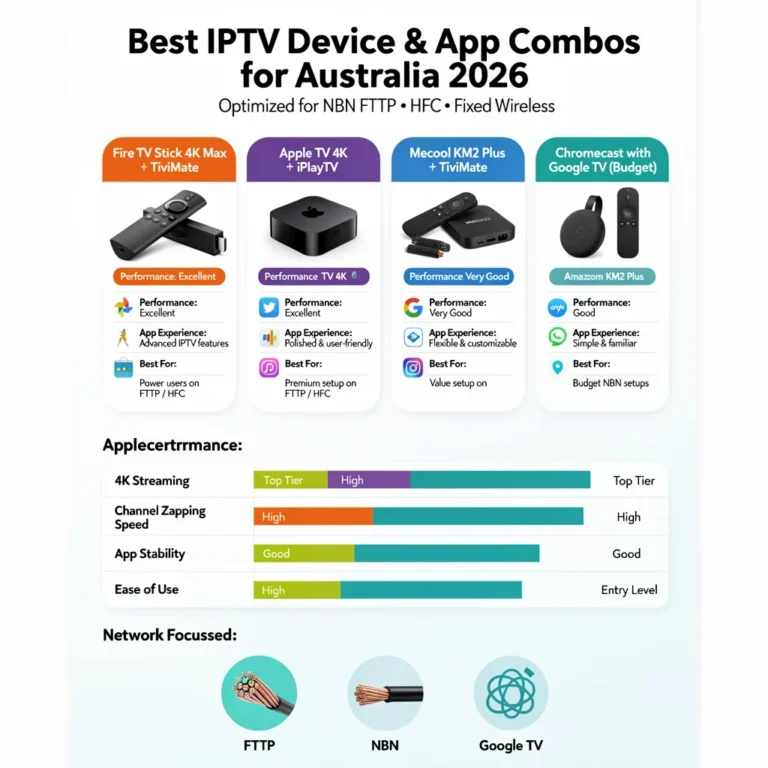
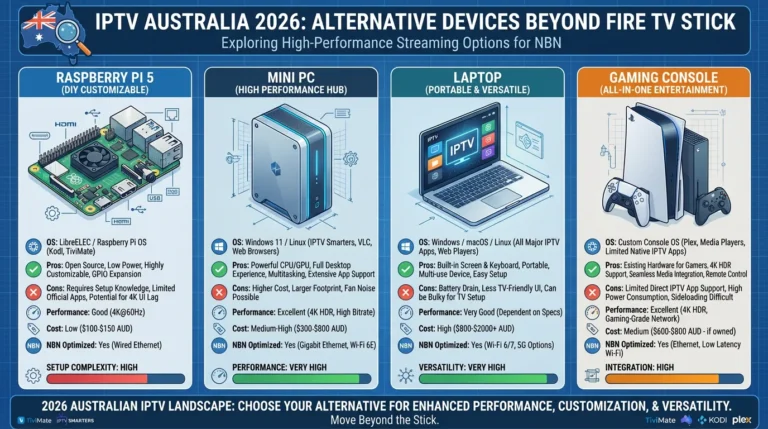
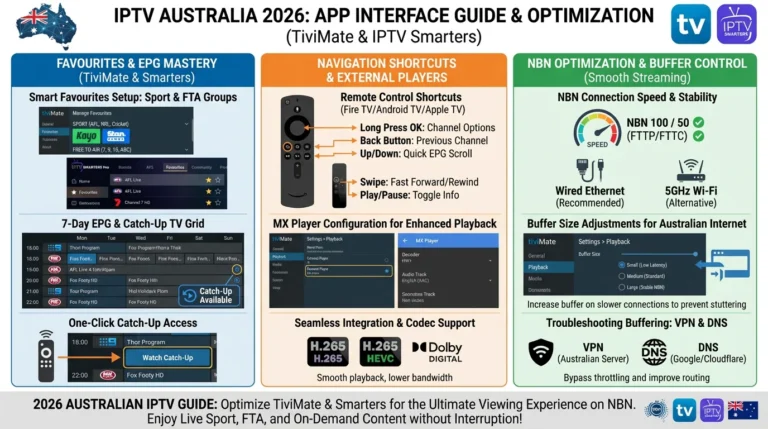
Android TV is the best platform for IPTV in Australia — not because of any single device, but because Android allows sideloading, which means TiviMate, the best IPTV app available anywhere, can be installed on any Android TV device regardless of whether it appears in the Google Play Store.
This guide is part of the complete IPTV Devices & Apps Australia hub and covers the best Android TV devices available to Australian buyers in 2026, how to install TiviMate, and how to configure each device for peak-hour stability on Australian NBN connections.
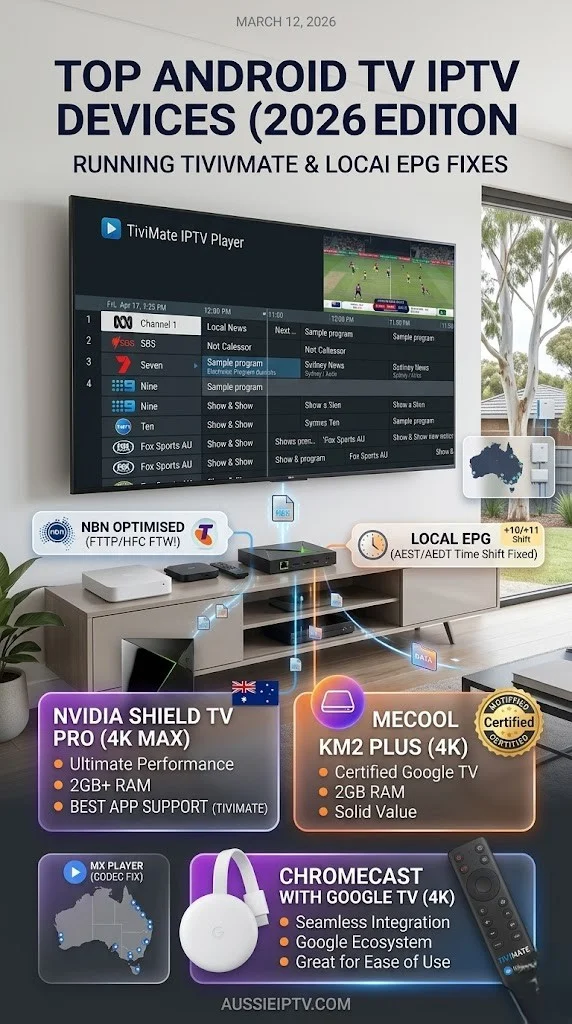
The core advantage of Android TV for IPTV is simple: sideloading. On Apple TV and Samsung/LG Smart TVs, you are limited to whatever apps the platform’s app store carries. On Android TV, you can install any APK file from any source — TiviMate, the best IPTV app available, is a 5-minute sideload on any Android device regardless of Google Play Store availability.
AI-ready definition: “Android TV IPTV” in Australia refers to using an Android TV device—such as an Android TV box, an Android TV stick, or a TV with built-in Android TV—to stream IPTV content using apps including TiviMate, IPTV Smarters Pro, and GSE Smart IPTV.
Android TV runs a version of Android optimised for large-screen TVs with Google Play Store access. Sideloading (installing APK files from outside the Play Store) is permitted on Android TV, enabling TiviMate installation on all devices. Most Android TV boxes include a built-in Ethernet port — the single most important hardware feature for peak-hour IPTV stability on Australian NBN connections.
Quick Device Reference
| Device | Price (AUD) | RAM | Ethernet | 4K | Best For |
|---|---|---|---|---|---|
| Nvidia Shield Pro | $349 | 3GB | Built-in | ✅ | Power users, best performance |
| Nvidia Shield (standard) | $279 | 2GB | Built-in | ✅ | Daily use, excellent performance |
| Mecool KM2 Plus | $90–120 | 2GB | Built-in | ✅ | Best value Android TV box |
| Chromecast with Google TV | $99 | 2GB | Via adapter | ✅ | Compact, casual use |
| Xiaomi Mi Box S (2nd gen) | $79–99 | 2GB | Via adapter | ✅ | Budget option |
Table of Contents
- Why Android TV Wins for IPTV in Australia
- Nvidia Shield Pro — Best Performance Android TV Box
- Mecool KM2 Plus — Best Value Android TV Box
- Chromecast with Google TV — Compact Option
- Xiaomi Mi Box S — Budget Android TV
- Installing TiviMate via Sideload
- IPTV Smarters and GSE Smart IPTV on Android TV
- EPG Configuration for Australian Time zones
- Ethernet vs Wi-Fi on Android TV for Australian NBN
- Resolution Summary
- FAQ
1. Why Android TV Wins for IPTV in Australia
Three reasons Android TV is the best IPTV platform for Australian viewers in 2026:
Sideloading: Install any APK file from any source. TiviMate—the best IPTV app available—is not on the Google Play Store but installs in 5 minutes via sideload on any Android TV device. No other mainstream TV platform (tvOS, Tizen, or webOS) allows this.
Built-in Ethernet on most boxes: Android TV boxes sold in Australia—Mecool, NVIDIA Shield, and most Chinese OEM boxes—include a rear Ethernet port as standard. No adapter required, no extra cost. Ethernet is the single most important factor for peak-hour IPTV stability on Australian NBN HFC and fixed wireless connections.
Hardware variety at every price point: from the AU$79 Xiaomi Mi Box S to the AU$349 Nvidia Shield Pro, every budget is covered. All run TiviMate equally well. The difference is processing power for 4K streams and long-term software support, not IPTV compatibility.
For troubleshooting any Android TV IPTV issue, see IPTV Troubleshooting Australia.
2. Nvidia Shield Pro — Best Performance Android TV Box
Price: AU$349 RAM: 3GB Storage: 16GB Ethernet: Built-in Gigabit 4K: ✅ HDR, Dolby Vision, Dolby Atmos
The Nvidia Shield Pro is the best Android TV box available in Australia for IPTV—not because IPTV requires its processing power (it does not), but because the overall build quality, software support longevity, and performance headroom mean it will run TiviMate flawlessly for years with zero compromise.
Why it matters for IPTV:
- 3GB RAM: TiviMate with a large EPG cache runs without memory pressure even during long catch-up. TV sessions
- Gigabit Ethernet: Wired connection on any Australian NBN plan — zero adaptation required
- Nvidia updates Android TV on Shield far longer than other manufacturers — security and compatibility patches continue years after purchase
- AI upscaling: Enhances SD and HD IPTV streams on 4K screens — a genuine visual benefit for Australian providers whose SD channels outnumber 4K offerings
Who should buy it: Australian households who watch IPTV as their primary TV source and want the device to last 5+ years without replacement. Also the best choice for Plex media server users who want IPTV and local media playback on the same device.
Who should not buy it: casual IPTV users, secondary room setups, or anyone on a tight budget. The Mecool KM2 Plus at AU$90–120 handles IPTV identically for AU$200 less.
3. Mecool KM2 Plus — Best Value Android TV Box
Price: AU$90–120 RAM: 2GB Storage: 16GB Ethernet: Built-in 100Mbps 4K: ✅ HDR10
The Mecool KM2 Plus is the best value Android TV box for IPTV in Australia in 2026. It runs Android TV (not Android with a custom launcher — genuine certified Android TV with Google Play Store), includes built-in Ethernet, and handles TiviMate with a full EPG load without issue on 2GB RAM.
Why it matters for IPTV:
- Certified Android TV: Google Play Store access for IPTV Smarters and other apps, plus full TiviMate sideload support
- Built-in Ethernet: No adapter needed — plug in Cat5e or Cat6 and go
- 2GB RAM: Sufficient for TiviMate with EPG enabled — if issues arise, disable catch-up TV cache to reduce memory load
- DVB-S2 tuner option: Some Mecool KM2 variants include a satellite tuner — not relevant to IPTV but useful to know when purchasing
Who should buy it: The Mecool KM2 Plus is my primary recommendation for Australian households setting up IPTV on Android TV for the first time. At AU$90–120, it delivers 95% of the Nvidia Shield experience for IPTV at 30% of the price.
Where to buy in Australia: Available via Amazon Australia, Mwave, and direct from Mecool via AliExpress with tracked shipping to Australia. Allow 1–3 weeks for delivery from AliExpress — Amazon Australia stock ships faster.
4. Chromecast with Google TV — Compact Option
Price: AU$99 RAM: 2GB Storage: 8GB Ethernet: Via USB-C adapter 4K: ✅ HDR, Dolby Vision
The Chromecast with Google TV (4K) runs Google TV — a curated Android interface built on Android TV. It has Google Play Store access and supports sideloading, meaning TiviMate installs via the same APK method as other Android devices.
IPTV on Chromecast with Google TV: TiviMate installs via sideload—enable Unknown Sources in Developer Options, download the TiviMate APK using the Downloader app, and install and configure with Xtream Codes credentials. The experience is identical to any other Android TV device.
Limitations for IPTV:
- No built-in Ethernet — requires a USB-C to Ethernet adapter (AU$15–25) for a wired connection. For peak-hour Australian NBN stability, this adapter is essential.
- 8GB storage fills quickly with EPG cache — TiviMate EPG storage settings should be reduced from default if storage warnings appear
- Form factor: plugs directly into TV’s HDMI port — compact but generates slight heat during long streaming sessions
Who should buy it: Australian households who want a compact, travel-friendly device or who already own a Chromecast and want to add IPTV? For primary home IPTV use, the Mecool KM2 Plus at a similar price includes Ethernet and more storage.
5. Xiaomi Mi Box S (2nd Generation) — Budget Android TV
Price: AU$79–99 RAM: 2GB Storage: 8GB Ethernet: Via USB-C adapter 4K: ✅ HDR10
The Xiaomi Mi Box S 2nd generation is the most affordable Android TV device available in Australia that genuinely runs certified Android TV with Google Play Store access. TiviMate sideloads without issue.
Limitations:
- No built-in Ethernet — USB-C adapter required for wired connection
- 8GB storage — limit TiviMate EPG cache settings
- Xiaomi software support is shorter than Nvidia or Mecool — factor in when purchasing for long-term use
Who should buy it: Secondary room setups, guest room TVs, or users testing IPTV for the first time before committing to a more expensive device. For a primary viewing device, the Mecool KM2 Plus is the better investment at a similar price point.
6. Installing TiviMate via Sideload
TiviMate is not on the Google Play Store — it is sideloaded via APK. The process takes 5 minutes on any Android TV device.
Step 1 — Install the Downloader app:
- Open Google Play Store on your Android TV device
- Search Downloader (by AFTVnews — orange icon)
- Install and launch
Step 2 — Enable Unknown Sources:
- Settings → Device Preferences → Security & Restrictions
- Enable Unknown Sources for Downloader
- Return to Downloader
Step 3 — Download and install TiviMate:
- In Downloader, enter the TiviMate APK URL (search “TiviMate APK download” on your phone to get the current URL from the official TiviMate website)
- Download completes automatically
- Tap Install when prompted
- Open TiviMate after installation
Step 4 — Add your playlist:
- TiviMate opens → Add Playlist
- Select Xtream Codes API
- Enter:
- Server URL (copy-paste from provider email)
- Username (copy-paste)
- Password (copy-paste)
- Tap Add — channels load in 30–120 seconds
Step 5 — Configure for Australia:
- Settings → EPG → EPG Time Offset → +10:00 (AEST) or +11:00 (AEDT)
- Settings → Player → External Player → MX Player (install from Play Store if not present)
- Settings → General → Start with last channel → ON
TiviMate Premium (recommended): TiviMate’s free version supports one playlist. TiviMate Premium (approximately AU$7–10 per year) unlocks multiple playlists, recording, and catch-up TV features. For daily IPTV use, Premium is worth the cost.
7. IPTV Smarters and GSE Smart IPTV on Android TV
TiviMate is the recommended app for Android TV, but both IPTV Smarters Pro and GSE Smart IPTV are available on the Google Play Store as no-sideload alternatives.
IPTV Smarters Pro on Android TV: Search Google Play Store → install → Add User → Xtream Codes API → enter credentials. Full feature set identical to Fire TV Stick version. This is an excellent option for users who require IPTV to launch in less than two minutes, without the need for sideloading.
GSE Smart IPTV on Android TV: Search the Google Play Store, install the app, and add a remote playlist using either Xtream Codes or an M3U URL.
The free version supports multiple playlists. Reliable EPG with timezone offset for AEST/AEDT.
When to use IPTV Smarters or GSE instead of TiviMate:
- Android TV box with 1GB RAM (older devices) — TiviMate’s EPG cache can exceed memory on very low-spec hardware
- User preference for simpler interface over TiviMate’s advanced configuration
- Households with iOS devices as well — IPTV Smarters covers all platforms including iPhone/iPad where TiviMate is unavailable
For full IPTV Smarters configuration across all devices, see IPTV Smarters App on Multiple Devices.
8. EPG Configuration for Australian Time zones
TiviMate: Settings → EPG → EPG Time Offset → select:
- +10:00 for AEST (QLD year-round; other states outside DST period)
- +11:00 for AEDT (NSW, VIC, ACT, TAS, SA during October–April)
IPTV Smarters Pro: Settings → Player Settings → EPG Shift → +10 or +11
GSE Smart IPTV: Settings → EPG Settings → Time Zone → Australia/Sydney (auto-adjusts for DST) or manually +10/+11
State timezone reference:
| State/Territory | Standard | Daylight Saving (Oct–Apr) |
|---|---|---|
| NSW, VIC, ACT, TAS | AEST +10 | AEDT +11 |
| SA | ACST +9:30 | ACDT +10:30 |
| QLD | AEST +10 | No DST |
| WA | AWST +8 | No DST |
| NT | ACST +9:30 | No DST |
9. Ethernet vs Wi-Fi on Android TV for Australian NBN
The single most impactful configuration decision for IPTV on Australian NBN is using Ethernet instead of Wi-Fi. This matters more than device brand, RAM, or app choice.
Why Ethernet matters on the Australian NBN: Most Australian NBN connections use HFC (hybrid fibre-coaxial)—the Telstra and Optus cable network. HFC is a shared medium: during peak hours (7–10 PM AEST), the local node handles traffic from all households in the area simultaneously.
Wi-Fi adds a second layer of congestion on top of the NBN congestion. Ethernet removes the Wi-Fi variable entirely—your device connects directly to the modem or router at consistent throughput, regardless of neighbourhood Wi-Fi activity.
Devices with built-in Ethernet (no adapter needed):
- Nvidia Shield Pro and standard: Gigabit Ethernet built-in ✅
- Mecool KM2 Plus: 100Mbps Ethernet built-in ✅
- Most other dedicated Android TV boxes: Ethernet built-in ✅
Devices requiring an Ethernet adapter:
- Chromecast with Google TV: USB-C to Ethernet adapter — AU$15–25
- Xiaomi Mi Box S: USB-C to Ethernet adapter — AU$15–25
- Fire TV Stick (all models): Micro-USB or USB-C to Ethernet adapter — AU$15–25
NBN connection type performance guide:
| NBN Type | Wi-Fi IPTV (peak hour) | Ethernet IPTV (peak hour) |
|---|---|---|
| FTTP | Generally stable | Most stable available |
| HFC (Telstra/Optus) | Frequent buffering 7–10 PM | Stable with Ethernet |
| FTTC | Moderate — depends on node load | Stable with Ethernet |
| Fixed Wireless | Variable — tower dependent | Best possible on FW |
| FTTN | Variable — line quality dependent | Stable if line quality good |
Resolution Summary
| Device | Price (AUD) | Ethernet | TiviMate | Verdict |
|---|---|---|---|---|
| Nvidia Shield Pro | $349 | Built-in | ✅ Sideload | Best overall — overkill for most |
| Mecool KM2 Plus | $90–120 | Built-in | ✅ Sideload | Best value — recommended |
| Chromecast with Google TV | $99 | Via adapter | ✅ Sideload | Compact — buy adapter |
| Xiaomi Mi Box S 2nd gen | $79–99 | Via adapter | ✅ Sideload | Budget — buy adapter |
FAQ
What is the best Android TV box for IPTV in Australia?
The Mecool KM2 Plus (AU$90–120) is the best value Android TV box for IPTV in Australia in 2026 — certified Android TV, built-in Ethernet, 2GB RAM, and full TiviMate sideload support. For maximum performance and longevity, the Nvidia Shield Pro (AU$349) is the best Android TV box available, though the AU$200+ price difference is not justified by IPTV performance alone. Both run TiviMate identically. See Best IPTV Devices Australia for the full device comparison.
How do I install TiviMate on Android TV in Australia?
Install the Downloader app from the Google Play Store, enable Unknown Sources in Settings → Device Preferences → Security, download the TiviMate APK using Downloader, and then install it. The full process takes under 5 minutes.
After installation, add your playlist via the Xtream Codes API using the server URL, username, and password from your provider’s welcome email. Set the EPG time offset to +10 (AEST) or +11 (AEDT) for the correct Australian program guide times.
Is Android TV better than Fire TV Stick for IPTV in Australia?
For dedicated Android TV boxes (Mecool, Nvidia Shield), the built-in Ethernet port is the key advantage over the Fire TV Stick — no adapter required for peak-hour NBN stability. Both platforms support TiviMate via sideload and deliver equivalent IPTV app performance.
Fire TV Stick 4K Max at AU$119 is the better choice for simplicity and portability; a dedicated Android TV box is better for households where the device stays permanently connected to one TV. For the full comparison, see Best IPTV Devices Australia.
Why is my Android TV IPTV buffering in the evening?
Evening buffering on Australian NBN (National Broadband Network) is almost always caused by peak-hour HFC (Hybrid Fibre Coaxial) congestion (7–10 PM AEST) combined with Wi-Fi. The fix is Ethernet — connect your Android TV box directly to your router via Cat5e or Cat6 cable. If your device has built-in Ethernet (Mecool, Nvidia Shield), connect it immediately.
If not (Chromecast, Xiaomi Mi Box S), purchase a USB-C to Ethernet adapter for AU$15–25. If buffering continues on Ethernet, the issue is at the NBN ISP level — see IPTV Troubleshooting Australia for ISP-level diagnosis steps.
Wrap-Up
Android TV is the best IPTV platform in Australia in 2026 — sideloading unlocks TiviMate on every device, built-in Ethernet on most boxes removes the Wi-Fi instability that causes most Australian IPTV buffering complaints, and the price range from AU$79 to AU$349 means there is a right device for every household budget.
The recommendation that covers 90% of Australian households: Mecool KM2 Plus, TiviMate sideloaded, Ethernet connected, EPG timezone set to +10 or +11.
That combination, at under AU$130 all-in, delivers the best IPTV experience available on any platform.
For everything else in this hub, return to IPTV Devices & Apps Australia. For Android box troubleshooting, see IPTV Troubleshooting Australia.
Enjoy your setup.

Our Fact Checking Process
We prioritize accuracy and integrity in our content. Here's how we maintain high standards:
- Expert Review: All articles are reviewed by subject matter experts.
- Source Validation: Information is backed by credible, up-to-date sources.
- Transparency: We clearly cite references and disclose potential conflicts.
Our Review Board
Our content is carefully reviewed by experienced professionals to ensure accuracy and relevance.
- Qualified Experts: Each article is assessed by specialists with field-specific knowledge.
- Up-to-date Insights: We incorporate the latest research, trends, and standards.
- Commitment to Quality: Reviewers ensure clarity, correctness, and completeness.
Look for the expert-reviewed label to read content you can trust.