Want to watch Australian TV from the USA in 2026? It’s easier than most Australian expats realise — and you don’t need a VPN, a satellite dish, or a Foxtel contract to make it work.
This guide covers every option available honestly — free apps, VPN workarounds, and IPTV — with the limitations of each, so you can choose what fits your viewing habits before spending anything.
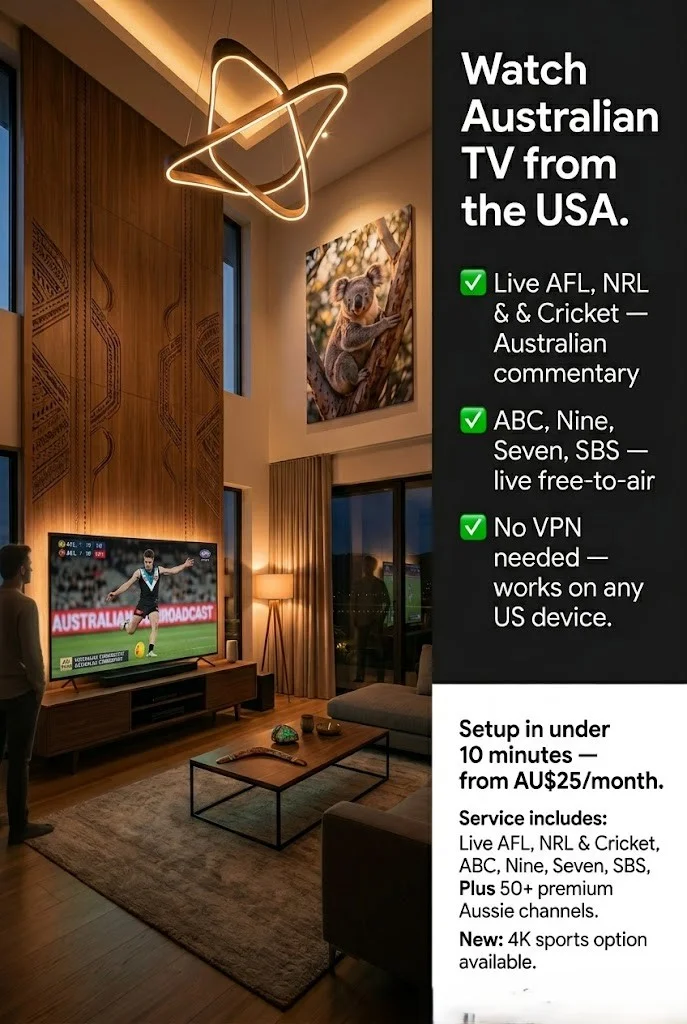
📺 Quick Answer: Three options exist for watching Australian TV from the USA: free broadcaster apps (geo-blocked and unreliable), VPN workarounds (inconsistent and ToS risk), and Australian IPTV (live channels, no geo-blocking, and works on all devices). Each has legitimate uses depending on how often you watch and what you watch.
A free 24-hour trial is available if you want to test IPTV before committing.
Summary Box
| Free options (geo-blocked) | ABC iview, SBS On Demand — blocked in USA |
| VPN workaround | Inconsistent, violates ToS, unreliable for live sport |
| IPTV | Live and on-demand, no geo-blocking, works on all devices |
| Channels available | Seven, Nine, Ten, ABC, SBS, Fox Sports, Sky News AU |
| Setup time | Under 10 minutes |
| Works on | Fire TV Stick, Smart TV, iPhone, Android, laptop |
| Price | AU$25–35/month — no lock-in contracts |
| Free trial | 24 hours — aussieiptv.com |
| Last reviewed | June 2026 — Melbourne |
Who Is This Guide For?
- Australian expats in the USA wanting live AFL, NRL, cricket, and Australian news
- US residents with Australian family wanting to stay connected
- Anyone who tried ABC iview or SBS On Demand from the USA and hit a geo-block
- Australians travelling to the USA who don’t want to miss a Grand Final
⚖️ Legal Note Free-to-air apps (ABC iView, SBS On Demand, and 7plus) are geo-restricted to Australia under their broadcast licensing agreements. IPTV services operate under their own licensing arrangements — always verify content licensing before subscribing. For Australian copyright law overview: legislation.gov.au
The Three Options for Watching Australian TV from the USA
Before going into detail, here is an honest comparison of every available option:
| Option | Reliability | Cost | Live Sport | Best For |
|---|---|---|---|---|
| Free broadcaster apps + VPN | Low | VPN ~US$10/mo | Unreliable | Occasional casual viewing |
| Official paid streaming (Stan, Kayo) | High | AU$20–35/mo | Kayo only | On-demand, Kayo for sport |
| Australian IPTV | High | AU$25–35/mo | Yes — all channels | Live TV, FTA, news, sport |
Each option has legitimate uses depending on your viewing habits. The sections below cover each one honestly — including limitations.
Option 1 — Free Broadcaster Apps (Geo-Blocked)
This is the first thing many Australian expats try — and the first thing they discover doesn’t work reliably from the USA.
ABC iview: Geo-blocked outside Australia under ABC’s broadcast licensing. From the USA, you’ll see an access error. A VPN can sometimes bypass this, but ABC iView actively detects VPN IP addresses — particularly during high-traffic events.
SBS On Demand: Same situation. Geo-blocked, VPN-detectable, and live stream quality on a VPN drops due to routing overhead.
7plus, 9Now, and 10 Play: All are geo-blocked outside Australia. All use IP detection to restrict international access.
When free apps are a reasonable option:
- Short trips to the USA where occasional access is acceptable
- Non-live, non-sport viewing where a dropout is not a problem
- Viewers comfortable switching VPN servers when one gets blocked
When free apps are not sufficient:
- Live sport — dropouts during key moments are common
- Daily news viewing — geo-detection is consistent and reliable
- Long-term expat use — ongoing VPN maintenance becomes burdensome
Option 2 — VPN Workarounds
A VPN routes your connection through an Australian server, making broadcaster apps see an Australian IP address. This works in principle — and sometimes in practice.
When VPNs work:
- Casual, non-live viewing on less actively monitored platforms
- Short-term travel where occasional access is all you need
- Viewers comfortable with the ToS implications
When VPNs fail:
| VPN Factor | Reality |
|---|---|
| Monthly cost | US$8–15/month (reputable VPN) |
| Live sport reliability | Low — frequent drops during peak events |
| Terms of service | Violates broadcaster ToS — account risk |
| Ongoing maintenance | Regular server switching required |
| Detection | ABC iview, 9 Now actively block VPN IP ranges |
Verdict: VPNs are a reasonable option for occasional, non-live viewing. For Australian expats wanting reliable live AFL, NRL, or daily news, the ongoing maintenance and inconsistent reliability make VPNs frustrating over time. That said, for infrequent casual viewing, a reputable VPN combined with free broadcaster apps may be entirely sufficient.
Option 3 — Australian IPTV
Australian IPTV delivers live and on-demand Australian channels over your internet connection, from servers accessible worldwide — including the USA — without geo-restrictions.
Many Australian expats in the USA use IPTV for consistent daily viewing, particularly for live sport and news, after finding the free alternatives unreliable for their needs.
What Australian TV can you watch from the USA via IPTV:
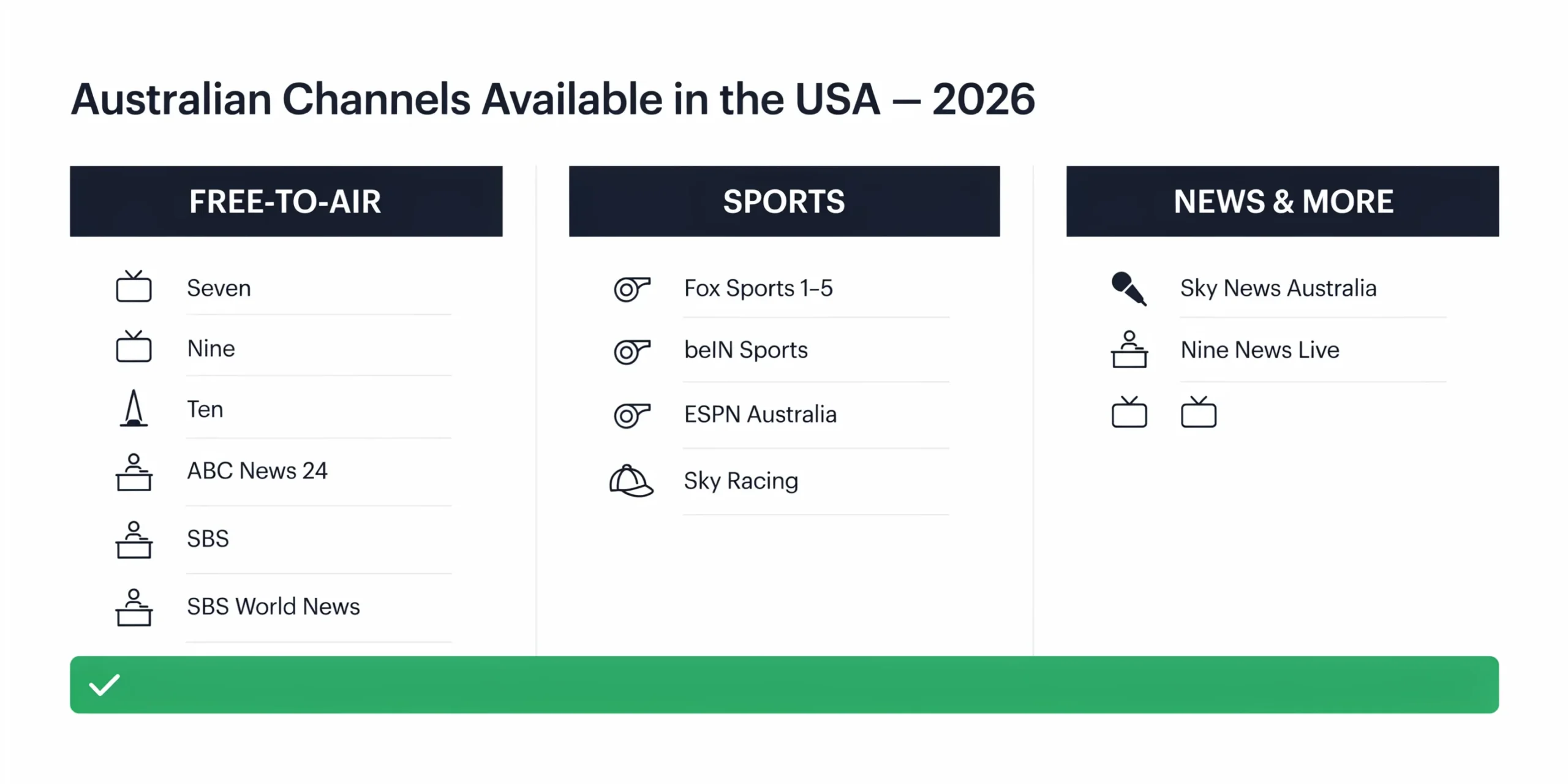
Free-to-air channels:
- Seven Network (Seven, 7TWO, 7mate, 7flix)
- Nine Network (Nine, 9Go!, 9Gem, 9Life)
- Network Ten (Ten, 10 Bold, 10 Peach)
- ABC (ABC TV, ABC News 24, ABC Kids)
- SBS (SBS, SBS World News, SBS Food, NITV)
Sports channels:
- Fox Sports 1, 2, 3, 4, 5 — AFL, NRL, cricket, F1, NBA
- beIN Sports — football, tennis, motorsport
- ESPN Australia
- Sky Racing
News and current affairs:
- Sky News Australia (live, 24 hours)
- ABC News 24
- Nine News, Seven News live
Limitations of IPTV Services
IPTV is a practical option for many Australian expats in the USA – but it is not without limitations worth understanding before subscribing:
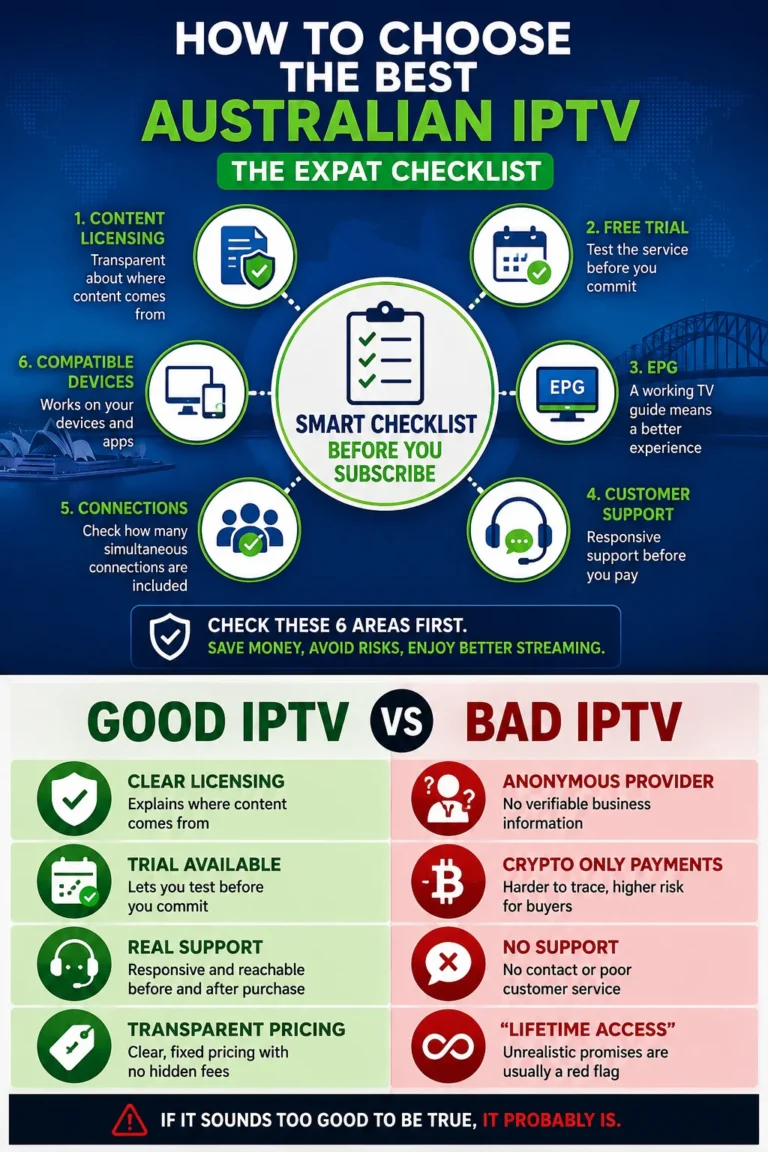
- Provider quality varies significantly. Not all IPTV services deliver the same channel reliability or EPG accuracy. Testing during a free trial period is essential before committing.
- Licensing arrangements differ between providers. Channel availability depends on each provider’s specific licensing — verify that the channels you want are included before subscribing.
- Channel lineups can change over time. Providers occasionally add or remove channels based on their licensing agreements.
- Users should verify legal availability in their jurisdiction. IPTV licensing laws vary by country — confirm the service operates legally before subscribing.
For guidance on evaluating provider quality: IPTV Provider Checklist — aussieiptv.com
📊 Why Australian Expats in the USA Choose IPTV
According to the Australian Bureau of Statistics, approximately 1.2 million Australians live overseas permanently — with the USA being the third largest destination after the UK and New Zealand. The top three reasons Australian expats in the USA use IPTV for live viewing: 1. Live sport — AFL, NRL, cricket, and F1 with Australian commentary 2. Australian news — Sky News Australia and ABC News 24 for real-time events 3. Australian entertainment — shows unavailable on US Netflix or streaming platforms Source: abs.gov.au — Australians Overseas 2023
How to Set Up Australian IPTV from the USA — Step by Step
What You Need
| Item | Details |
|---|---|
| Device | Fire TV Stick, Smart TV, iPhone, Android, laptop |
| Internet | Any US broadband — 25 Mbps+ for HD |
| IPTV subscription | Australian provider with USA-accessible servers |
| IPTV app | TiviMate, IPTV Smarters Pro, or GSE Smart IPTV |
Step 1 — Choose Your App
Fire TV Stick (recommended for TV): Search TiviMate in the Amazon App Store → Install → Open
iPhone / iPad: Search GSE Smart IPTV in the App Store → Install → Open
Android phone/tablet: Search IPTV Smarters Pro in Google Play → Install → Open
Samsung or LG Smart TV: Search SS IPTV in your TV’s app store → Install → Open
Laptop / Desktop: Use VLC Media Player (free) — works with M3U playlists on any operating system
Step 2 — Enter Your Credentials
Your subscription comes with either the following:
Option A — Xtream Codes (recommended):
- Server URL
- Username
- Password
Enter these in your app’s “Add Playlist” → “Xtream Codes” section. Channels load in under 30 seconds.
Option B — M3U URL: A single URL you paste into your app’s “Add Playlist” → “M3U URL” section.
For a detailed explanation of the difference: Xtream Codes vs M3U — aussieiptv.com
Step 3 — Set Your Timezone for Australian Content
This step is critical for USA viewers.
All IPTV apps default to UTC. Australian Eastern Standard Time is UTC+10 (UTC+11 during daylight saving). Without correcting this, your programme guide shows Australian schedules in UTC — a 7 PM AEST AFL match appears as 9 AM in your guide.
In TiviMate: Settings → EPG → Timezone Offset → set to +10 (AEST) or +11 (AEDT, October–April)
In IPTV Smarters: Settings → Time Shift → enter 10 (or 11 for daylight saving)
In GSE Smart IPTV: Settings → EPG → Time Zone → select Australia/Sydney
Viewing Setup by Device — USA Recommendations
| Device | App | Cost | Best For |
|---|---|---|---|
| Fire TV Stick 4K | TiviMate | US$89 device + subscription | Best overall — full app support |
| Apple TV 4K | GSE Smart IPTV | US$129+ device + subscription | Apple households |
| iPhone / Android | IPTV Smarters Pro | Free app + subscription | Mobile viewing |
| Samsung Smart TV | SS IPTV | Free app + subscription | No extra hardware |
| Laptop / Desktop | VLC Media Player | Free + subscription | Flexible, any OS |
USA-specific recommendation: The Fire TV Stick 4K is available on Amazon.com for US$89. It supports all IPTV authentication methods, handles H.265 streams natively, and has a simple remote suitable for all household members.
Internet Speed Requirements from the USA
| Quality | Speed Required | Notes |
|---|---|---|
| SD (standard definition) | 5 Mbps | Acceptable for news |
| HD (720p / 1080i) | 10–15 Mbps | Recommended for sport |
| Full HD (1080p) | 15–25 Mbps | Most Australian channels |
| 4K | 25–50 Mbps | Premium channels only |
US connection tip: Use Ethernet where possible. Australian IPTV servers are located in Sydney, Melbourne, and Brisbane — there is inherent latency from the USA to Australia (180–220 ms). A wired connection eliminates Wi-Fi variability that can cause buffering at this distance.
Live Sport from Australia — US Time Zones
| Australian match time | US Eastern | US Pacific |
|---|---|---|
| 7:30 PM AEST Saturday (AFL) | 5:30 AM Saturday | 2:30 AM Saturday |
| 8:00 PM AEST Sunday (NRL) | 6:00 AM Sunday | 3:00 AM Sunday |
| 2:00 PM AEST (cricket day match) | 12:00 AM midnight | 9:00 PM previous day |
| 10:00 PM AEST (AFL Grand Final) | 8:00 AM Saturday | 5:00 AM Saturday |
FAQ
How can I watch Australian TV online for free from the USA?
The free broadcaster apps — ABC iView, SBS On Demand, 7plus, 9Now, and 10 Play — are geo-blocked outside Australia. A VPN can sometimes bypass this for casual, non-live viewing, though reliability varies and using VPNs with these platforms violates their terms of service. For consistent live viewing, many Australian expats choose IPTV — a free 24-hour trial is available here.
Can you watch ABC iView in the US?
Not directly. ABC iview is geo-restricted to Australian IP addresses under ABC’s broadcast licensing. From the USA, you’ll see an access error. VPNs can sometimes bypass this, but ABC iView actively detects VPN servers — reliability is inconsistent, particularly for live content.
Can I watch 9Now outside of Australia?
No — 9Now is geo-blocked outside Australia. Like ABC iView and 7plus, it uses IP detection to restrict international access. VPNs work inconsistently, and Nine actively blocks known VPN IP ranges.
Do I need a VPN with Australian IPTV?
No. Australian IPTV services operate from servers accessible worldwide — no VPN is required or recommended.
Will Australian IPTV work on my US internet connection?
Yes. Any US connection with 15 Mbps+ supports HD Australian TV. The physical distance adds latency but does not affect stream quality on a stable connection.
What’s the best device for watching Australian TV in the USA?
The Fire TV Stick 4K running TiviMate is a popular choice among Australian expats in the USA — with full IPTV app support, stable hardware decode, and availability on Amazon.com.
Can I watch Australian TV in the USA on my iPhone?
Yes. GSE Smart IPTV or IPTV Smarters Pro supports M3U and Xtream Codes on iOS. Enter your subscription credentials, and Australian channels load immediately.
Is Australian IPTV legal in the USA?
IPTV technology itself is legal in the USA. The legality of specific content depends on the provider’s licensing arrangements. Users should verify their provider’s licensing status before subscribing. For US copyright law overview: copyright.gov
The Bottom Line
Watching Australian TV from the USA in 2026 comes down to your viewing habits and how much reliability matters to you:
Occasional, non-live viewing: A VPN combined with free broadcaster apps may be entirely sufficient—it costs less and requires no additional subscription.
Consistent live viewing – sport, news, and free-to-air: Many Australian expats in the USA find IPTV the most consistent option after trying the free alternatives. It delivers live Australian channels without geo-restrictions, works on any device, and requires no ongoing maintenance. Provider quality varies, so testing during a trial period before committing is the right approach.
The decision depends entirely on what you watch, how often, and how much reliability matters.
For more guides on watching Australian TV from anywhere in the world, see our Australian IPTV Overseas guides.
Updated: June 2026 — Melbourne. Daniel Carter is an IPTV systems analyst based in Melbourne who has tested streaming services across Australia, New Zealand, and North America since 2019.
Sources
- Australian Bureau of Statistics — Australians Overseas 2023: abs.gov.au
- Australian Broadcasting Corporation geo-restriction policy: abc.net.au
- Australian Copyright Act 1968: legislation.gov.au
- US Copyright Law overview: copyright.gov