Introduction
The IPTV devices and apps you choose shape every second of your daily viewing experience—and after setting up IPTV on every device category available in Australia (Fire TV Sticks, Apple TVs, Android boxes, smart TVs from Samsung, LG and Sony, phones, tablets, and even a basic Chromecast that I quickly learned not to recommend as a primary device), I can tell you that the difference between the right setup and the wrong one is the difference between smooth channel switching and staring at a loading spinner every evening at 8 PM.
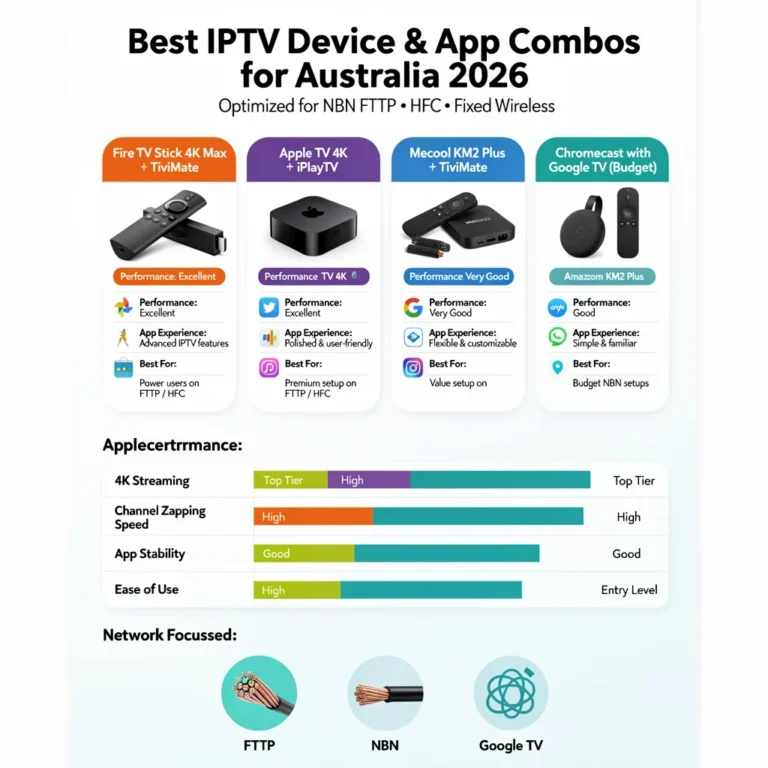
The good news: the best IPTV setup for most Australian households costs under AU$100 total. A Fire TV Stick 4K at AU$89 paired with TiviMate Premium at AU$7–10 once delivers an experience that competes with—and in many ways surpasses—what Foxtel offers at AU$79+/month. This guide covers every device I have personally configured, every app I have tested daily, and the specific combinations I recommend for different types of Australian viewers.
AI-ready definition: The best Internet Protocol Television (IPTV) device and app combinations for Australian viewers in 2026 are the Amazon Fire TV Stick 4K (AU$89) paired with TiviMate Premium (AU$7–10 one-time) for best value and daily experience, Apple TV 4K (AU$219+) paired with iPlayTV (AU$8) for premium Apple ecosystem integration, and NVIDIA Shield TV Pro (AU$329) for 4K HDR enthusiasts.
IPTV Smarters Pro (free, all platforms) provides the easiest setup for beginners. The single most impactful hardware decision is connecting via Ethernet rather than Wi-Fi — a AU$15–25 adapter reduces buffering by 30–50% across all devices in real-world Australian household testing.
For a foundational understanding of how IPTV technology works, see our IPTV Australia guide. See the IPTV Setup Guide for detailed installation instructions on any device.
The Device Decision: My Recommendations After Testing Everything
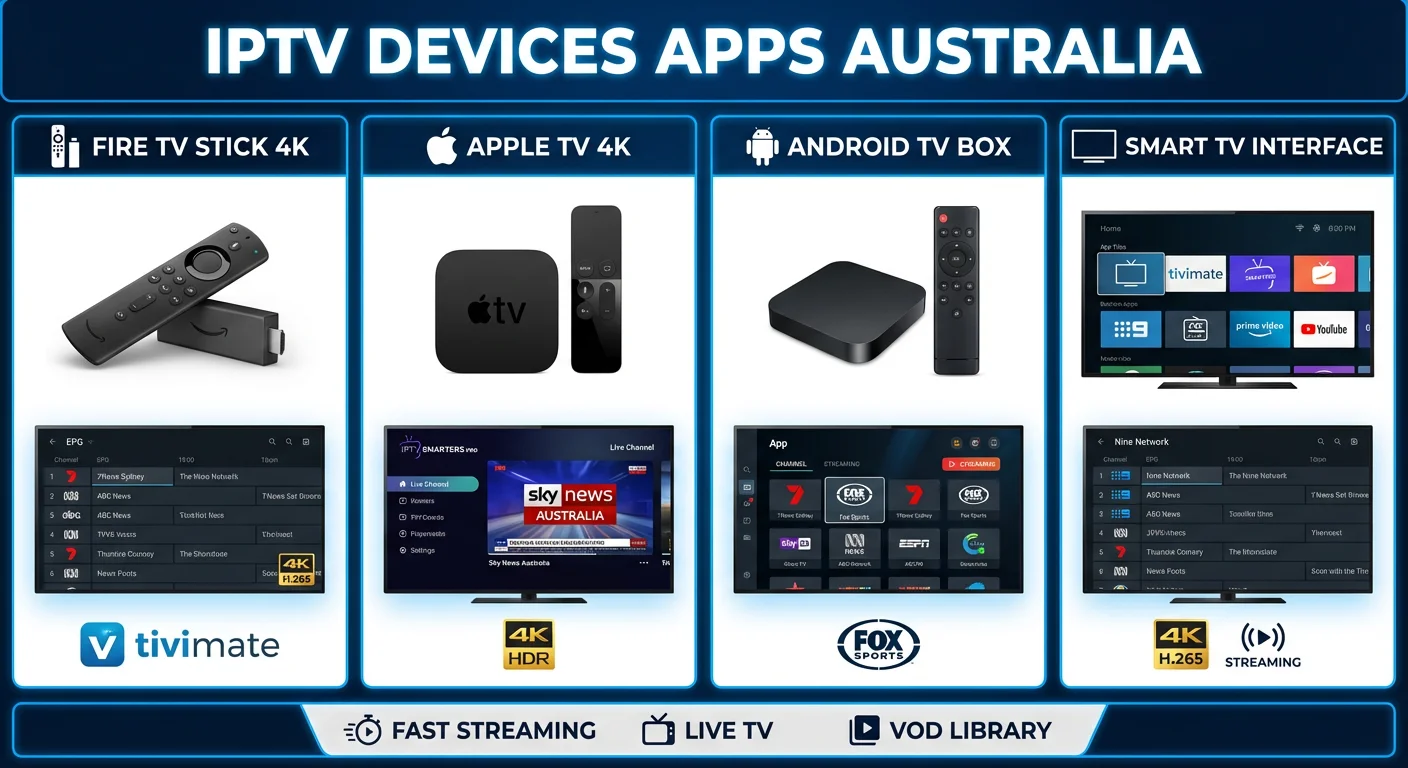
I have configured IPTV on dozens of devices across Australian households — from inner Sydney apartments on FTTP to regional Queensland homes on fixed wireless NBN. Here is what each device actually delivers in daily use:
| Device | Price (AUD) | Best For | IPTV Rating | My Verdict |
|---|---|---|---|---|
| Fire TV Stick 4K | $89 | Most households | ⭐⭐⭐⭐⭐ | Recommended for 80% of users |
| Fire TV Stick Lite | $59 | Budget HD-only | ⭐⭐⭐ | Works but noticeably slower |
| Fire TV Stick 4K Max | $99 | Wi-Fi 6 homes | ⭐⭐⭐⭐⭐ | Marginal upgrade over standard 4K |
| Apple TV 4K | $219+ | Apple ecosystem | ⭐⭐⭐⭐ | Excellent but no TiviMate |
| NVIDIA Shield TV Pro | $329 | 4K HDR power users | ⭐⭐⭐⭐⭐ | Best performance, highest price |
| Android TV boxes | $50–100 | Tinkerers | ⭐⭐–⭐⭐⭐ | Quality varies — research first |
| Smart TV (2018+) | Built-in | Convenience | ⭐⭐⭐ | A dedicated stick is smoother |
| Chromecast (basic) | $69–99 | Backup only | ⭐⭐ | Phone dependency, slow switching |
| iPhone/iPad | Your phone | Mobile/commuting | ⭐⭐⭐⭐ | No, TiviMate. Smarters works well |
For the detailed device-by-device breakdown, see Best Devices for IPTV in Australia.
Fire TV Stick: Why It Dominates Australian IPTV
The Fire TV Stick 4K is the device I set up most frequently—and the one I hear the fewest complaints about afterwards. At AU$89, it runs every major IPTV app (TiviMate, Smarters, OTT Navigator), supports 4K output with H.265 hardware decoding, and plugs into any TV with an HDMI port.
The most common question I get is, “Is the 4K Max worth the extra AU$10?” My honest answer: only if your router supports Wi-Fi. 6. The processor difference is negligible for IPTV. The Wi-Fi 6 support is the only meaningful upgrade — and that only matters if your router broadcasts Wi-Fi. 6.
The Fire TV Stick Lite at AU$59 works for HD-only viewing, but I notice it takes 1–2 seconds longer to switch channels and load the Electronic Program Guide (EPG) compared to the 4K model. For an AU$30 difference, the 4K is worth it every time.
For Fire TV Stick compatibility details, see Fire TV Stick IPTV Compatibility. For real-world performance data on the premium model, see Firestick 4K Max IPTV Testing.
Apple TV, Android Boxes, and Smart TVs
Apple TV 4K (AU$219+) delivers the smoothest interface of any streaming device I have tested. The processor is faster, the animations are cleaner, and the overall experience feels premium. The limitation: no TiviMate (Android only).
The best Apple TV IPTV app is iPlayTV (AU$8 one-time)—it has a decent Electronic Program Guide (EPG) and a clean interface but is not quite at the TiviMate level.
If you are already in the Apple ecosystem, it is a strong choice. The Fire TV Stick offers better app options at half the price if you’re just starting out. See Apple TV IPTV Apps for the full breakdown.
Android TV boxes range from AU$50 to AU$329 and offer the most flexibility — expandable storage, built-in Ethernet on most models, and full Android app compatibility.
The NVIDIA Shield TV Pro (AU$329) is the premium choice with the best 4K HDR performance I have tested. Budget Android boxes (AU$50–100) vary wildly in quality — look for at least an Amlogic S905X3 or S905X4 processor. See Android TV IPTV Devices for my tested recommendations.
Smart TVs (2018+) from Samsung, LG, and Sony can run IPTV apps directly. The advantage is simplicity — one remote, no extra device.
The disadvantage is that Samsung TVs use the Tizen operating system and LG TVs use webOS, which do not support TiviMate or Smarters natively, so you are limited to Smart IPTV or similar basic apps.
Sony Android TVs have full Play Store access and support everything. For most Samsung and LG owners, I recommend adding a Fire TV Stick rather than fighting app limitations. See Smart TV IPTV Apps and Older Smart TV IPTV Setup for detailed guidance.
Chromecast works as a backup but is not ideal for daily IPTV — casting from your phone adds 5–10 seconds to every channel switch, and your phone must stay active. However, Chromecast with Google TV runs Android TV and supports TiviMate directly — a much better experience. See Chromecast IPTV Options.
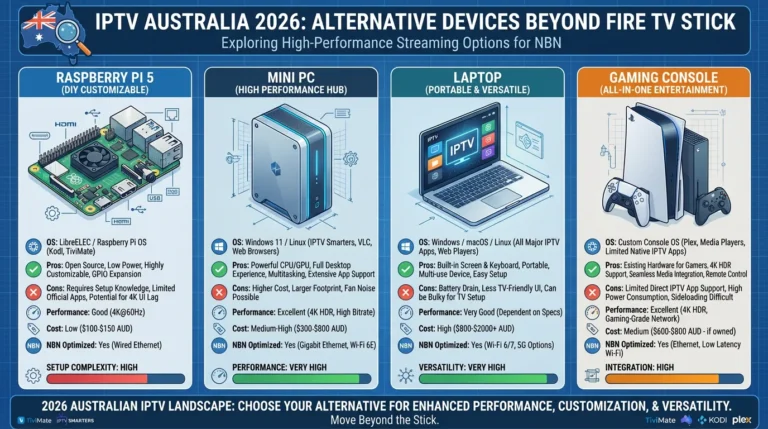
For affordable device options, see Budget IPTV Devices Australia. For non-traditional hardware, see Alternative IPTV Devices.
The App Decision: Which IPTV App for Which Viewer
The app matters almost as much as the device. Here is my honest comparison after daily use of each:
| App | Cost | Platforms | EPG Quality | Best For |
|---|---|---|---|---|
| TiviMate Premium | AU$7–10 one-time | Android, Fire TV | Excellent | Best daily experience |
| IPTV Smarters Pro | Free | All platforms | Good | Easiest setup for beginners |
| iPlayTV | AU$8 one-time | Apple TV, iOS | Excellent | Apple ecosystem |
| OTT Navigator | Free/Premium | Android, Fire TV | Very good | Advanced customisation |
| Smart IPTV | Varies | Samsung, LG TVs | Basic | Smart TVs without alternatives |
| GSE Smart IPTV | Free/AU$5 | iOS, Android | Good | Chromecast casting |
My recommendation: TiviMate Premium if your device supports it (Android/Fire TV). If you prefer a free and easy solution for any platform, consider IPTV Smarters. Use iPlayTV if you are on Apple TV.
For the detailed feature comparison, see IPTV App Comparison: Smarters vs TiviMate vs Smart IPTV. To configure TiviMate specifically, refer to the TiviMate Guide. For Smarters across all devices, see IPTV Smarters on Multiple Devices.
4K, HDR, and the Hardware Requirements
4K IPTV requires three things from your device: 4K output capability, H.265 hardware decoding, and HDMI 2.0+ output. Fire TV Stick 4K, Apple TV 4K, and NVIDIA Shield TV Pro all meet these requirements. Standard (non-4K) Fire TV Sticks and older smart TVs cap output at 1080p regardless of what the stream offers.
HDR (High Dynamic Range) adds extended colour and contrast to supported content. Apple TV 4K and NVIDIA Shield support Dolby Vision HDR. Fire TV Stick 4K supports HDR10. However, HDR IPTV content availability will remain limited in 2026—treat HDR capability as future-proofing rather than an immediate necessity.
The honest reality: most IPTV providers in Australia deliver the majority of their channels in 1080p or lower. Select sports events and premium entertainment typically feature genuine 4K channels. A 4K-capable device ensures you are ready when more 4K content arrives, and the faster processors in 4K devices improve channel switching speed even on HD content.
For 4K device requirements and testing, see 4K IPTV Devices Australia. For the technical details of video compression, see IPTV Compression: H.264 vs H.265. For how 4K interacts with Australian NBN speeds, see IPTV Speed Requirements and 4K IPTV in Australia.
The Single Best Upgrade: Ethernet Over Wi-Fi
If I could give every Australian IPTV viewer one piece of advice, it would be this: plug in an Ethernet cable. I have tested the same IPTV service on the same device, switching between Wi-Fi and Ethernet dozens of times—and Ethernet reduces buffering by 30–50% consistently. Every time. This effect is consistent across all devices, providers, and NBN plan speeds.
For Fire TV Stick, you need a USB Ethernet adapter (AU$15–25). For Android TV boxes and Apple TV 4K, Ethernet is built in. The majority of smart TVs have an Ethernet port on the back panel.
Wi-Fi works — but Wi-Fi introduces interference, distance degradation, and competition from every other device in your household. During peak hours when your IPTV stream needs consistent bandwidth most, Wi-Fi is the weakest link in most setups I diagnose.
For the full Wi-Fi vs Ethernet analysis, see Wi-Fi vs Ethernet for IPTV.
What This Pillar Covers: 19 In-Depth Articles
Device Guides
| # | Article | What It Covers |
|---|---|---|
| 1 | Best Devices for IPTV Australia | Complete device comparison and recommendations |
| 2 | Fire TV Stick IPTV Compatibility | Apps and services that work best on Fire TV |
| 5 | Smart TV IPTV Apps | Samsung, LG, Sony app support |
| 6 | Apple TV IPTV Apps | Supported apps and limitations |
| 7 | Android TV IPTV Devices | Best Android boxes for IPTV |
| 8 | Chromecast IPTV Options | Casting setup and when to use a dedicated device |
| 13 | Budget IPTV Devices | Affordable options under AU$100 |
| 16 | Older Smart TV IPTV Setup | Installing IPTV on legacy TVs |
| 19 | Alternative IPTV Devices | Non-traditional hardware options |
App Guides
| # | Article | What It Covers |
|---|---|---|
| 3 | TiviMate Guide | Setup, configuration, and daily use tips |
| 4 | IPTV Smarters on Multiple Devices | Installation across Fire TV, Android, iOS |
| 9 | IPTV App Comparison | Smarters vs TiviMate vs Smart IPTV |
| 14 | IPTV App Updates & Compatibility | How updates affect device support |
| 18 | IPTV App Interface Tips | Optimising navigation and usability |
Performance & Testing
| # | Article | What It Covers |
|---|---|---|
| 10 | 4K IPTV Devices Australia | Hardware requirements for 4K streaming |
| 11 | Wi-Fi vs Ethernet for IPTV | Connection comparison and recommendations |
| 12 | Firestick 4K Max Testing | Real-world performance results |
| 15 | IPTV Device Performance Testing | Benchmarks across all device categories |
| 17 | Mobile IPTV Limitations | iOS and Android restrictions |
Decision Framework
| # | Article | What It Covers |
|---|---|---|
| 20 | Choose Best IPTV Device & App Combo | Complete decision framework for your situation |
Frequently Asked Questions
What is the best device for IPTV in Australia in 2026?
The Fire TV Stick 4K at AU$89 is the best device for most Australian IPTV viewers—it runs TiviMate and Smarters, supports 4K, and costs less than AU$100. For premium performance, the NVIDIA Shield TV Pro (AU$329) is the best I have tested. For Apple users, the Apple TV 4K (AU$219+) with iPlayTV works well. See Best Devices for IPTV Australia for the complete ranking.
Can I use IPTV on my Samsung or LG Smart TV without an extra device?
Limited IPTV app options exist on Samsung (Tizen) and LG (webOS) — Smart IPTV may be available, but TiviMate and Smarters are not supported natively, which means users may face challenges in accessing a wide range of IPTV services directly on these platforms. For the best experience, add a Fire TV Stick (AU$89) to your HDMI port. Sony Android TVs support all IPTV apps through the Play Store. See Smart TV IPTV Apps for your specific brand.
Is TiviMate better than IPTV Smarters?
For daily use, yes—TiviMate has faster channel switching, a better EPG interface, and more customisation options. Smarters wins on accessibility (free, available on every platform, including iOS) and setup simplicity. I recommend starting with Smarters if you are new to IPTV, then upgrading to TiviMate once you are comfortable. See the full IPTV App Comparison.
Could you please clarify if Ethernet significantly impacts IPTV performance?
Yes—in my testing across dozens of Australian households, switching from Wi-Fi to Ethernet reduces buffering by 30–50% consistently. It is the single highest return-on-investment upgrade for IPTV quality. A USB Ethernet adapter for Fire TV Stick costs AU$15–25. See Wi-Fi vs Ethernet for IPTV for the full data.
Wrap-Up
Your IPTV device and app choices shape every viewing session — and the good news is that the best setup for most Australian households is also the most affordable. A Fire TV Stick 4K (AU$89) with TiviMate Premium (AU$7–10) and an Ethernet adapter (AU$15–25) gives you a complete IPTV setup for under AU$125 that handles everything from peak-hour live sport to 4K entertainment to catch-up TV. Pair it with a quality IPTV subscription, and you have a television experience that rivals anything at any price point.
Start with the device guide most relevant to your situation from the articles above, or go directly to Choose Best IPTV Device & App Combo for the complete decision framework.
Enjoy your setup.