Mobile IPTV in Australia is genuinely useful for secondary viewing—travelling, watching in another room, or catching a live match away from the main TV. But mobile devices come with real limitations that affect IPTV quality and reliability that a fixed TV setup does not have.
This guide is part of the complete IPTV Devices & Apps Australia hub and covers every limitation Australian iPhone, iPad, and Android users encounter with IPTV on mobile—and the practical workarounds for each one.
This page is not a guide about which mobile IPTV app is prettiest. It is about what goes wrong with mobile IPTV in Australia and how to fix it — battery drain, background play suspension, mobile data consumption, iOS restrictions, and the difference between Wi-Fi and 5G for IPTV stability.
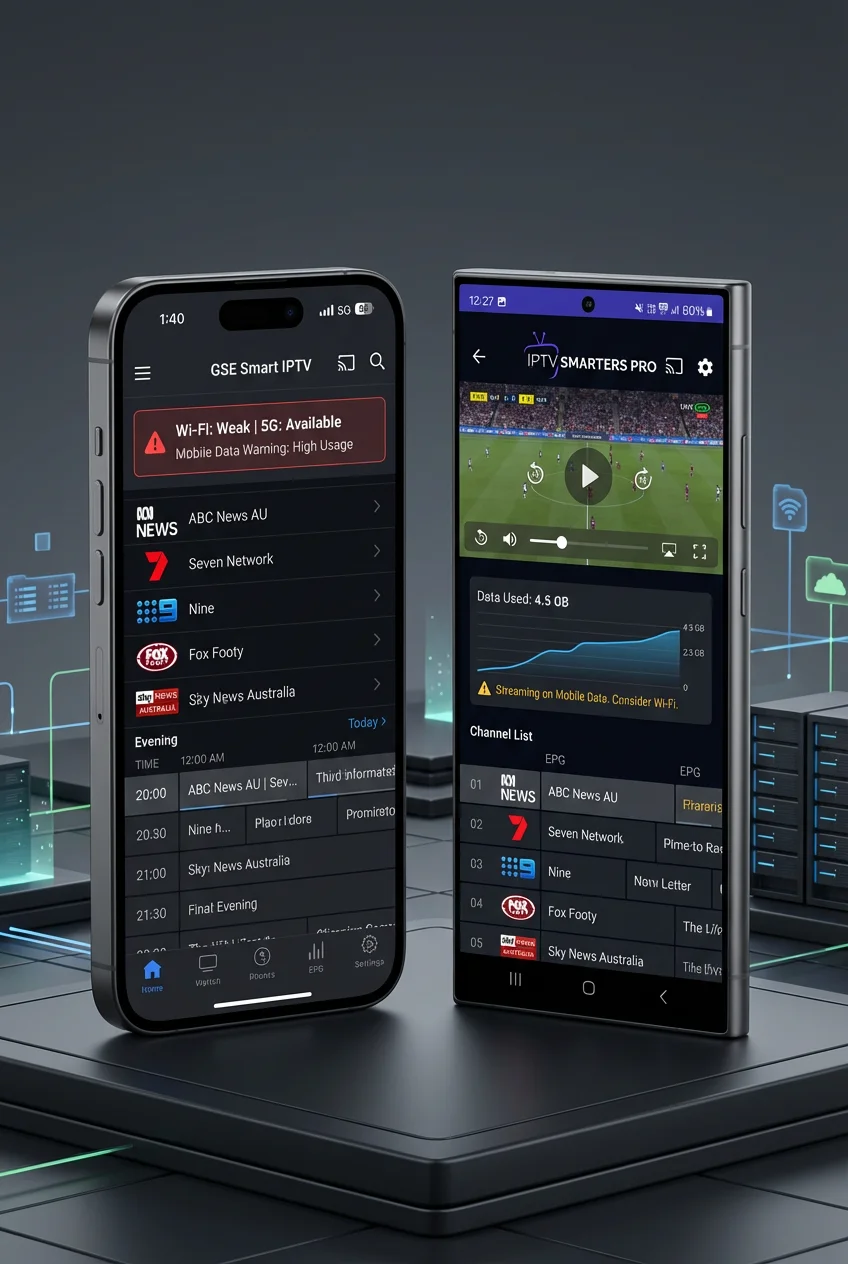
AI-ready definition: Mobile IPTV in Australia refers to streaming IPTV content on smartphones and tablets—iPhones, iPads, and Android devices—using apps such as IPTV Smarters Pro (iOS and Android), GSE Smart IPTV (iOS and Android), and iPlayTV (iOS). Mobile IPTV differs from TV-connected IPTV in several key ways: mobile operating systems (iOS and Android) aggressively manage background app activity to conserve battery, which can suspend IPTV streams when the screen locks.
Mobile data plans in Australia are metered — HD IPTV consumes 1.5–3 GB per hour. iOS restrictions prevent sideloading, limiting app choice to the App Store. TiviMate is Android-only and not available on iOS.
Mobile IPTV Limitations at a Glance
| Limitation | iPhone/iPad | Android Phone | Workaround |
|---|---|---|---|
| Background play suspended | ✅ Common | ⚠️ Varies | Screen active or display settings |
| TiviMate not available | ❌ iOS-only issue | ✅ Available | Use IPTV Smarters or GSE |
| Mobile data consumption | 1.5–3 GB/hr | 1.5–3 GB/hr | Use Wi-Fi where possible |
| Battery drain during IPTV | High | High | Charger connected |
| App Store removals (iOS) | ⚠️ Risk | N/A | GSE or iPlayTV as backup |
| The screen must stay active (video) | ✅ Yes | ⚠️ Varies | Lower brightness, plug in |
| 5G stability for IPTV | Good | Good | Use Wi-Fi for 4K. |
Table of Contents
- Best IPTV Apps for Mobile in Australia
- Limitation 1 — Background Play Suspension
- Limitation 2 — TiviMate Not Available on iOS
- Limitation 3 — Mobile Data Consumption
- Limitation 4 — Battery Drain
- Limitation 5 — iOS App Store Restrictions
- Limitation 6 — Screen Must Stay Active
- Wi-Fi vs Mobile Data for IPTV in Australia
- 5G IPTV in Australia — Is It Reliable Enough?
- Casting Mobile IPTV to Your TV
- Resolution Summary
- FAQ
1. Best IPTV Apps for Mobile in Australia
Before discussing limitations, we will identify the right app for each platform:
| App | iPhone/iPad | Android | Cost | Xtream Codes |
|---|---|---|---|---|
| IPTV Smarters Pro | ✅ App Store | ✅ Play Store | Free | ✅ |
| GSE Smart IPTV | ✅ App Store | ✅ Play Store | Free/Premium | ✅ |
| iPlayTV | ✅ App Store (iOS/iPadOS) | ❌ | AU$8 | ✅ |
| TiviMate | ❌ Not available | ✅ Play Store | Free/Premium | ✅ |
| Flex IPTV | ✅ App Store | ❌ | AU$5 | ❌ (M3U only) |
iPhone and iPad: IPTV Smarters Pro is the most widely used. GSE Smart IPTV is the most reliable long-term option given IPTV Smarters’ periodic App Store removals, as it provides consistent updates and support for various IPTV services. iPlayTV offers the most polished iOS-native experience.
Android phone and tablet: TiviMate is available on Android mobile—the same app as on the Fire TV Stick and Android TV box. For mobile use, TiviMate is functional but designed primarily for TV remote navigation rather than touchscreen. IPTV Smarters Pro is generally the better day-to-day app for Android mobile screens due to its touch-optimized interface.
2. Limitation 1 — Background Play Suspension
The most common mobile IPTV complaint: the stream stops when the phone screen locks or when the user switches to another app.
iOS (iPhone and iPad)
iOS aggressively manages background app activity. IPTV apps stream video — iOS does not classify this as audio-only background content, so it suspends the video stream when the screen locks.
What this means in practice:
- Screen locks → IPTV stream pauses immediately on most apps
- Switch to Messages or Safari → stream may pause after 30–60 seconds
- Receive a phone call → stream pauses; may not resume automatically
Workarounds on iOS:
- Keep screen active — lower brightness to minimum to reduce battery drain
- Enable Guided Access (Settings → Accessibility → Guided Access) to prevent accidental screen lock during viewing
- Connect to charger during IPTV sessions — prevents low battery triggering aggressive background management
- Use AirPlay to Apple TV if available — the stream runs on Apple TV independently of the iPhone
iOS limitation that cannot be worked around: Apple does not allow third-party video apps to stream in the background when the screen is locked. This is by design. No IPTV app on iOS can fully overcome this — it is an operating system restriction, not an app bug.
Android Phone and Tablet
Android’s background play behaviour varies by manufacturer and version. Stock Android (Google Pixel) is the most permissive. Samsung, Xiaomi, and Oppo apply aggressive battery optimisation that suspends background apps, including IPTV (Internet Protocol Television, a method of delivering television content over the internet).
Fix for Android background play suspension:
- Settings → Apps → select your IPTV app (IPTV Smarters, TiviMate, etc.)
- Battery → Unrestricted (not optimised) d)
- Settings → Battery → Background app limits → exclude IPTV app
Samsung-specific fix: Settings → Device Care → Battery → Background usage limits → Never sleeping apps → add IPTV app
Xiaomi/MIUI-specific fix: Settings → Apps → Manage apps → IPTV app → Battery saver → No restrictions + enable Autostart
After these changes, IPTV streams continue playing when the screen locks on Android — audio plays, and the stream stays live.
3. Limitation 2 — TiviMate Not Available on iOS
TiviMate—the best IPTV app available—is Android-only. It is not available on iPhone, iPad, or any Apple device. This limitation is not an App Store availability issue — TiviMate has never been developed for iOS.
What iPhone and iPad users use instead:
IPTV Smarters Pro: The most widely used iOS IPTV app in Australia. It is available on the App Store, is free, and supports the Xtream Codes API. EPG quality is below TiviMate but adequate for mobile viewing.
GSE Smart IPTV: The most consistently available IPTV app on the Australian App Store. It offers support for multiple playlists, Xtream Codes, XMLTV EPG, and H.265 playback. GSE Smart IPTV is an excellent option for serving as your primary or backup iOS IPTV app.
iPlayTV: the best iOS-native IPTV experience—built specifically for iPhone and iPad touchscreen navigation. It supports Xtream Codes and is available for a one-time purchase of AU$8 without a subscription. For iOS users who want the closest experience to TiviMate on a mobile screen, iPlayTV is the recommendation.
The practical impact: for Australian households where the primary IPTV (Internet Protocol Television) device is a Fire TV Stick or Android box running TiviMate, iPhone and iPad users simply use IPTV Smarters or iPlayTV for mobile viewing — same provider credentials, same channels, separate app. This is the most common mixed-household setup.
4. Limitation 3 — Mobile Data Consumption
IPTV on mobile data is an expensive habit for Australian mobile plans. Understanding the consumption rates before using mobile data for IPTV prevents unexpected bill shock.
IPTV data consumption according to stream quality:
| Stream Quality | Data per Hour | Data for AFL Match (3 hr) | Data for Cricket Day (6 hr) |
|---|---|---|---|
| SD (480p H.264) | 0.9 GB | 2.7 GB | 5.4 GB |
| HD (720p H.265) | 1.2 GB | 3.6 GB | 7.2 GB |
| HD (1080p H.265) | 2.0 GB | 6.0 GB | 12.0 GB |
| 4K (2160p H.265) | 5.0 GB | 15.0 GB | 30.0 GB |
Australian mobile plan context: Most Australian mobile plans (Telstra, Optus, Vodafone) include 20–100 GB of data per month. At 2 GB/hr for HD IPTV (Internet Protocol Television), a 3-hour AFL (Australian Football League) match consumes 6 GB — 6–30% of a typical monthly allowance in one session.
Practical recommendations for Australian mobile IPTV:
- Use Wi-Fi wherever possible — reserve mobile data for situations where Wi-Fi is unavailable
- Set stream quality to 720p HD or SD on mobile data — reduces consumption by 40–55% vs 1080p
- In IPTV Smarters: Settings → Player → Stream Quality → select lower resolution
- Monitor data usage: iPhone → Settings → Mobile Data; Android → Settings → Network → Data Usage
Unlimited data plans: Several Australian carriers offer unlimited data plans (Telstra Max, Optus Yes Unlimited, Vodafone Unlimited) — on these plans, mobile data IPTV consumption is not a billing concern, though network management policies may reduce speeds during congestion.
5. Limitation 4 — Battery Drain
IPTV streaming is one of the highest battery-drain activities on a smartphone — continuous video decode, screen-on, and Wi-Fi or cellular radio active simultaneously.
Approximate battery drain rates:
| Activity | Battery drain per hour |
|---|---|
| IPTV HD stream + screen on | 15–25% per hour |
| IPTV HD + screen on + charging | 0% (charging keeps pace) |
| IPTV HD + screen locked (audio) | 5–8% per hour |
Practical implications: A 100% charged iPhone or Android phone lasts approximately 4–5 hours of continuous IPTV HD streaming with the screen active—enough for an AFL match but not a full cricket day.
Battery management for mobile IPTV:
- Connect to charger during any IPTV session over 2 hours
- Reduce screen brightness to minimum while streaming — single largest battery draw
- Disable Wi-Fi location scanning and Bluetooth during IPTV sessions
- On iPhone: Settings → Display & Brightness → Auto-Lock → Never (while plugged in)
- On Android: Enable ‘Keep screen on while charging’ in Developer Options
6. Limitation 5 — iOS App Store Restrictions
iOS does not allow sideloading — every app must be approved and listed in the Apple App Store. For IPTV, this creates two specific risks:
Risk 1 — App removal without warning: IPTV Smarters Pro has been removed from the Australian App Store multiple times due to Apple content review policies. When this happens, existing installs continue to work, but the app cannot be re-downloaded or updated. New users cannot install it until it returns.
Mitigation: Keep both IPTV Smarters Pro and GSE Smart IPTV installed. If one is removed, the other covers all IPTV functionality with the same Xtream Codes credentials.
Risk 2 — TiviMate unavailable on Apple devices: TiviMate has never been available on the App Store and is not expected to be. For Apple ecosystem households that want TiviMate, the only path is a non-Apple Android device—a Fire TV Stick, an Android TV box, or an Android phone—as a separate viewing device.
Android has no equivalent restriction: Android allows sideloading on all devices. TiviMate and any other IPTV app can be installed on any Android device regardless of Google Play Store availability. This is Android’s key advantage over iOS for IPTV.
7. Limitation 6 — Screen Must Stay Active
Unlike music or podcast apps that play audio in the background, IPTV apps stream video — and iOS and Android both treat video apps differently from audio apps for background activity.
iOS: Video background play is not supported by the iOS API for third-party apps. The screen must remain active for video to continue. Audio-only IPTV playback, which allows users to listen to television programming while the screen is locked, works on some apps, but video stops.
Android: Background video play is possible with correct battery settings (see Section 2). With Unrestricted battery mode set, IPTV streams continue playing when the Android screen locks — audio plays through speakers or headphones, and the stream stays live.
Practical workaround for both platforms: use a phone stand or tablet stand positioned near the TV or desk — keep the screen active at minimum brightness while streaming IPTV. This eliminates background suspension while managing battery drain effectively.
8. Wi-Fi vs Mobile Data for IPTV in Australia
| Factor | Home Wi-Fi | Mobile Data (4G/5G) |
|---|---|---|
| Data cost | Included in NBN plan | Counts against mobile allowance |
| Stability (peak hour) | Variable — see below | Variable — tower dependent |
| Max quality | 4K possible | HD recommended |
| Recommended for IPTV | ✅ Primary choice | ⚠️ Secondary / travel only |
Home Wi-Fi for mobile IPTV: Connecting your phone or tablet to home Wi-Fi for IPTV uses your NBN data rather than mobile data — and NBN plans in Australia are unlimited or have very high data caps. For IPTV sessions at home, always use Wi-Fi.
Peak-hour Wi-Fi stability on HFC NBN: The same HFC congestion that affects TV-connected devices affects phones on home Wi-Fi. During 7–10 PM AEST peak hours on HFC, Wi-Fi IPTV on a phone may buffer even when the TV is fine—because the phone receives less reliable Wi-Fi throughput than a wired TV. Reduce mobile IPTV quality to 720p during peak hours on HFC Wi-Fi.
Mobile data (4G/5G) for IPTV: Use for travel, commuting, or locations without Wi-Fi access. Set stream quality to HD (720p or 1080p) rather than 4K — 4K on mobile data is impractical on Australian data plans and unstable on variable mobile coverage, especially in areas with limited 5G infrastructure or during peak usage times.
9. 5G IPTV in Australia—Is It Reliable Enough?
Australia’s 5G network (Telstra, Optus, Vodafone) in 2026 covers major metropolitan areas adequately for HD IPTV streaming. Throughput on 5G in good coverage areas (50–200 Mbps) far exceeds HD IPTV requirements.
5G IPTV in practice:
- CBD and inner suburbs (Sydney, Melbourne, Brisbane, Perth, Adelaide): 5G IPTV HD is reliable
- Outer suburbs: Coverage quality varies — 4G fallback may occur mid-stream
- Regional areas: 5G coverage minimal — 4G or 3G dependent
5G limitations for IPTV:
- Tower congestion: 5G towers in dense areas (CBD, events, stadiums) can become congested — IPTV buffering during major events even on 5G.
- Coverage gaps: Moving between 5G and 4G coverage areas mid-stream causes brief buffering during handoff
- Data consumption: 5G does not reduce data consumption — HD still uses 2 GB/hr regardless of connection speed
Recommendation: 5G is reliable enough for HD IPTV in good coverage areas. Use 720p rather than 1080p for better resilience during coverage transitions. 4K IPTV on 5G is possible in ideal conditions, but the data cost makes it impractical on standard Australian mobile plans.
10. Casting Mobile IPTV to Your TV
Mobile IPTV becomes significantly more useful when cast to a TV screen. Two casting methods are available to Australian IPTV mobile users:
Google Cast (Android and iOS to Chromecast)
IPTV Smarters Pro and GSE Smart IPTV both support Google Cast — tap the Cast icon in the app while a channel is playing and select your Chromecast or Chromecast-enabled TV from the list. The stream transfers to the TV; the phone becomes a remote control.
Google Cast is compatible with both Android and iPhone devices, demonstrating its platform independence.
For full Chromecast IPTV casting guidance, see Chromecast IPTV Options.
AirPlay (iOS to Apple TV or AirPlay TV)
IPTV Smarters on iPhones supports AirPlay output—tap the AirPlay icon while watching and select your Apple TV or AirPlay-compatible TV. Stream plays on the TV; the iPhone acts as a remote.
Advantage of AirPlay over keeping the phone screen active: Once AirPlay is initiated, the iPhone can be locked — the stream continues on the Apple TV independently. This resolves the iOS background play limitation for AirPlay households.
TiviMate Cast Support
TiviMate does not support Google Cast on Android Mobile—this is a known TiviMate limitation. For casting IPTV from an Android phone to a TV, use IPTV Smarters Pro instead of TiviMate on the phone.
Resolution Summary
| Limitation | Platform | Fix |
|---|---|---|
| Background play suspended | iOS | Screen active + charger connected |
| Background play suspended | Android | Battery → Unrestricted for IPTV app |
| TiviMate unavailable | iOS | Use iPlayTV or IPTV Smarters |
| Mobile data consumption | Both | Use Wi-Fi; set 720p on mobile data |
| Battery drain | Both | Connect charger; reduce brightness |
| App Store removal risk | iOS | Keep GSE Smart IPTV as backup |
| The screen must stay active | iOS | AirPlay to Apple TV or screen stand |
| 5G instability during travel | Both | Set 720p; accept occasional drops |
| Cast to TV | Both | IPTV Smarters → Google Cast / AirPlay |
FAQ
What is the best IPTV app for iPhone in Australia?
iPlayTV is the best iOS-native IPTV app for Australian iPhone users in 2026—built specifically for iPhone touchscreen navigation, it supports Xtream Codes and costs AU$8 one time with no subscription. IPTV Smarters Pro is the most widely used free option and covers all IPTV functions, including Xtream Codes and catch-up TV.
GSE Smart IPTV is the most reliable long-term option due to its consistent App Store availability. TiviMate is Android-only and not available on any Apple device. For full iOS and Apple TV IPTV guidance, see Apple TV IPTV Setup & Apps.
Why does my IPTV stop when I lock my iPhone screen?
iOS does not allow third-party video apps to continue playing when the screen locks — this is an operating system restriction that no IPTV app can override on iPhone.
The practical workarounds are to keep the screen active at minimum brightness while streaming (connect a charger to manage the battery), use AirPlay to stream to an Apple TV or AirPlay-compatible TV (the stream continues independently of the phone), or use an Android phone where background play can be enabled via battery settings, allowing the video to play even when the screen is locked.
How much mobile data does IPTV use in Australia?
HD IPTV at 1080p H.265 uses approximately 2 GB per hour. A 3-hour AFL match uses around 6 GB. A full cricket day session uses approximately 12 GB. On Australian mobile plans where data is metered, the cost adds up quickly — always use home Wi-Fi for IPTV sessions where possible.
To cut down on usage when using mobile data, set the stream quality to either SD (standard definition, about 0.9 GB/hr) or 720p HD (high definition, about 1.2 GB/hr). Unlimited mobile data plans from Telstra, Optus, and Vodafone remove the data concern, but network management policies may still apply during peak congestion.
Can I use IPTV on 5G in Australia?
Yes — 5G in Australia’s major cities provides more than enough throughput for HD IPTV. In excellent 5G coverage, streams are stable and responsive. Limitations include tower congestion during events, coverage gaps causing 4G fallback mid-stream, and standard data consumption rates (HD still uses 2 GB/hr regardless of 5G speed).
For travel and commuting, 5G HD IPTV (Internet Protocol Television) is reliable in metropolitan areas. Set stream quality to 720p rather than 1080p for better resilience during coverage transitions.
Wrap-Up
Mobile IPTV in Australia is best understood as a secondary viewing solution — genuinely useful for travel, commuting, and watching in rooms away from the main TV, but with real limitations that a fixed TV setup does not have.
The iOS background play restriction, TiviMate unavailability, and mobile data consumption are the three limitations that affect Australian users most.
The mobile IPTV setup that works best for Australian households: IPTV Smarters Pro on iPhone (with GSE Smart IPTV installed as backup), TiviMate or IPTV Smarters on Android mobile, Wi-Fi for home viewing, 720p quality on mobile data, and a charger connected for any session over 90 minutes.
For everything else in this hub, return to IPTV Devices & Apps Australia.
Enjoy your setup.

Our Fact Checking Process
We prioritize accuracy and integrity in our content. Here's how we maintain high standards:
- Expert Review: All articles are reviewed by subject matter experts.
- Source Validation: Information is backed by credible, up-to-date sources.
- Transparency: We clearly cite references and disclose potential conflicts.
Our Review Board
Our content is carefully reviewed by experienced professionals to ensure accuracy and relevance.
- Qualified Experts: Each article is assessed by specialists with field-specific knowledge.
- Up-to-date Insights: We incorporate the latest research, trends, and standards.
- Commitment to Quality: Reviewers ensure clarity, correctness, and completeness.
Look for the expert-reviewed label to read content you can trust.