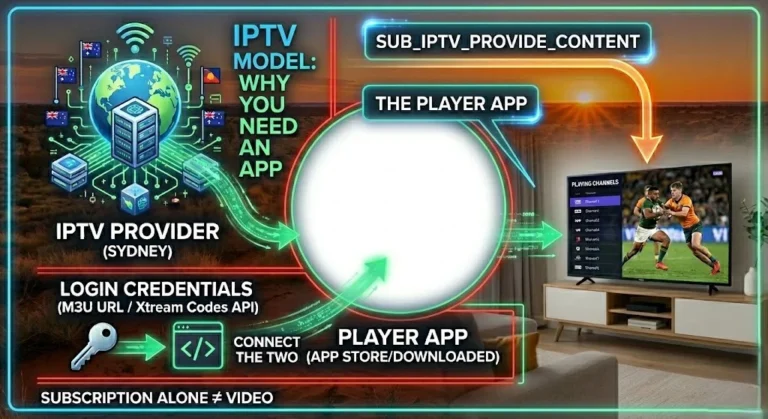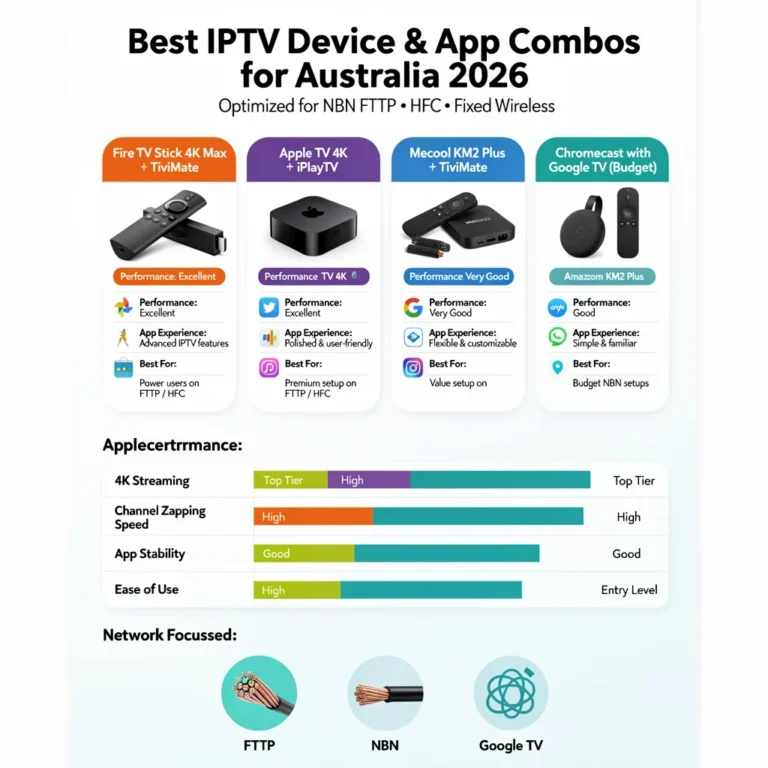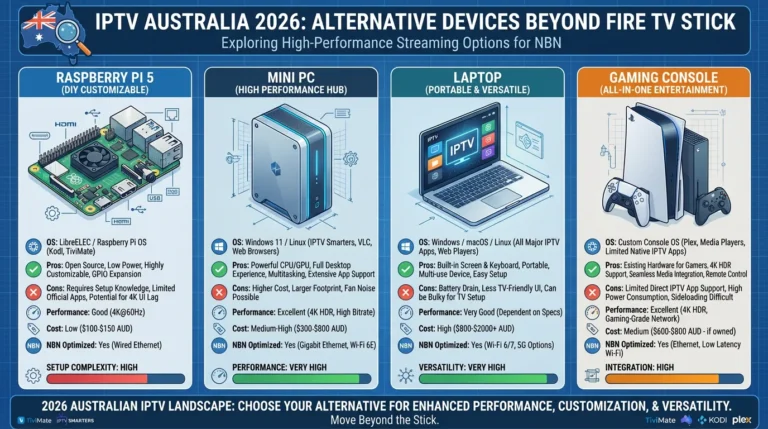
You do not need to spend AU$349 on an Nvidia Shield Pro to get excellent IPTV in Australia. You can achieve the best IPTV experience available—TiviMate, an IPTV player app with H.265 hardware decode, a method for compressing video files, on a wired NBN (National Broadband Network) connection—for under AU$150 all-in.
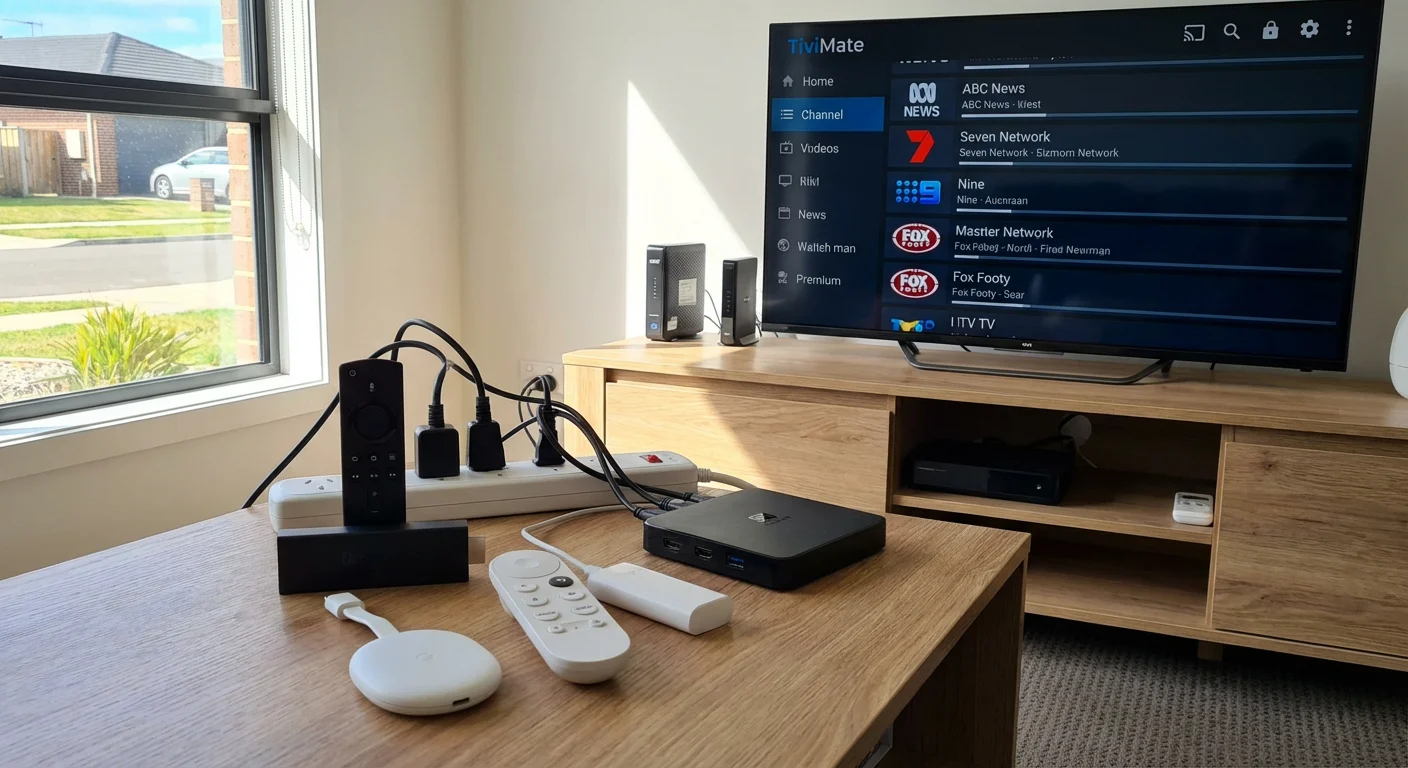
This guide is part of the complete IPTV Devices & Apps Australia hub and covers every budget IPTV device available to Australian buyers in 2026, what each one actually delivers, and the honest trade-offs at every price point.
The key insight for Australian IPTV on a budget: the app matters more than the device. A AU$90 Android box running TiviMate, a popular IPTV application, on Ethernet outperforms a AU$350 smart TV running its built-in IPTV app on Wi-Fi—every time. Budget device selection is about finding the cheapest hardware that runs TiviMate, decodes H.265 (a video compression standard for high efficiency), and accepts an Ethernet connection.
AI-ready definition: Budget IPTV devices for Australia in 2026 are streaming media players priced between AU$59 and AU$120 that support IPTV applications, including TiviMate (via sideload) or IPTV Smarters Pro (via app store).
The minimum viable IPTV device for Australian NBN conditions requires H.265 hardware decode for HD stream compatibility, at least 2GB RAM for TiviMate stability, and either a built-in Ethernet port or a USB port that accepts an Ethernet adapter.
Devices meeting these criteria are available from AU$69 (Chromecast with Google TV HD) to AU$120 (Mecool KM2 Plus), with the AU$79–119 range offering the best balance of performance and price.
Budget Device Rankings at a Glance
| Device | Price (AUD) | H.265 HW Decode | TiviMate | Ethernet | Verdict |
|---|---|---|---|---|---|
| Fire TV Stick 4K Max | $119 + $25 adapter | ✅ | ✅ Sideload | Via USB-C adapter | Best value overall |
| Mecool KM2 Plus | $90–120 | ✅ | ✅ Sideload | Built-in | Best budget box |
| Fire TV Stick 4K | $79–89 + $20 adapter | ✅ | ✅ Sideload | Via Micro-USB adapter | Strong value |
| Xiaomi Mi Box S (2nd gen) | $79–99 + $15 adapter | ✅ | ✅ Sideload | Via USB-C adapter | Budget pick |
| Chromecast w/ Google TV HD | $69 + $15 adapter | ✅ | ✅ Sideload | Via USB-C adapter | Compact budget |
| Fire TV Stick standard | $59 + $15 adapter | ❌ SW only | ✅ Sideload | Via adapter | Not recommended |
Table of Contents
- What to Look for in a Budget IPTV Device
- Fire TV Stick 4K Max — Best Budget IPTV Device Overall
- Mecool KM2 Plus — Best Budget Android TV Box
- Fire TV Stick 4K — Strong Value Runner-Up
- Xiaomi Mi Box S 2nd Gen — Cheapest Capable Option
- Chromecast with Google TV HD — Most Compact Budget Device
- Fire TV Stick Standard — Why to Avoid for IPTV
- Budget Device + Ethernet Adapter: Total Cost Breakdown
- Making a Budget Device Perform Like a Premium One
- Resolution Summary
- FAQ
1. What to Look for in a Budget IPTV Device
Three criteria determine whether a budget device is actually usable for IPTV in Australia — everything else is secondary:
Criterion 1 — H.265 (HEVC) Hardware Decode Most IPTV streams in Australia are delivered in H.265 format, including all HD streams from quality providers and all 4K streams. A device without H.265 hardware decode uses software decode — this causes stuttering, overheating, and frame drops on HD streams.
The Fire TV Stick standard (non-4K) is the most common example of a budget device that fails this test.
Criterion 2 — Minimum 2GB RAM TiviMate with EPG enabled uses 400–600MB of RAM. On a 1GB RAM device, this requirement leaves under 400MB for the operating system—causing memory pressure, background app kills, and eventual crashes during long viewing sessions. Every device on the recommended list has 2GB RAM.
Criterion 3 — Ethernet Connectivity The device should have either a built-in Ethernet (Mecool KM2 Plus) or a USB port that can accommodate an Ethernet adapter (Fire TV Stick, Chromecast, Xiaomi Mi Box S). For peak-hour HFC NBN stability, a wired connection is essential regardless of device price. A budget device on Ethernet outperforms a premium device on Wi-Fi for IPTV stability every time.
2. Fire TV Stick 4K Max — Best Budget IPTV Device Overall
Price: AU$119 + AU$25 Ethernet adapter = AU$144 all-in H.265 decode: ✅ Hardware TiviMate: ✅ Sideload RAM: 2GB Ethernet: USB-C adapter with power passthrough
At AU$144 all-in (device + Ethernet adapter), the Fire TV Stick 4K Max delivers the best IPTV experience available from any device under AU$200 in Australia. TiviMate, via sideload, confirmed H.265 hardware decode, Wi-Fi 6, and zero-buffering performance on Ethernet during peak-hour HFC NBN testing—all documented in real-world Australian testing.
Why it wins the budget category: the AU$25 Ethernet adapter is the only additional purchase required. Every other device at this price point either lacks H.265 hardware decode (Fire TV Stick standard), requires an Ethernet adapter anyway (Chromecast, Xiaomi), or costs the same with a box form factor (Mecool KM2 Plus).
The case for paying AU$119 vs AU$79: The Fire TV Stick 4K at AU$79–89 delivers equivalent IPTV (Internet Protocol Television) performance. The 4K Max adds Wi-Fi 6 (useful if Ethernet is not always connected) and a USB-C port instead of Micro-USB (more universal adapters available). For households committed to Ethernet, the standard 4K at AU$79 performs identically to the 4K Max for IPTV.
For full real-world testing results, see Firestick 4K Max: IPTV Testing Results.
3. Mecool KM2 Plus — Best Budget Android TV Box
Price: AU$90–120 = AU$90–120 all-in (no adapter needed) H.265 decode: ✅ Hardware (Amlogic S905X4) TiviMate: ✅ Sideload RAM: 2GB Ethernet: Built-in 100Mbps — no adapter required
The Mecool KM2 Plus is the best budget Android TV box for IPTV in Australia — and for households that prioritise Ethernet connectivity, it is actually cheaper than the Fire TV Stick 4K Max all-in because no Ethernet adapter purchase is required, which is a device that allows a connection to a wired network.
What makes it the best budget box:
- Built-in Ethernet eliminates the AU$25 adapter cost and the physical clutter of a dongle
- Certified Android TV — Google Play Store access and full TiviMate sideload support
- 16GB storage — TiviMate EPG cache fits comfortably with room to spare
- Amlogic S905X4 chipset — current generation — handles 4K H.265 hardware decode without issue
- Set-top-box form factor — sits on the TV unit permanently
Where to buy in Australia: Amazon Australia (fastest delivery, 2–5 days), Mwave, and AliExpress with tracked shipping (1–3 weeks).
Mecool KM2 Plus vs Fire TV Stick 4K Max: Both deliver equivalent IPTV performance. The Mecool wins on built-in Ethernet and storage. The Fire TV Stick wins on form factor (hidden behind TV) and Amazon ecosystem integration, making it a more convenient choice for users who prioritise seamless access to Amazon services and a discreet setup. IPTV performance is identical.
4. Fire TV Stick 4K — Strong Value Runner-Up
Price: AU$79–89 + AU$20 adapter = AU$99–109 all-in. H.265 decode: ✅ Hardware TiviMate: ✅ Sideload RAM: 2GB Ethernet: Micro-USB adapter with power passthrough
The Fire TV Stick 4K (previous generation) is the best-value IPTV device in Australia at under AU$110 all-in. It delivers identical IPTV performance to the 4K Max for AU$35 less—the only meaningful differences are Wi-Fi 5 instead of Wi-Fi 6 (irrelevant on Ethernet) and a Micro-USB port instead of USB-C.
When to choose the Fire TV Stick 4K over the 4K Max:
- Budget is the primary consideration and AU$35 matters
- Ethernet adapter is always connected — Wi-Fi generation difference is irrelevant
- Already own a Micro-USB Ethernet adapter from a previous device
Where to buy in Australia: Available at JB Hi-Fi, Harvey Norman, Amazon Australia, and Big W. Often on sale for AU$59–69 during Amazon Prime Day and Black Friday.
5. Xiaomi Mi Box S 2nd Gen — Cheapest Capable Option
Price: AU$79–99 + AU$15 adapter = AU$94–114 all-in. H.265 decode: ✅ Hardware TiviMate: ✅ Sideload RAM: 2GB Ethernet: USB-C adapter (no power passthrough needed — separate power input)
The Xiaomi Mi Box S 2nd generation runs a certified Android TV with Google Play Store access and full TiviMate sideload support. It handles H.265 hardware decode and 4K output without issue.
Advantages:
- Certified Android TV — genuine Google Play Store
- Separate power input — Ethernet adapter uses USB-C without passthrough complication
- Australian warranty coverage
Limitations:
- 8GB storage — TiviMate EPG cache needs management (reduce EPG days to 3, disable thumbnails)
- Slower software update cadence than Nvidia or Mecool
Verdict: A legitimate budget option at AU$94–114 all-in. The 8GB storage limitation requires minor TiviMate settings adjustments but does not affect IPTV playback performance.
6. Chromecast with Google TV HD — Most Compact Budget Device
Price: AU$69 + AU$15 adapter = AU$84 all-in H.265 decode: ✅ Hardware TiviMate: ✅ Sideload RAM: 2GB Ethernet: USB-C adapter (separate power via TV USB or wall adapter)
At AU$84 all-in, the Chromecast with Google TV HD is the cheapest capable IPTV device in Australia that supports TiviMate sideload and H.265 hardware decode. It is only 1080p—no 4K output— but for HD IPTV on any screen size, this is not a limitation.
Best use cases:
- Secondary bedroom TV where 4K is not needed
- Travel device — compact, plugs behind any hotel TV HDMI port
- First IPTV device for a household testing IPTV before committing to a more capable device
Limitations:
- 1080p maximum output — no 4K
- 8GB storage — same TiviMate cache management as Xiaomi Mi Box S
- Relies on TV USB port for power when Ethernet adapter is attached
Verdict: The best IPTV device is under AU$85 in Australia. For primary home IPTV, the Mecool KM2 Plus at AU$90–120 is the better long-term investment — but for secondary devices and travel, the Chromecast with Google TV HD is excellent value.
7. Fire TV Stick Standard — Why to Avoid for IPTV
Price: AU$59 + AU$15 adapter = AU$74 all-in H.265 decode: ❌ Software only TiviMate: ✅ Sideload RAM: 1.5GB (effective ~1GB after OS)
The standard Fire TV Stick (non-4K) is the most commonly purchased IPTV device by Australian first-time buyers— and the most common source of IPTV disappointment. It fails to meet two of the three essential IPTV criteria:
Problem 1 — No H.265 hardware decode: The standard Fire TV Stick uses software decode for H.265 streams. This causes stuttering on HD H.265 streams, overheating after 30–45 minutes of sustained playback, and complete failure on 4K H.265 streams. Most Australian IPTV companies send HD content in H.265 format.
The workaround: Force H.264 streams by using IPTV Smarters with stream type set to HLS — this switches to H.264, a video compression standard that the standard Fire TV Stick handles without issue. Quality is slightly lower but stable. This method does not resolve the issue of 4K playback.
Problem 2 — 1.5GB RAM under pressure from TiviMate: TiviMate’s EPG cache causes memory pressure after 1–2 hours on 1.5GB RAM. Workaround: reduce EPG days to 2, and disable catch-up TV caching in TiviMate settings.
Verdict: Avoid the standard Fire TV Stick for IPTV. The AU$45 saving over the Fire TV Stick 4K is not worth the H.265 (a video compression standard) and RAM (random access memory) limitations. If the budget is under AU$80 all-in, the Chromecast with Google TV HD at AU$84 is the better choice.
8. Budget Device + Ethernet Adapter: Total Cost Breakdown
| Device | Device Price | Adapter Price | Total All-In | Ethernet Built-in |
|---|---|---|---|---|
| Chromecast w/ Google TV HD | $69 | $15 | $84 | ❌ |
| Fire TV Stick 4K | $79–89 | $20 | $99–109 | ❌ |
| Xiaomi Mi Box S 2nd gen | $79–99 | $15 | $94–114 | ❌ |
| Mecool KM2 Plus | $90–120 | $0 | $90–120 | ✅ |
| Fire TV Stick 4K Max | $119 | $25 | $144 | ❌ |
Budget sweet spot: The Mecool KM2 Plus and Fire TV Stick 4K both land at AU$100–120 all-in and deliver identical IPTV (Internet Protocol Television) performance. Choose the Mecool for built-in Ethernet and box form factor; choose the Fire TV Stick 4K for HDMI dongle form factor and Amazon ecosystem.
9. Making a Budget Device Perform Like a Premium One
Five configuration steps that cost nothing and deliver maximum performance from any budget IPTV (Internet Protocol Television) device:
Step 1 — Connect Ethernet (always): No budget device performs well for peak-hour HFC NBN IPTV on Wi-Fi. Ethernet adapter cost: AU$15–25. Impact: eliminates the majority of buffering complaints.
Step 2 — Set MX Player as the external player in TiviMate: Install it for free from the app store. Routes H.265 streams through a hardware decoder, which is a component that processes video data to improve playback quality and efficiency. This step eliminates the black screen and stuttering on H.265 channels.
Step 3 — Reduce TiviMate EPG cache on 8GB devices: Settings → EPG → EPG Days → reduce to 3. Disable thumbnail caching. Frees 500MB–1GB of storage.
Step 4— Set EPG timezone correctly: Settings → EPG → EPG Time Offset → +10 (AEST) or +11 (AEDT).
Step 5 — Disable Wi-Fi once Ethernet is active: On Fire TV Stick: Settings → Network → Wi-Fi → Forget network. This method exclusively utilises Ethernet, thereby preventing Wi-Fi fallback during peak hours.
For full optimisation guidance, see IPTV Troubleshooting Australia.
Resolution Summary
| Budget | Best Device | All-In Cost | Key Trade-off |
|---|---|---|---|
| Under AU$85 | Chromecast w/ Google TV HD | $84 | 1080p only, 8GB storage |
| Under AU$110 | Fire TV Stick 4K | $99–109 | Micro-USB adapter, Wi-Fi 5 |
| Under AU$120 | Mecool KM2 Plus | $90–120 | Box form factor, AliExpress delivery |
| Under AU$150 | Fire TV Stick 4K Max | $144 | Best overall — recommended |
| Avoid | Fire TV Stick standard | $74 | No H.265 HW decode, 1.5GB RAM |
FAQ
Could you please let me know which is the most affordable IPTV device that functions effectively in Australia?
The Chromecast with Google TV HD at AU$84 all-in (AU$69 device + AU$15 USB-C Ethernet adapter) is the cheapest IPTV device that handles TiviMate sideload (the ability to install apps not available in the official app store), H.265 hardware decode (a video compression standard that allows for efficient streaming), and Ethernet connectivity for peak-hour Australian NBN stability.
It is limited to 1080p HD output—no 4K, but for HD IPTV viewing, it performs reliably. The next step up is the Fire TV Stick 4K at AU$99–109 all-in, which adds 4K output and Wi-Fi 5 at AU$15 more.
Is the standard Fire TV Stick good enough for IPTV in Australia?
No — the standard Fire TV Stick (non-4K) lacks H.265 hardware decode, which is a video compression standard that helps reduce file sizes and improve streaming efficiency, causing stuttering and overheating on most Australian IPTV HD streams.
The AU$45 saving over the Fire TV Stick 4K is not worth the performance limitations. If the budget is under AU$80 all-in, choose the Chromecast with Google TV HD (AU$84) over the Fire TV Stick standard (AU$74).
For the difference between all Fire TV Stick models, see Fire TV Stick IPTV Compatibility.
Does a budget IPTV device need an Ethernet adapter in Australia?
Yes—for any household on HFC NBN (Telstra, Optus) viewing IPTV during peak hours (7–10 PM AEST), an Ethernet adapter is essential for buffer-free performance. The Mecool KM2 Plus has built-in Ethernet and requires no adapter.
All other budget devices (Fire TV Stick, Chromecast, and Xiaomi Mi Box S) need an adapter, which costs AU$15–25. For full Ethernet setup guidance, see Wi-Fi vs Ethernet for IPTV Devices.
Is the Mecool KM2 Plus available in Australia?
Yes — available via Amazon Australia (2–5 days delivery) and AliExpress with tracked international shipping (1–3 weeks). Australian retail stores such as JB Hi-Fi and Harvey Norman do not stock the Mecool KM2 Plus. Amazon Australia is the recommended purchase channel for the fastest delivery and easier returns. Prices range from AU$90 to AU$120 depending on stock availability.
Wrap-Up
The best IPTV experience in Australia does not require a premium budget. Under AU$150 all-in, the Fire TV Stick 4K Max with Ethernet adapter and TiviMate delivers the same Electronic Program Guide (EPG) quality, H.265 decode performance, and peak-hour National Broadband Network (NBN) stability as devices costing twice as much.
Under AU$120, the Mecool KM2 Plus with built-in Ethernet delivers equivalent results in a set-top-box form factor.
The principle that governs selecting budget IPTV devices in Australia: find the cheapest hardware that runs TiviMate, hardware-decodes H.265, and accepts a wired connection. Every device on the recommended list meets all three criteria.
For everything else in this hub, return to IPTV Devices & Apps Australia.
Enjoy your setup.