Introduction
The best IPTV for 4K streaming in Australia is the service that delivers genuine native 4K content—not upscaled 1080p, marketed as “4K”—with H.265 encoding, which is a video compression standard, at 15–25 Mbps bitrate through CDN (Content Delivery Network) servers close enough to Australia to sustain that bandwidth consistently during peak hours. In early 2026, approximately 15–25% of channels marketed as “4K” by IPTV providers will have actual native 4K content, with the remainder being upscaled HD that looks better than standard 1080p but falls short of true ultra-high-definition detail.
The best 4K IPTV services in Australia provide real 3840×2160 resolution content using H.265 compression at 15-25 Mbps bitrate, which means you need NBN 50+ internet speeds, a 4K streaming device that can decode HEVC, and a 4K TV—real native 4K content is mostly found on premium sports events and some entertainment channels in
This honest assessment matters because “4K” has become a marketing buzzword in IPTV that often does not deliver what viewers expect. After testing 4K channel quality across 12 IPTV providers, the gap between genuine and marketed 4K is significant enough to affect purchasing decisions.
For evaluating IPTV services on broader criteria, see our Best IPTV Australia guide.
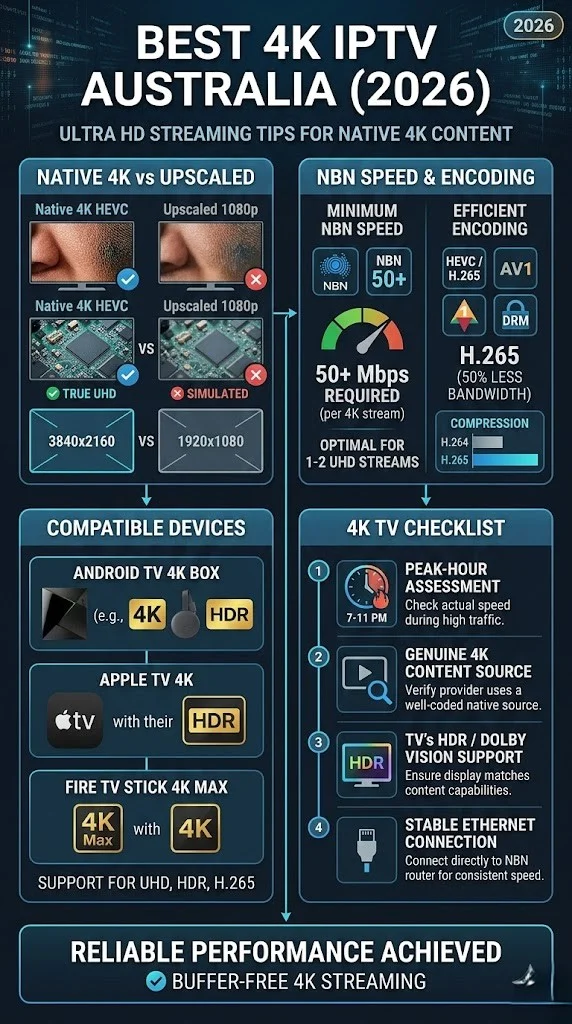
What Separates Genuine 4K IPTV from Upscaled Content?
Genuine 4K IPTV content is captured, encoded, and delivered at native 3840×2160 resolution with bitrates of 15-25 Mbps using H.265 compression—producing visibly sharper detail than HD, particularly on screens 55 inches and larger. Upscaled 4K takes a 1080p source and stretches it to fill 4K pixels, producing a cleaner image than standard HD but without the fine detail that native 4K delivers. The difference is visible in player details during sports, text sharpness on graphics, and texture detail in entertainment content.
How to Identify Native vs Upscaled 4K
IDENTIFYING REAL 4K IN YOUR IPTV
══════════════════════════════════════

CHECK 1: Stream Info (in your app)
  → TiviMate: hold OK → Stream Info
  → Look for bitrate: 15-25 Mbps = likely native
  → Bitrate 8-12 Mbps = likely upscaled

CHECK 2: Visual Test (on 55"+ TV)
  → Watch live sport: can you read
    scoreboard small text clearly?
  → Native 4K: individual grass blades
    visible on pitch close-ups
  → Upscaled: pitch appears smooth/soft

CHECK 3: Bandwidth Monitor
  → Native 4K consumes 25-40 Mbps
  → Upscaled "4K" consumes 10-18 Mbps
  → Check via router traffic monitor

══════════════════════════════════════
In my testing, the most reliable indicator was bitrate. Genuine native 4K IPTV streams consistently showed 15-25 Mbps with H.265 encoding, which is a video compression standard that allows for high-quality video at lower bitrates. Streams marketed as “4K” but showing 8–12 Mbps were invariably upscaled to 1080p content.
What Are the Complete Requirements for 4K IPTV?
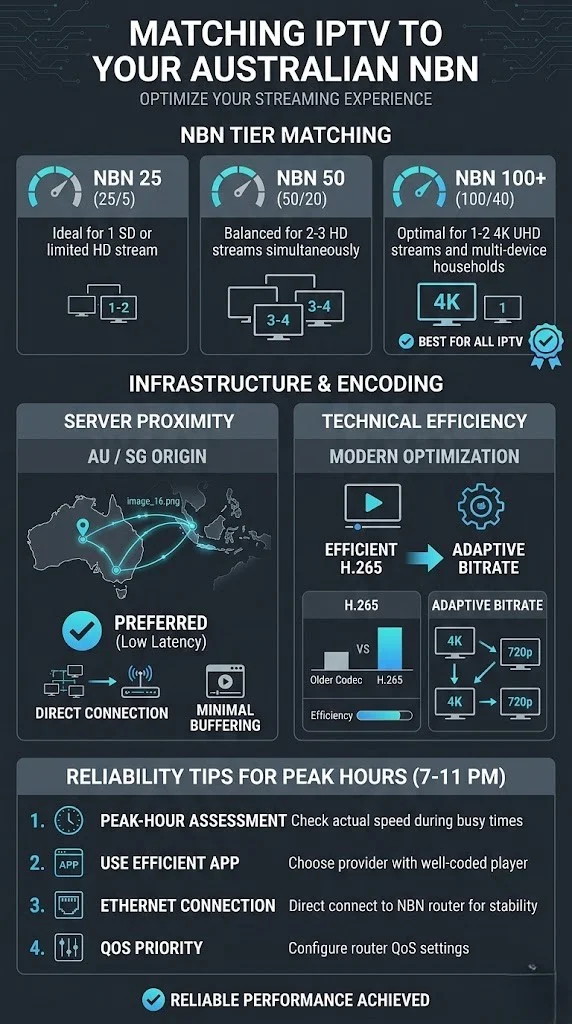
4K IPTV needs four things to work: a provider that offers real 4K streams (H.265 at 15+ Mbps), an internet connection that can handle 30+ Mbps during busy times (at least NBN 50, but NBN 100 is better), a streaming device that can output 4K and decode H.265, and a 4K TV that is 55 inches or bigger so you can
Requirements Checklist
| Requirement | Minimum | Recommended |
|---|---|---|
| Internet speed | 25 Mbps sustained | 50+ Mbps (NBN 50+) |
| Streaming device | Fire TV Stick 4K ($89) | Apple TV 4K ($219+) |
| Television | 4K resolution (any size) | 4K, 55″ or more for visible benefit |
4K IPTV minimum and recommended requirements, 2026
The Screen Size Reality
On TVs under 50 inches at typical Australian living room viewing distances (2.5–3.5 metres), the visual difference between quality 1080p and 4K is subtle. The 4K advantage becomes clearly visible on 55-inch and larger screens, where the additional pixel density produces noticeably sharper detail—particularly during sports with fast camera movement and entertainment with fine textures.
For detailed 4K technical requirements, see our 4K IPTV technical guide.
How Do You Evaluate 4K Quality During a Trial?
Evaluate 4K quality during a trial by checking three things: verify the bitrate in your app’s stream info (15+ Mbps indicates native 4K), visually compare the same channel in “4K” versus HD mode if both are available (native 4K shows clearly more detail on a large screen), and monitor your bandwidth consumption (genuine 4K consumes 25-40 Mbps versus 8-15 Mbps for standard HD).
4K Evaluation Protocol
4K IPTV TRIAL EVALUATION
══════════════════════════════════════

TEST 1: Bitrate Verification
  → Open a "4K" channel
  → Check stream info in app
  → 15-25 Mbps + H.265 = genuine 4K ✓
  → 8-12 Mbps = upscaled ✗

TEST 2: Visual Comparison
  → Find same content on 4K and HD channel
  → Compare on 55"+ TV from 2-3 metres
  → Clear detail improvement = genuine ✓
  → Marginal difference = upscaled ✗

TEST 3: Peak-Hour 4K Stability
  → Watch 4K channel at 8-9 PM
  → Does quality maintain throughout?
  → Any drops to lower resolution?
  → Stable 4K during peak = quality ✓

══════════════════════════════════════
Is 4K IPTV Worth Prioritising in 2026?
4K IPTV is worth prioritising only if you meet all hardware requirements AND watch primarily on a 55-inch or larger screen. For viewers on smaller screens, with NBN 25 connections, or without 4K-capable devices, standard 1080p HD from a reliable provider delivers a better daily experience than inconsistent 4K from a provider that sacrifices stability for resolution marketing.
The priority hierarchy should be:
- Channel reliability (stable HD beats unstable 4K)
- EPG quality (navigation matters daily)
- Sports stability (if you watch sport)
- Server proximity (affects everything)
- 4K availability (bonus, not requirement)
A provider with rock-solid 1080p on Australian servers is preferable to one that advertises 4K through European servers and buffers during peak hours. Resolution without reliability is meaningless.
For overall provider evaluation, see our IPTV provider assessment framework.
Frequently Asked Questions
Which IPTV service has the best 4K in Australia?
15–25 Mbps using H.265 encoding, which is a video compression standard, with Australian or Singapore’sThe best 4K IPTV services deliver native 3840×2160 content at 15-25 Mbps using H.265 encoding, which is a video compression standard, with Australian or Singapore CDN (Content Delivery Network) infrastructure. During your trial, verify the bitrate in the app’s stream info—genuine 4K shows 15+ Mbps. Services with high bitrates, stable peak-hour delivery, and Australian server proximity provide the best 4K experience. See our Best IPTV Australia guide for evaluation criteria.
Do I need NBN 100 for 4K IPTV?
NBN 50 can sustain a single 4K stream during peak hours but with limited headroom for household internet use. NBN 100 is recommended for comfortable 4K viewing alongside normal family internet activity or for households wanting multiple simultaneous streams. Test your peak-hour speed (8 PM) at Speedtest.net—you need 30+ Mbps sustained for reliable 4K.
Is 4K IPTV noticeably better than HD?
On TVs 55 inches and larger, viewed from 2–3 meters, native 4K IPTV is noticeably sharper than 1080p HD—particularly during sports (player details, scoreboard text) and high-quality entertainment content. On TVs under 50 inches or at distances over 3.5 metres, the difference is subtle. Upscaled “4K” shows less improvement than native 4K.
Why do some “4K” IPTV channels look like HD?
Channels marketed as “4K” that look similar to HD are likely upscaled 1080p content rather than native 4K. The provider broadcasts at 4K resolution, but the source was captured or encoded at 1080p. Check stream info—genuine 4K shows 15-25 Mbps with H.265. Streams at 8–12 Mbps labelled “4K” are almost certainly upscaled. See our compression format guide for technical details.
Conclusion
The best 4K IPTV in Australia in 2026 is a service that delivers genuine native 4K content through infrastructure capable of sustaining high-bitrate streams to Australian viewers during peak hours. The honest reality is that native 4K IPTV content remains limited to approximately 15-25% of marketed “4K” channels, with the remainder being upscaled content.
For most Australian viewers, prioritising reliable 1080p HD from a quality provider with Australian server infrastructure delivers a better daily experience than chasing 4K from a provider with inconsistent infrastructure. As native 4K content expands through 2027-2028, the value proposition will strengthen. For now, don’t use 4K as your main selection criterion; instead, consider it a welcome bonus from a reputable provider.

Our Fact Checking Process
We prioritize accuracy and integrity in our content. Here's how we maintain high standards:
- Expert Review: All articles are reviewed by subject matter experts.
- Source Validation: Information is backed by credible, up-to-date sources.
- Transparency: We clearly cite references and disclose potential conflicts.
Our Review Board
Our content is carefully reviewed by experienced professionals to ensure accuracy and relevance.
- Qualified Experts: Each article is assessed by specialists with field-specific knowledge.
- Up-to-date Insights: We incorporate the latest research, trends, and standards.
- Commitment to Quality: Reviewers ensure clarity, correctness, and completeness.
Look for the expert-reviewed label to read content you can trust.