Quick Answer
MPEGTS vs HLS is a choice between two different ways of getting a live stream to your player. MPEGTS delivers a continuous transport stream. HLS delivers a playlist pointing to media segments, and can switch quality when the service provides multiple variants. Neither is universally better.
MPEGTS vs HLS is the setting almost every Australian IPTV viewer eventually stumbles into, usually buried in an app menu labelled “Stream Type” or “Output Format”. Both are legitimate ways to deliver live television, both are used by mainstream providers, and the right one depends on your app, your device, and how your provider has configured its servers. If you are still getting oriented, our complete IPTV Australia guide covers how the whole system fits together before you start changing settings.
This article assumes you already have a working subscription and are deciding what to set.
MPEGTS vs HLS: Which Should You Pick?
There is no fixed rule. MPEGTS can be the practical choice when quick start-up and low delay matter and your app and service handle it well. HLS becomes more attractive when bandwidth adaptation matters — but only if your service actually publishes multiple quality variants. If unsure, start with Auto.
| Your situation | Worth trying first | Why |
|---|---|---|
| Live sport, priority is minimal delay | MPEGTS | Continuous delivery, no playlist retrieval step |
| Bandwidth varies and your service offers multiple variants | HLS | The player can move to a lower-quality variant |
| Phone, tablet, or web browser | HLS | Widely supported without a dedicated player |
| Travelling, hotel or shared Wi-Fi | HLS | Ordinary HTTP traffic passes restricted networks more predictably |
| Not sure, nothing is broken | Auto | Let the app negotiate, then change only if you hit a problem |
| One channel fails while others play | The format that works | That channel may simply be delivered differently |
That last row matters more than people expect. Individual channels are not always published identically, so a channel may be available in one format and not the other. If a single channel fails while everything else plays, the format is a symptom rather than the cause — and our IPTV channel not loading guide covers what to check instead.
⚠️ The variant caveat. HLS is not adaptive simply because it is HLS. Adaptive bitrate requires the service to publish a multivariant playlist with several quality levels. If your provider serves a single variant, switching to HLS gives you no bandwidth adaptation at all.
Key takeaway: There is no universally better IPTV stream format — the right one depends on your app, your device, and how your provider has configured that particular stream.
What Is the Difference Between MPEGTS and HLS?
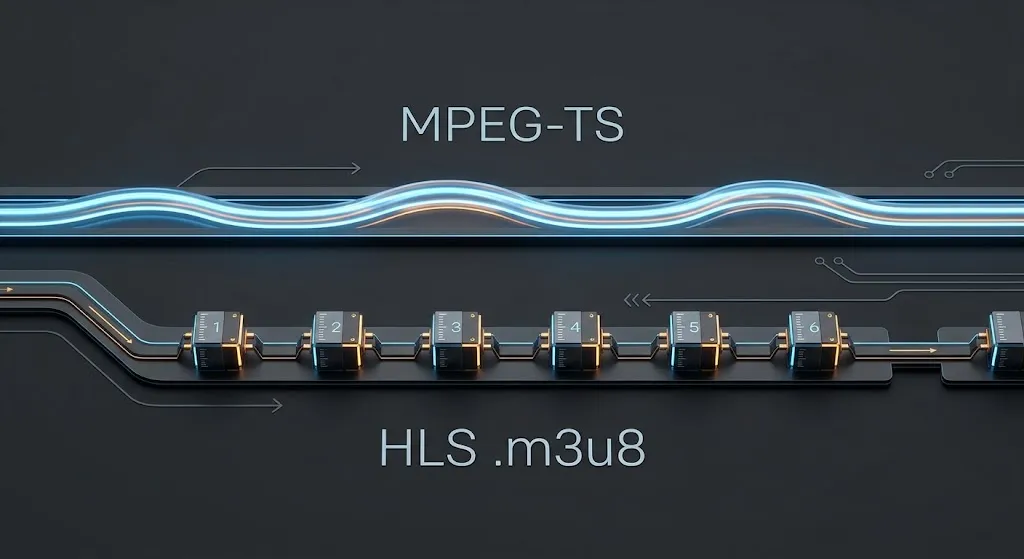
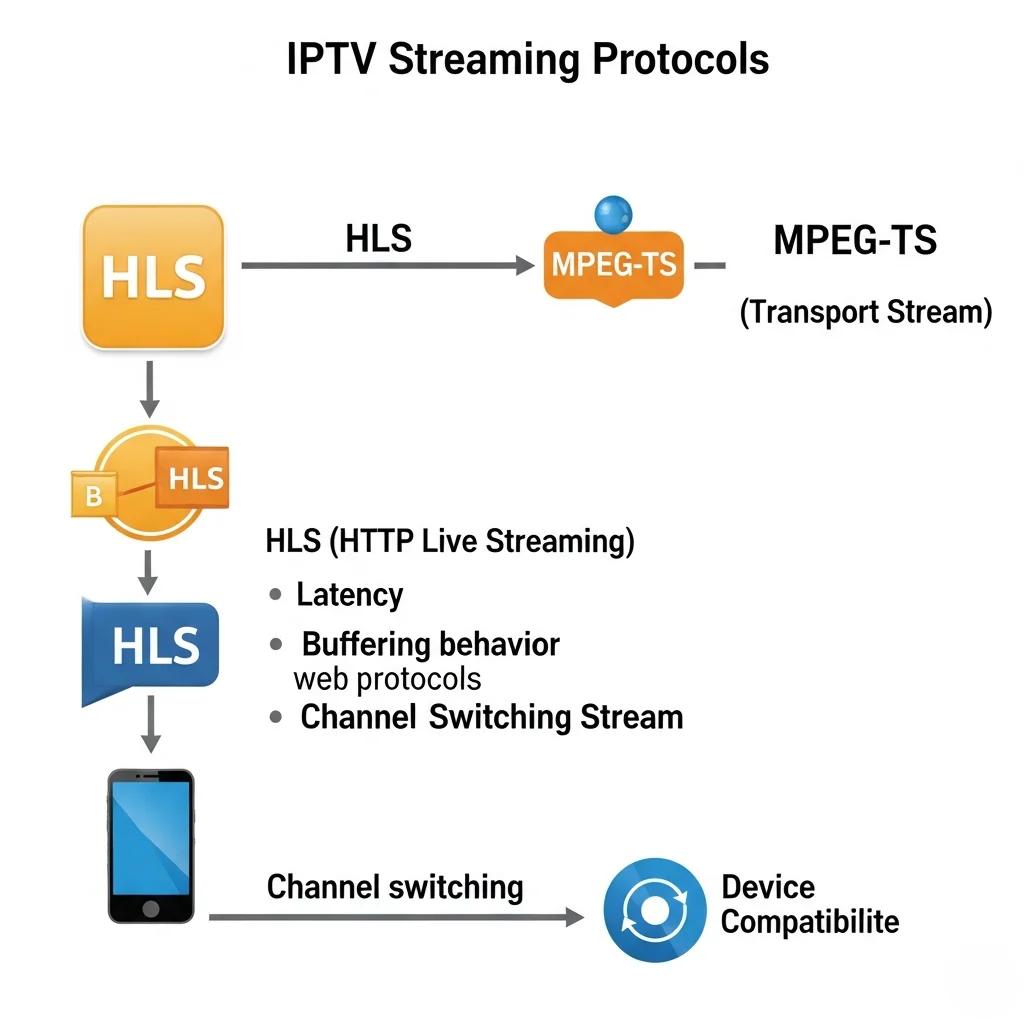
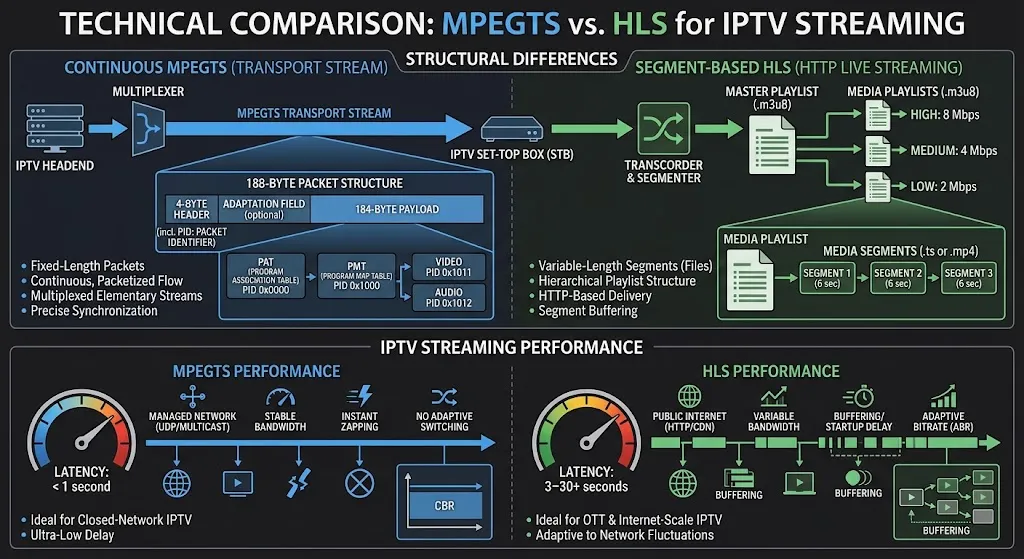
They are not the same kind of thing. MPEG-TS is a container and transport stream format that carries video, audio and metadata as a continuous packet stream. HLS is a streaming protocol built on playlists and media segments. Comparing them is useful from a user’s point of view, but they sit at different technical levels.
| Factor | MPEG-TS | HLS |
|---|---|---|
| What it is | Container / transport stream format | Streaming protocol using playlists and segments |
| Delivery | Continuous packet stream | Playlist referencing media segments |
| What you commonly see | .ts media stream or segment | .m3u8 playlist |
| Adaptive bitrate | No | Yes, when multiple variants are published |
| Playback start | Media can be received as data arrives | Requires playlist and segment retrieval to progress |
| Origin | Broadcast systems — DVB, ATSC, satellite, cable | Apple, released 2009, for internet delivery |
Why the .m3u8 Label Confuses People
The .m3u8 file is a playlist, not the video itself. It points to media segments, and those segments can use different formats — which is why you will sometimes see .ts segments referenced inside an HLS playlist. The two are not mutually exclusive at the technical level, even though your app presents them as an either/or choice.
This is also the source of a common mix-up between playlist types and login types. If you are unsure whether you are working with an M3U link or an Xtream Codes login, our Xtream Codes vs M3U comparison separates the two properly.
Where Each Format Came From
The MPEG-2 Transport Stream predates internet streaming and was designed for broadcast delivery over DVB, ATSC, satellite and cable. That is why it behaves like broadcast rather than like a web download. HLS was released by Apple in 2009 for internet delivery and is now supported across media players, browsers, mobile devices and streaming servers.
How Does MPEGTS Work?
Your player opens a connection to the stream URL and receives a continuous flow of packets, which it decodes and displays as data arrives. There is no playlist to fetch first and no segment queue to fill. Media can begin arriving immediately, though actual start-up time still depends on the player and stream configuration.
The trade-off sits in what happens when bandwidth dips. MPEG-TS sends at a fixed rate regardless of network conditions, so if your connection cannot sustain that rate, the player runs out of data. There is no lower-quality version to fall back to — that mechanism does not exist in a single continuous stream.
This is the honest summary of MPEG-TS in an IPTV context: simple, direct, and entirely dependent on your connection sustaining the required rate.
How Does HLS Work?
HLS breaks delivery into two parts: a playlist that lists what is available, and the media segments themselves. Your player reads the playlist, fetches segments in sequence, and plays each one while retrieving the next. Everything travels as ordinary HTTP traffic.
Playlists and Segments
Because segments move as ordinary HTTP files, HLS passes through firewalls and restricted networks like normal web traffic. That is a practical advantage on hotel Wi-Fi, workplace connections, and any network where unusual traffic gets filtered.
The player is always working slightly ahead of what you see on screen, retrieving the next segment while the current one plays. That look-ahead is what keeps playback smooth, and it is also what creates the delay behind live broadcast.
When Adaptive Bitrate Actually Applies
When a service publishes a multivariant playlist, the player can switch between quality levels mid-stream based on measured throughput. That is adaptive bitrate, and it is HLS’s real advantage — when it is available. A single-variant stream has nothing to switch to.
The cost is live latency. Because playback depends on playlist and segment availability, HLS can run further behind the live broadcast than a continuous stream does. How much further depends heavily on the HLS configuration and player buffer rather than on the protocol itself. Apple’s HTTP Live Streaming documentation sets out the playlist and segment structure, along with the Low-Latency HLS variant designed specifically to narrow that gap.
Key takeaway: HLS adaptive bitrate depends on the service publishing multiple quality variants — the protocol alone does not guarantee it.
Which Is Better for Live IPTV and Sport?
MPEGTS is often closer to real time, which makes it a reasonable starting point for live sport. But stream format is only one of several things setting your delay, and it is frequently not the largest. Provider encoding, segment length, CDN routing, your app, your device and your connection all contribute.
Why “MPEGTS Is Faster” Is Misleading
The claim is defensible in isolation and misleading in practice. Two viewers on the same format, the same provider and the same suburb can see very different delays, because the format is one link in a chain that includes encoding, routing and playback.
If you are chasing minimal delay for live sport specifically, the format is worth testing — but it belongs alongside device choice and connection quality, not ahead of them. Our best IPTV for sports guide covers the wider setup that affects live sport viewing.
What Actually Sets Your Delay
| Factor | Effect |
|---|---|
| Provider encoding settings | Sets the baseline delay before anything reaches you |
| HLS segment duration | Longer segments mean more buffered ahead — often the largest HLS factor |
| CDN (Content Delivery Network) routing | A distant edge server adds delay regardless of format |
| Your app’s buffer setting | Larger buffers absorb dips but increase delay |
| Device decoding performance | Underpowered hardware adds lag independent of format |
| Connection stability | Steadiness matters more than peak speed for live streaming |
The honest conclusion: if you are well behind broadcast on MPEGTS, switching to HLS is unlikely to be your fix, and switching back is unlikely to be your problem. Look at segment duration and buffer settings first.
Does Changing Stream Type Fix IPTV Buffering?
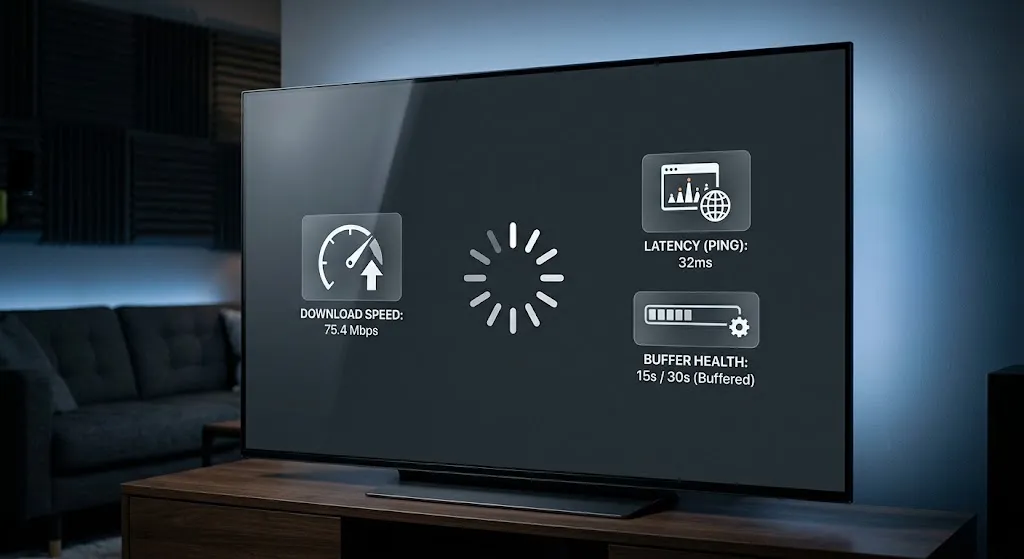
Sometimes, but not reliably. Changing stream type helps when the cause is a mismatch between your app and how your provider delivers that stream. It does nothing when the underlying problem is an unstable connection, an overloaded server, or insufficient device performance.
Treat it as a diagnostic step, not a repair.
When Switching Genuinely Helps
- Your bandwidth varies and your service publishes multiple HLS variants — the player then has something to adapt to.
- A specific channel stutters while others are fine, suggesting that channel is delivered differently.
- Your app handles one format poorly on your particular device, which happens more often with older Smart TV players than with dedicated boxes.
When Switching Will Not Help
- Everything buffers around the same time each evening. That can point to congestion or another recurring network condition — on your line, your Wi-Fi, or the provider’s side.
- Buffering started with no change on your end, which usually indicates something server-side.
- The picture stutters but never stops, which points toward device decoding rather than delivery.
A sensible order: test your connection under load first, then try the other format, then look at your app’s buffer settings, then contact your provider. Our IPTV buffering fixes guide works through the connection side in detail, and if playback stops entirely rather than stuttering, IPTV freezing solutions covers that pattern separately.
Key takeaway: Stream type is a two-minute test worth running early, not a general cure for buffering.
What Stream Format Should You Use on a Fire TV Stick?
Start with whichever format your IPTV app and service handle reliably. MPEGTS can be a sensible choice when low delay and quick channel changes matter. HLS can be more useful when Wi-Fi conditions vary and your service publishes multiple quality variants. There is no Fire TV-specific rule beyond that.
One Fire TV detail is worth knowing: standard Stick models have no Ethernet port, so they depend on Wi-Fi. That makes bandwidth adaptation potentially more valuable here than on a wired Android box — provided the variants exist to adapt between.
The format is set in your app, not in Fire TV settings, so changing it needs no reinstall and affects only that app on that device.
If the Stick itself is struggling — apps slow to open, playback stuttering across every channel — the format is not your issue. Our Fire TV Stick IPTV setup guide covers the device-side configuration that matters more, and Fire TV Stick troubleshooting handles the faults that survive a clean setup.
How Do You Change Stream Format in Your IPTV App?
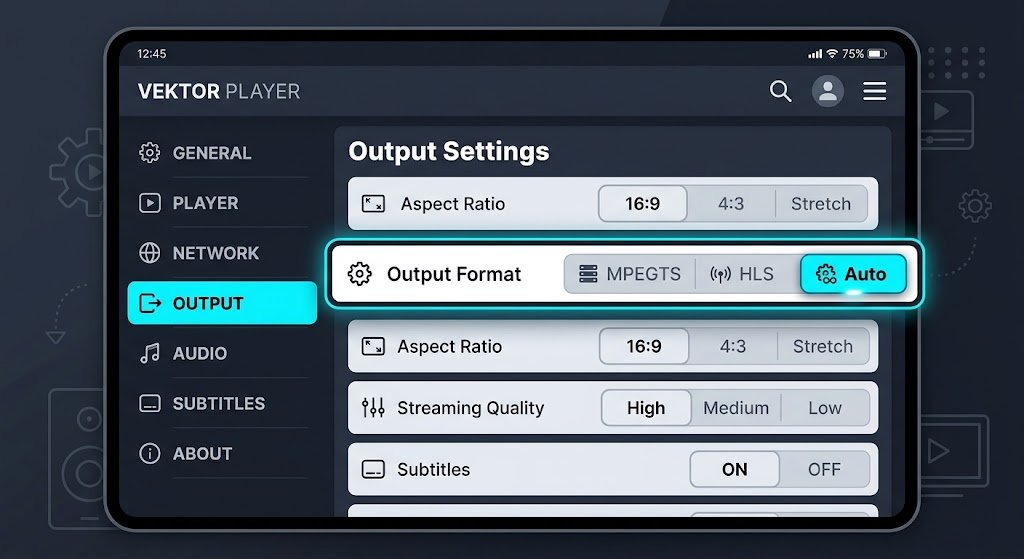
The setting sits inside your IPTV app, under a menu usually labelled Stream Type, Stream Format, or Output Format. It is not a device setting and not a provider setting, so changing it affects only that app on that device. Most apps offer MPEGTS, HLS, and Auto.
Where the Setting Lives in Each App
Where it lives varies by app. In TiviMate the option sits with the Xtream Codes playlist parameters rather than in playback settings, which is why people often report not finding it — our TiviMate configuration guide walks through that menu. In IPTV Smarters Pro it appears in the general settings under stream format, covered in the IPTV Smarters setup guide.
Check your app’s current menu rather than relying on a screenshot from an older version — these menus move between releases.
The URL Parameter Most People Miss
With Xtream-style M3U endpoints, the playlist URL may include an output= parameter that sets the format directly: output=ts requests MPEGTS, output=m3u8 requests HLS. This is implementation-specific rather than a universal M3U standard, so it will not appear on every link.
Where it does appear, editing that one value switches the format without touching any app setting — useful when an app offers no format option at all. Our M3U playlist guide explains the rest of the URL structure, and the IPTV devices and apps guide covers which players expose this control on which platforms.
What Other Stream Formats Might You See?
Two others appear occasionally. RTMP is a legacy protocol now largely used for sending video to a server rather than delivering it to viewers. DASH is an adaptive segment-based standard similar in concept to HLS, common in mainstream streaming services but rarely offered as a user-facing option in IPTV apps.
For practical purposes in 2026, your choice is MPEGTS or HLS. If an app offers you anything else, it is usually a developer setting rather than something you need to change.
Bottom Line
Try MPEGTS first if minimal delay and fast channel changes are your priority, particularly for live sport, and your app and service handle it without problems. The fixed-rate delivery is not a liability when your connection sustains it comfortably.
Try HLS first if you watch on a phone, tablet or browser, or you stream over Wi-Fi you do not control. Check whether your service publishes multiple quality variants — without them, you get the compatibility benefit but not the bandwidth adaptation.
Stay on Auto if nothing is currently broken. Auto is not a compromise setting; it lets the app negotiate what works, and it is the right starting point for a new setup. Change it only when you have a specific problem to solve. If the problem persists after switching, work through the IPTV setup guide for Australia rather than cycling formats, and use the IPTV Australia guide if you need to revisit the fundamentals.
Explore More
Setup & Devices
- IPTV Setup Australia
- Fire TV Stick IPTV Setup
- IPTV Devices & Apps Australia
- TiviMate IPTV Configuration
- IPTV Smarters Setup
Troubleshooting
- IPTV Buffering Fixes Australia
- IPTV Freezing Solutions Australia
- IPTV Channel Not Loading Fix
- Fire TV Stick IPTV Troubleshooting
Technical & Guides
Sources
- Apple Developer — HTTP Live Streaming documentation